48
Enable/disable 802.11n protection, which increases reliability
but reduces bandwidth (clients will send Request to Send (RTS)
to access point, and access point will broadcast Clear to Send
(CTS), before a packet is sent from client).
Set the DTIM (delivery traffic indication message) period value
of the wireless radio. The default value is 1.
Set the RTS threshold of the wireless radio. The default value is
2347.
Set the fragment threshold of the wireless radio. The default
value is 2346.
Set the transfer rate for multicast packets or use the “Auto”
setting. The range of the transfer rate is between 1Mbps to
54Mbps
Set the power output of the wireless radio. You may not require
100% output power. Setting a lower power output may enhance
security since access to your signal can be potentially prevented
from malicious/unknown users in distant areas.
Set the beacon interval of the wireless radio. The default value
is 100.
Set the interval for the access point to send keepalive messages
to a wireless client to check if the station is still alive/active.
Airtime Fairness gives equal amounts of air time (instead of
equal number of frames) to each client regardless of its
theoretical data rate.
Set airtime fairness to “Auto”, “Static” or “Disable”.
Auto: Share rate is automatically managed.
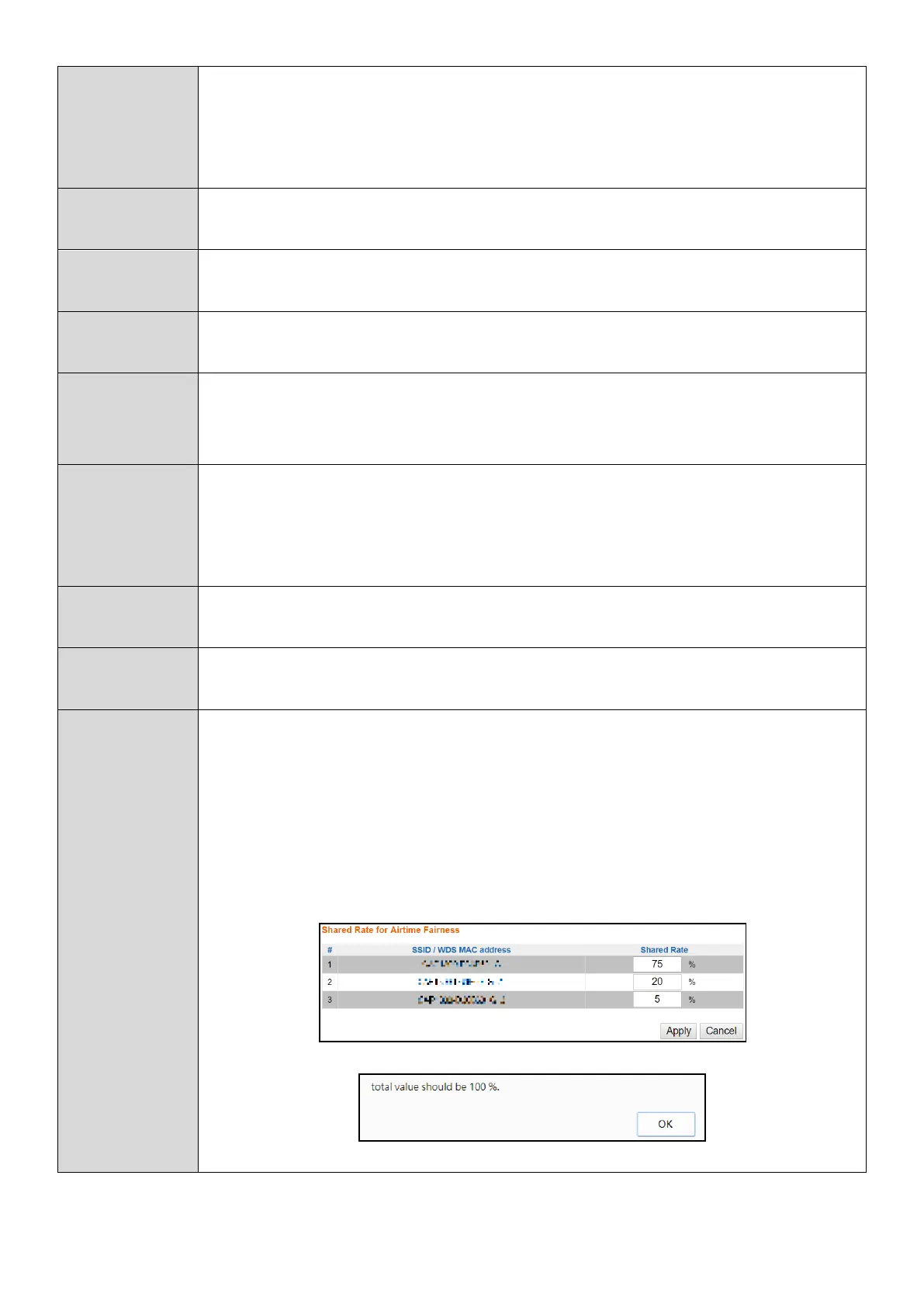
Static: Press “Edit SSID Rate” to manually enter a % for each
SSID’s share rate as shown below:
The % field must add up to 100% or a message will be displayed:
Airtime fairness is disabled if “Disable” is selected.
Press “Apply” to apply the configuration, or “Cancel” to forfeit the changes.


 To Next Page