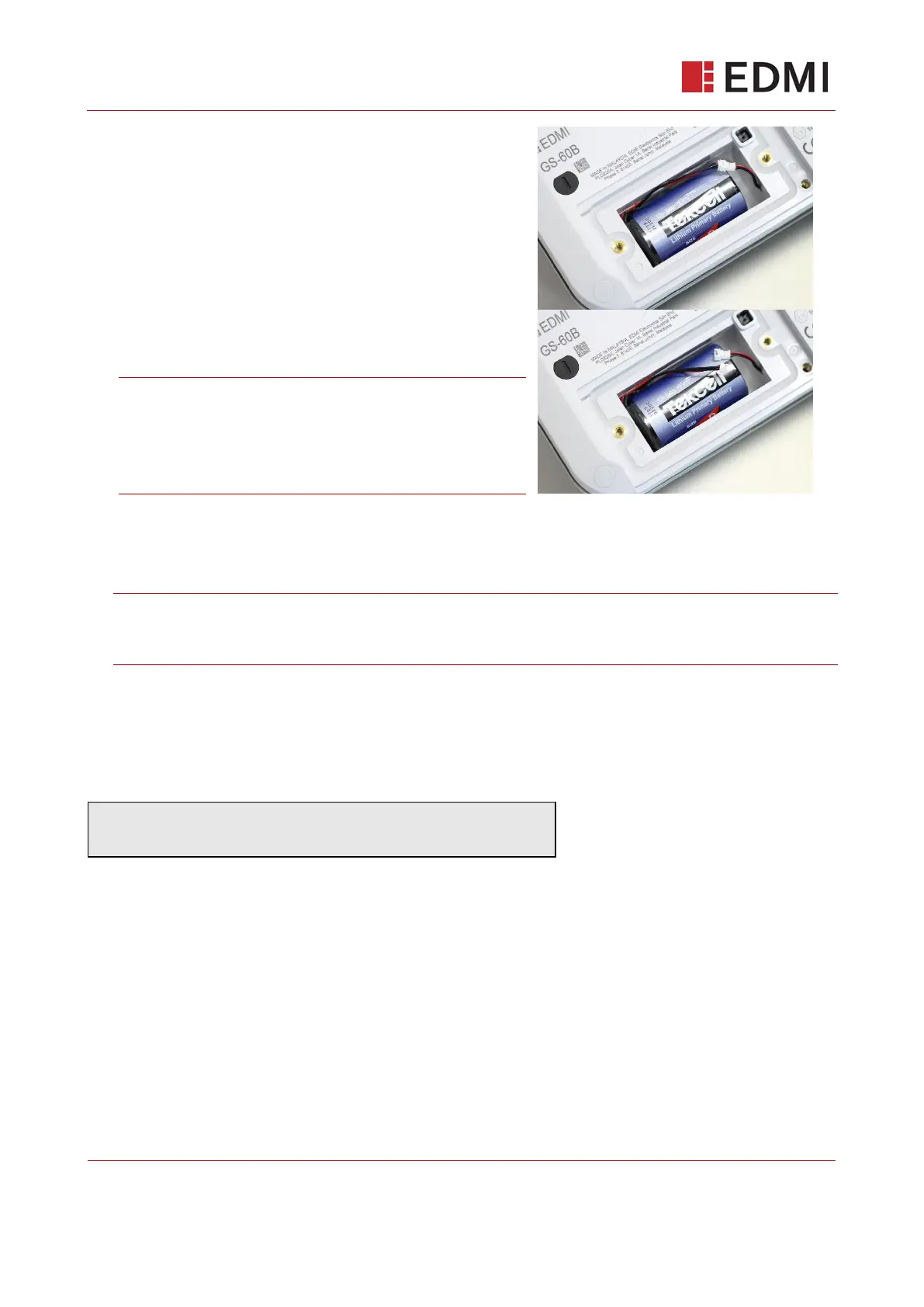
4. Carefully pull the battery cable off of the ‘flying cable’.
The meter will keep running as normal while the main
battery is replaced.
The new battery should be attached via the same
connector. The plastic guides only allow the battery
to be inserted one way so there is no need to worry
about reverse polarity.
Reset the remaining battery capacity via the
Engineering menu.
Note: To access the Engineering menu, the battery
cover must be removed so that the tamper switch is
activated; therefore, this must be done before
replacing the battery cover. Refer to Section 14.1
Battery Replacement Procedure.
5. Replace the battery cover and the screws should then be replaced to fasten the compartment.
The screws should be tighten to a force of 0.6 Nm to ensure the IP67 rating of the meter is left
intact
Note: Take care to avoid trapping the battery cable while replacing the battery cover. This
could damage the cable (causing electronic failure) or IP67 seal could be compromised
(causing water ingress and potential electronic failure).
6. Replace the broken black plastic seals with an EDMI marked replacement. This is important to
prevent tamper of the device.
When the battery in the meter is replaced, a command is required to reset the remaining battery
capacity.



 To Next Page