If the Message menu is accessed and there is no active message, the screen will display:
Engineering Menu
The purpose of the Engineering menu is to allow a qualified installer access to options and
information that are unavailable to the end customer once the meter has been sealed. Engineering
menu items are completely hidden from the standard menus above. Only once the battery cover
has been removed, with the tamper micro switch activated can the following menu items be
accessed.
11.7.1 Accessing the Engineering Menu
To access the Engineering menu, it is necessary to remove the battery cover first.
Equipment required:
▪ Flat blade screwdriver
▪ #2 Philips head screwdriver
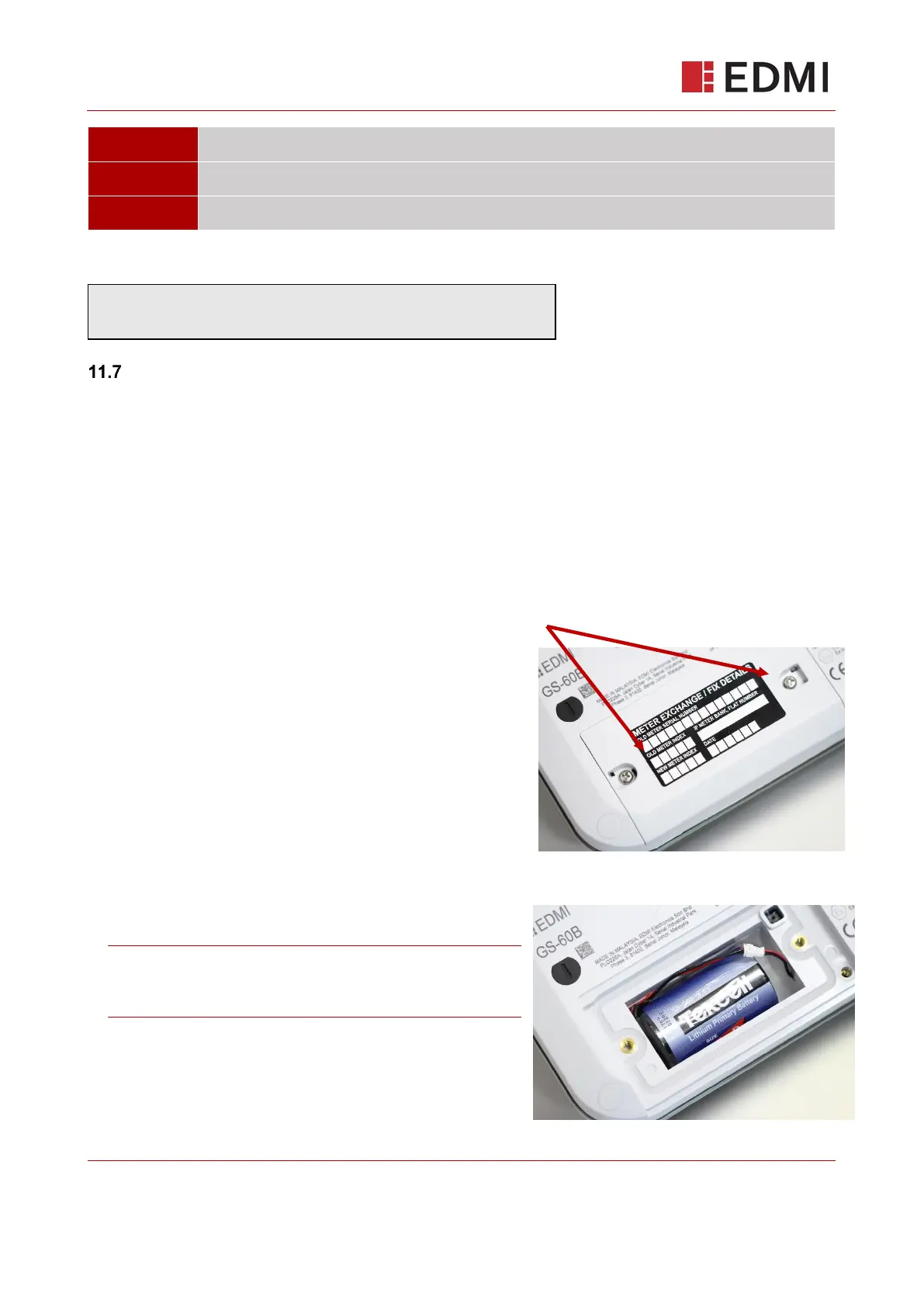
1. Locate the black plastic tamper seals on the lower
left of the meter. Using a flat blade screwdriver, apply
direct force downwards onto the middle of the plastic
seal until it breaks. Remove and discard the plastic
parts.
Unscrew the lid to the compartment with a Philips head screwdriver. Keep the screw safe.
Note: Removing the battery cover will trigger a
tamper alert to be generated which will notify the
supplier.



 To Next Page