Introduction
1.10 EST3 System Operation Manual
Message processing
When an event occurs, the system categorizes the event as a fire
alarm, security alarm, supervisory event, trouble event, or
monitor event. Information about the event is added to a
corresponding message queue on the 3-LCD display module.
The information available in each queue is displayed using the
event queue buttons on the front of the 3-LCD display.
Note that for display purposes, security alarms and supervisory
events are both stored in the supervisory queue.
A panel can store up to 2,000 event messages.
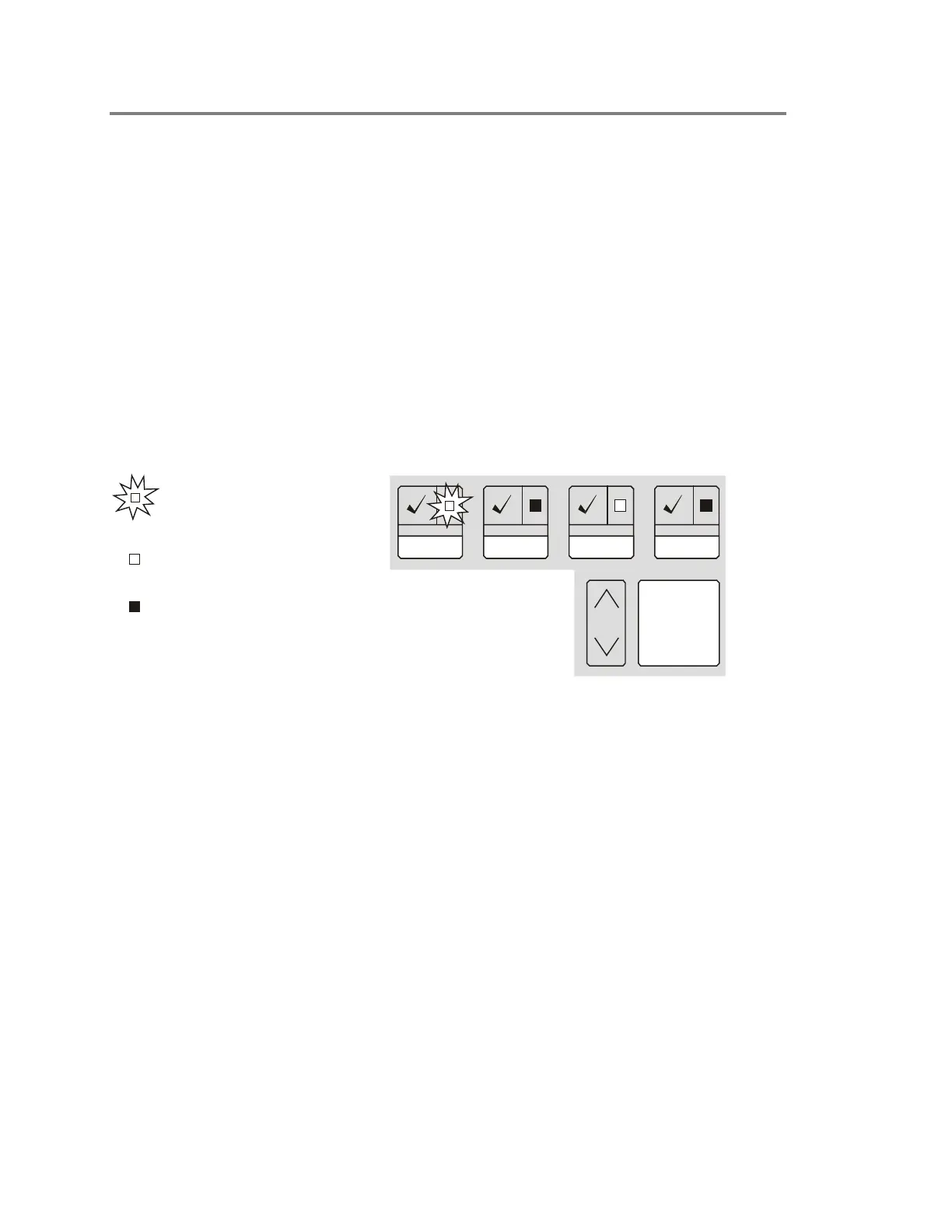
Common event LEDs and queue buttons
The event queue LEDs act as a common event indicator, flashing
any time a new event is added to the queue.
[3LCDU3.CDR]
Previous
Message
Next
Supvr
Trouble MonitorAlarm
Flashing LED indicates that an
event that has
not been reviewed or
acknowledged
is in the queue
LED on steady indicates that all
events in the queue have been
reviewed or acknowledged
LED off indicates that no
in the queue
events
are
When an event is received, the respective event queue LED
flashes, indicating that the event has not been reviewed or
acknowledged.
1. Select the highest priority active queue by pressing the
respective queue button.
2. Scroll through all available event messages using
Previous/Next buttons.
You may use the Previous and Next Message or the queue
buttons to scroll through the activation messages at any time
after a queue is selected.



 To Next Page