74
button is pushed, a pop-up message will be displayed on the screen for two seconds. The message
will appear as follows:
If the Remote Interlock contacts are opened during a test, the pop-up message will be displayed
and the test will abort. The hardware and has been configured to provide the interlock
connections on pins 4 and 5 of the Remote Interface, Signal Input port. The instrument can still be
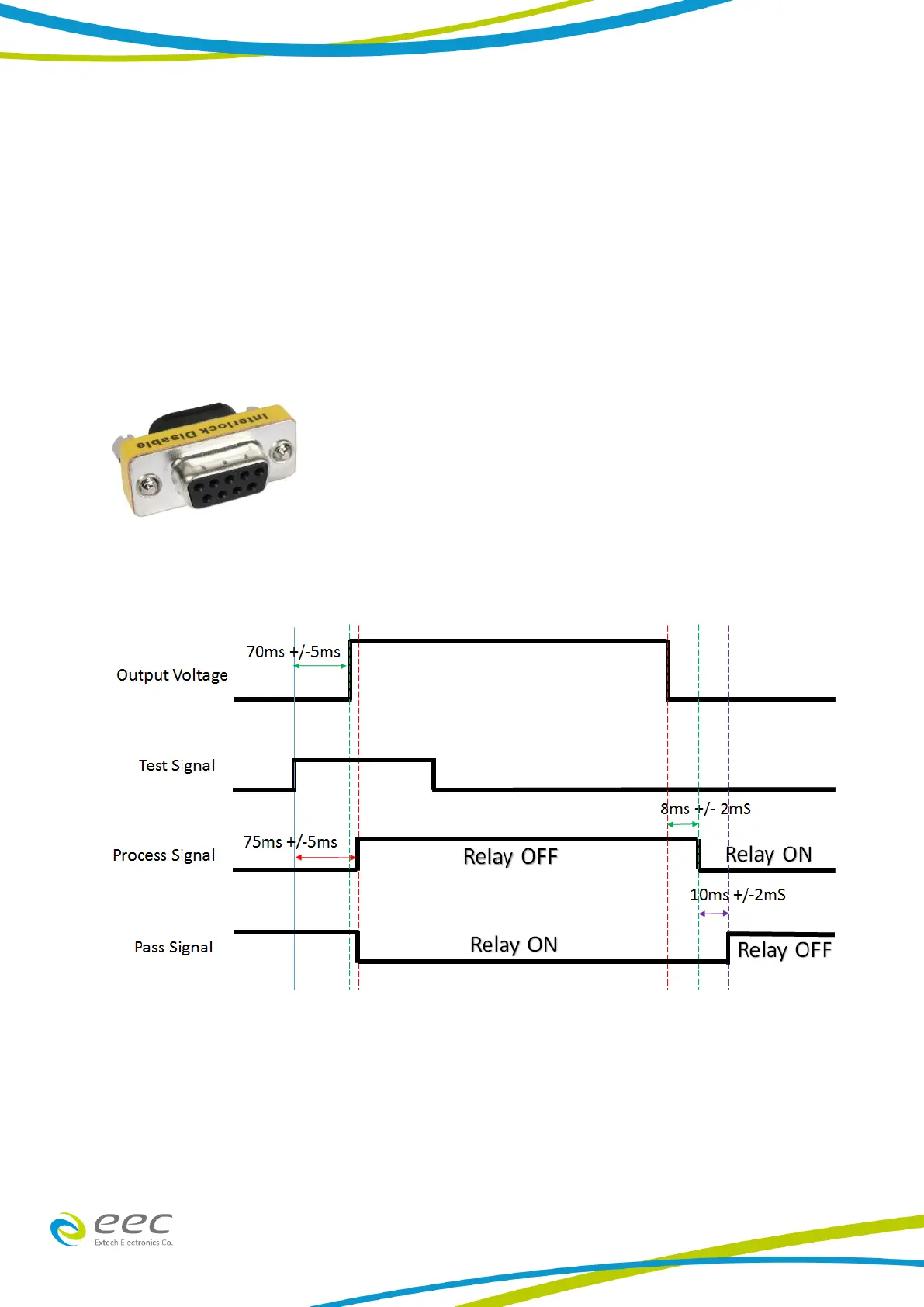
used without the external interlock device as long as the Interlock Disable Key (38075 provided
with unit) is plugged into the Remote Interface, Signal Input port. If there is nothing connected to
the Remote Interface, Signal Input port to provide a connection to the Remote Interlock, the
instrument will not perform tests.
7.3 Timing



 To Next Page