AutoCal V3 User Guide
support@efilive.com - 24 - www.efilive.com
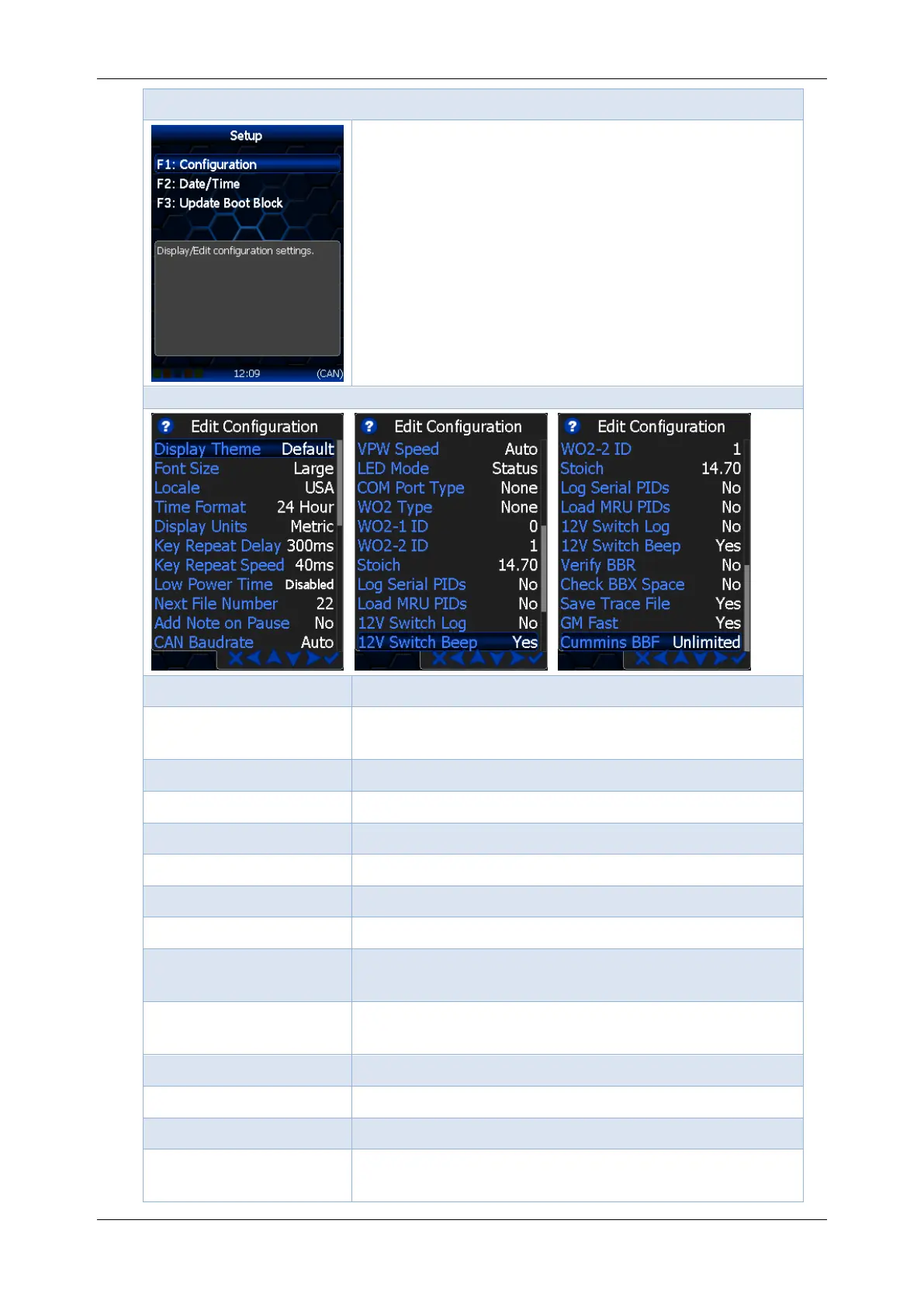
Options -> [F1: Setup] menu
F1: Configuration; opens the Display/Edit
configuration menu.
F2: Date/Time; Display and/or adjust the date and
time.
F3: Update Boot Block; update the Boot Block.
Options -> [F1: Setup] -> Configuration menu
Set the color theme for the display
Set the font size for the display. Font size does
not control fonts in balloon boxes.
Locale USA or Locale Non-USA.
Set time to 24 hour or am/pm.
Set the sequence number for the next
automatically generated file name.
Automatically add a note to log file when log file is
paused/resumed using [OK]. Set to Yes or No.
Set to Status, Alarm or Off.
Set the device connected to serial port. Supported
devices are Wide Band O2, External, or Unknown.



 To Next Page