24
Network
Network Neiborhood (Share Information with PC)
Operation system is windows XP
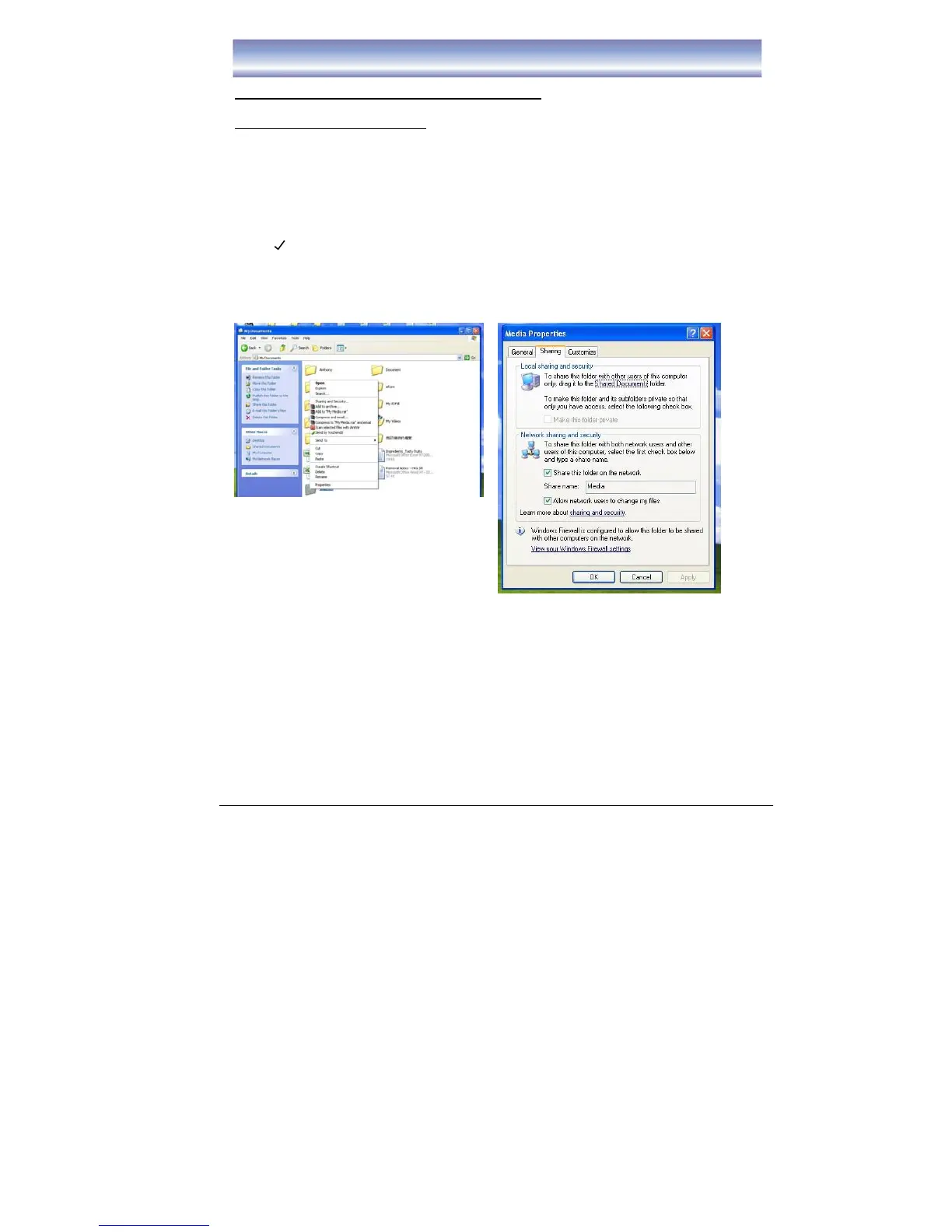
Please follow the below steps to create a share directory in the PC to connect with the
receiver.
1. Create a new folder in the PC (for example in E: ). Suggest to use the folder
name as “Media”.
2. Select “Media” folder, right click and select “Sharing and Security”.
3. In the “Sharing” Sheet, under the item of “Network Sharing and Security”, put a
“ “ in the item of “Share this folder on the network” and “Allow network users
to change my files”.
4. Select “OK” to confirm.



 To Next Page