- 19 -
Chapter 2 Basic Adjustment/Setting
Note
• Return to single screen display by selecting “Single” on the “Picture Setup” menu.
• To adjust or set the following functions during PbyP/PinP display, select the window for applying the function in advance.
- Color mode selection (when “Picture Setup” is set to “Active Window”)
(page 15)
- Brightness adjustment (page 23)
- Volume adjustment (page 24)
- “Color” (page 26) and “Signal” (page 29) on the Setting menu
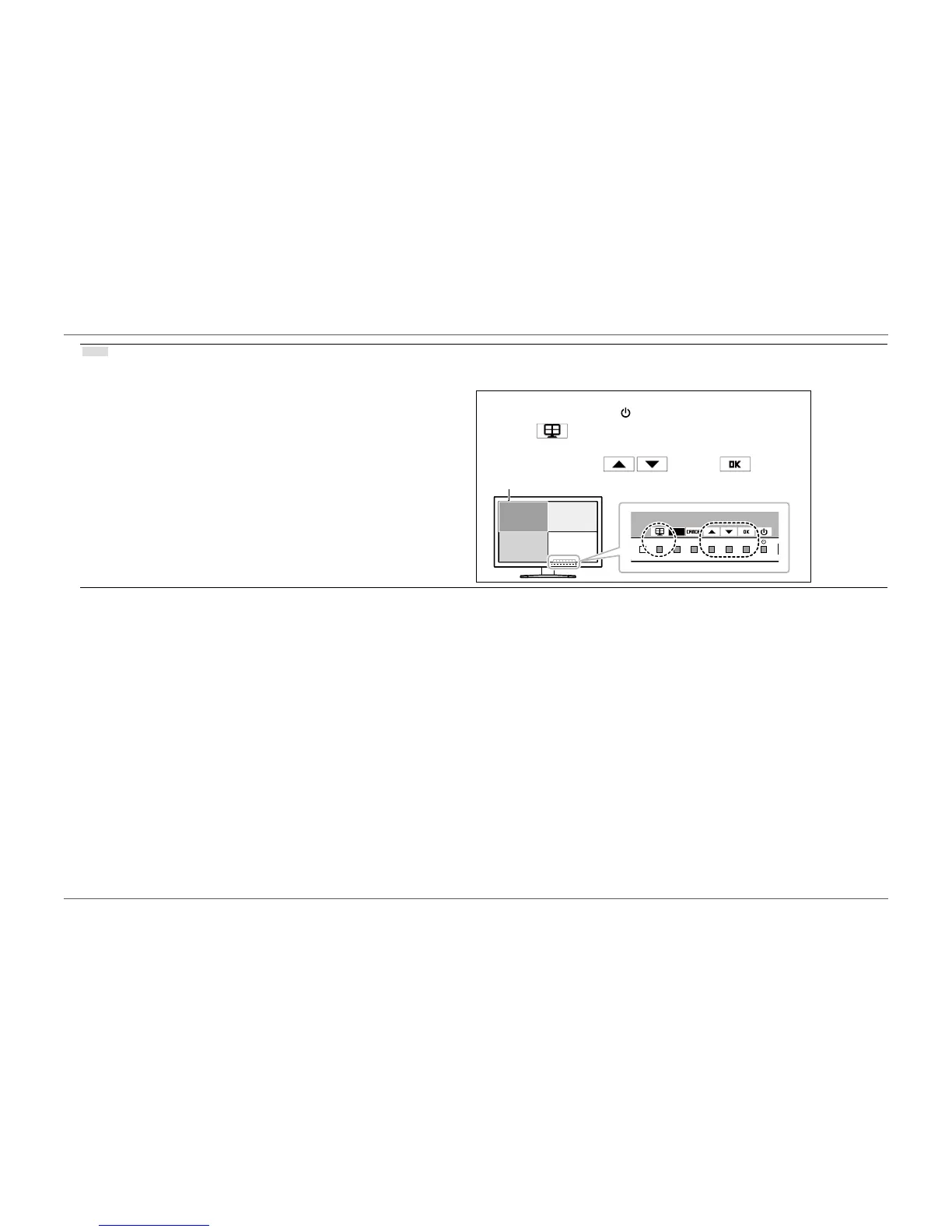
Window Selection Method
1. Press any button (except
).
2. Select
.
The selected window is enclosed in a gray frame.
3. Select a window with
and select .
Active Window














 To Next Page