41
Chapter6ConnectingCables
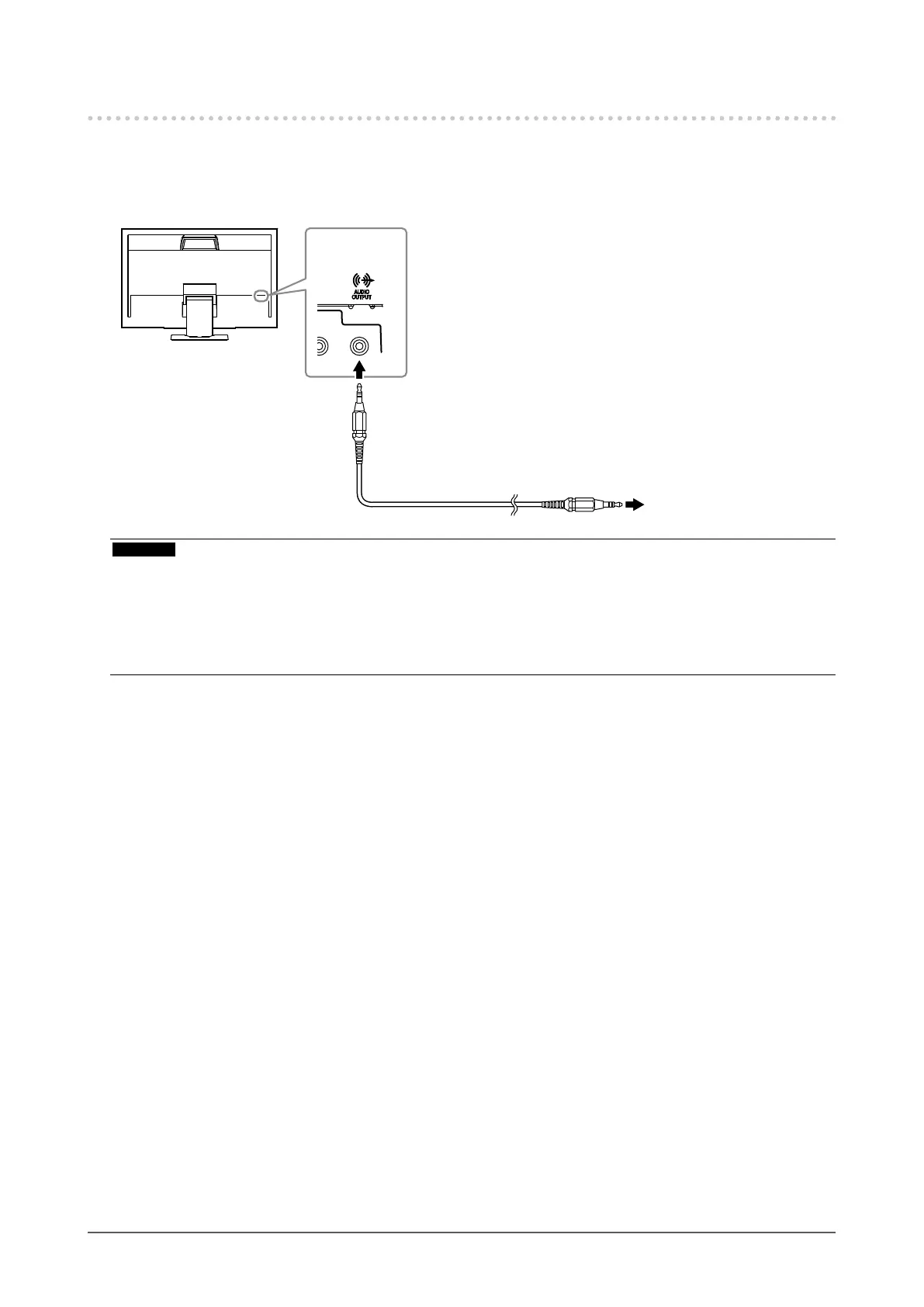
6-2. Connecting External Speaker
A speaker with built-in amplier can be connected to this product to output sound from external devices such as
PCs and game players.
Connection examples
Stereominijackcable
(Commerciallyavailableproduct)
Lineoutput
connector
Toaspeakerwithbuilt-in
amplifier
Attention
• Adjust the volume on the external speaker. You cannot adjust the volume using the remote control or control buttons on the
monitor.
• When a speaker with built-in amplier is attached to the line output connector, the monitor speaker does not output any
sound.
• When headphones are connected to the monitor while a speaker with built-in amplier is attached to the line output
connector, the speaker with built-in amplier does not output any sound.











 To Next Page