12
3.4 SETTING THE COOKING TIME
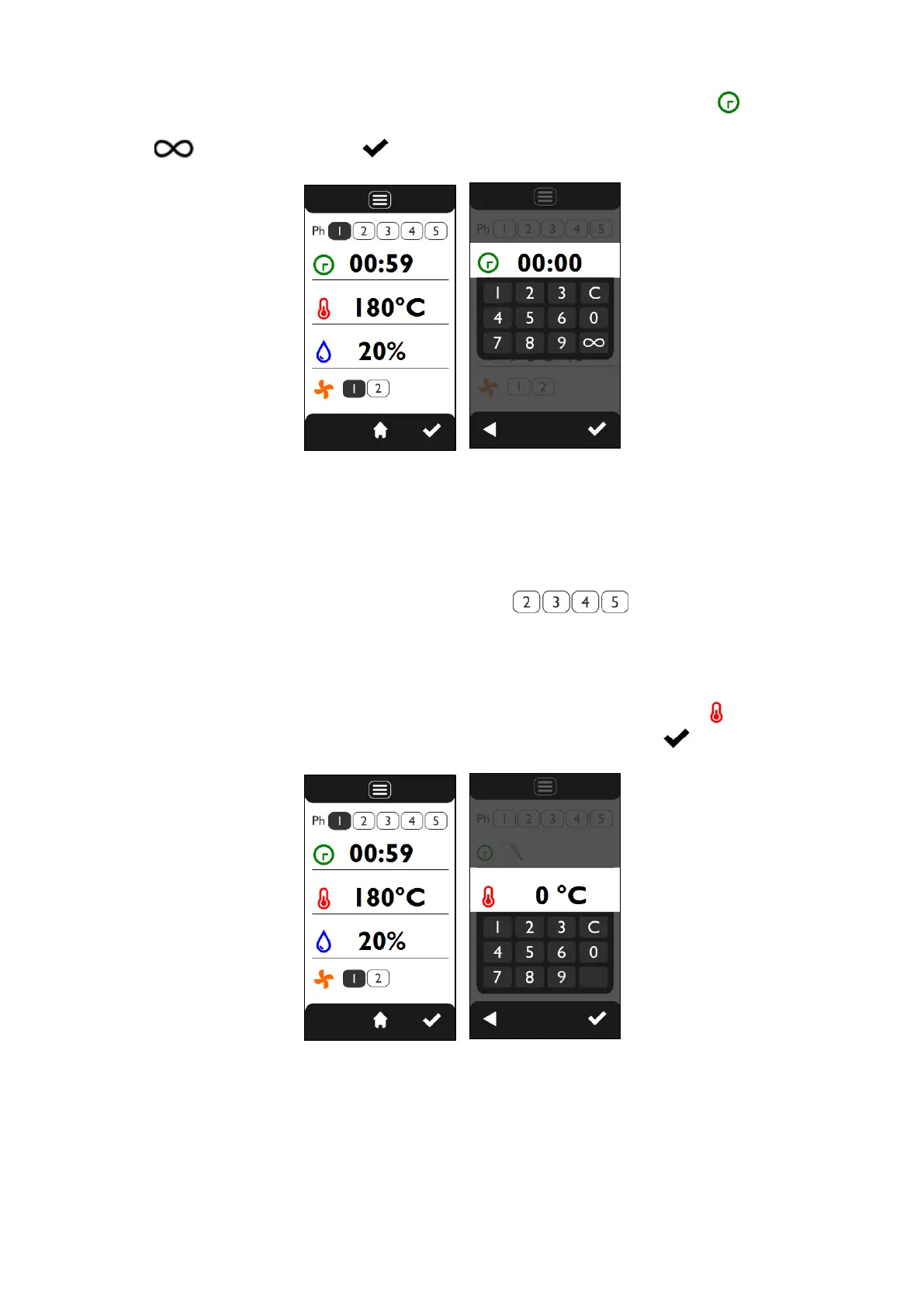
From the “COOKING PARAMETERS” screen (Fig.7) by touching the value of the symbol it is possible to
set the desired value (hours and minutes) using the keyboard that appears (Fig.8). To set infinite time select
the symbol and touch the symbol to confirm.
Fig.7 Fig.8
3.4 SETTING THE COOKING PHASES
Each cooking cycle can include up to a maximum of 5 PHASES (steps). For each phase, it is
possible to set the operating parameters and their desired values.
After setting the parameters and their values for the first phase (“Ph 1”), the subsequent ones
(“Ph 2”, “Ph 3”...), can be set by touching the symbols .
For each phase, the values of the desired operating parameters must be set.
3.5 SETTING OF COOKING TEMPERATURE
From the “COOKING PARAMETERS” screen (Fig.9) by touching the value of the symbol it is possible to
set the desired value using the keyboard that appears (Fig.10); touch the symbol to confirm.
Fig.9 Fig.10












 To Next Page