16
3.11 Saving the new recipe
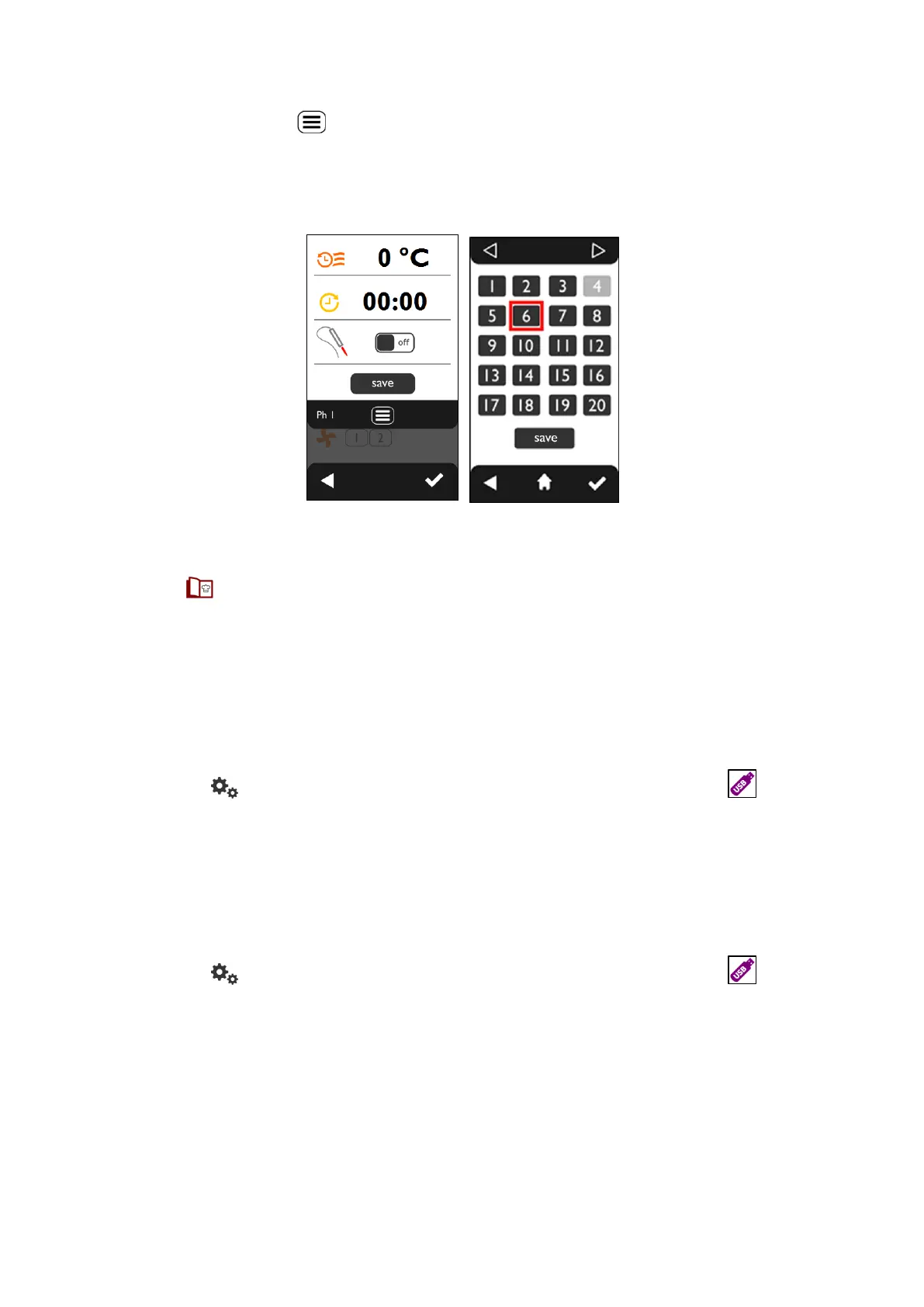
Set the desired cooking cycle parameter values in the “COOKING PARAMETERS” screen for the new recipe
to be saved. Touch the symbol and the “ADDITIONAL FUNCTIONS” screen appears (Fig.25). Touch the
“save” key and the “RECIPE BOOK” screen appears, which displays the empty recipes in light colour and
the recipes present in dark colour. Selecting the recipe number a red box appears. It is also possible to
select a recipe already present (dark colour). In this case it will be overwritten. To save the recipe touch the
“save” button (Fig.26).
Fig.25 Fig. 26
3.12 Deleting a recipe
Tap the symbol on the “HOME” screen; the “RECIPE BOOK” screen appears, displaying empty recipes
in light colour and recipes in dark colour. Selecting the recipe number a red box appears. To delete the
selected recipe touch the “delete” key (Fig.24).
3.13 Import/Export” with USB stick
Through the “USB socket” in the lower hinge of the door, it is possible to “Import” new recipes into the
recipe book, or “Export” from the same recipe book the recipes stored in it, making use of “USB stick”.
3.13.1 “Exporting” recipes (saved programs)
After connecting the “USB stick” (“empty”) to the relative “USB socket”, from the “HOME” screen (Fig.27)
touch the symbol . The “SETTINGS” screen appears (Fig.28). Touch the symbol . Touch the
“export” button (Fig.29) . An acoustic warning (“beep”) will be heard as confirmation.
Important
If the “USB stick” is not connected or detected, error E04 appears.
3.13.2 “Importing” recipes (saved programs)
After connecting the “USB stick” (“empty”) to the relative “USB socket”, from the “HOME” screen (Fig.27)
touch the symbol . The “SETTINGS” screen appears (Fig.28). Touch the symbol . Touch the
“import” button (Fig.29) . An acoustic warning (“beep”) will be heard as confirmation.
Important
If the “USB stick” is not connected or detected, error E04 appears.












 To Next Page