15
4 TAKING A MEASUREMENT
Before starting to take measurements it is good practice to check the performance of the gauge using the
calibration adjustment procedure - see “Calibration adjustment” on page 16.
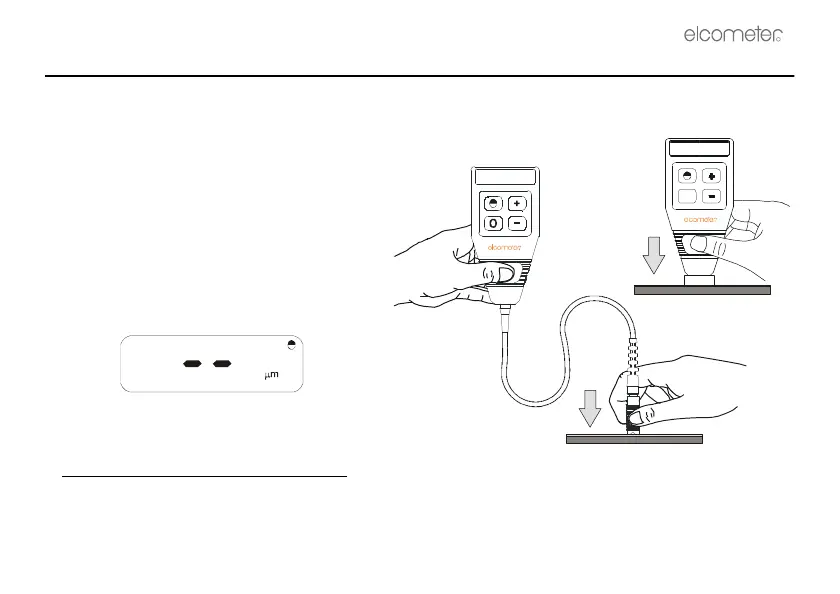
1. Hold the gauge with the probe pressed
firmly
b
against the surface you are
measuring.
2. The display will blink
c
and then display the
coating thickness.
If required, this reading can be adjusted for
the conditions of the measurement - see
“Calibration adjustment” on page 16.
If the following display appears
the value is just greater than the range of
the gauge, or the gauge is out of
calibration.
b. The reading may be inaccurate if the probe is not held flat against the surface.
c. If the display does not blink then the gauge has not recognised that the probe is on the surface, usually because the
coating is much too thick for the range of the gauge.
Integral
probe
Separate
probe



 To Next Page