35
Audio Effects (AFX)
If you have stereo headphones or stereo external
speakers, you can take advantage of the K3’s DSP
audio effects. These create an illusion of greater
space, similar to stereo. For many operators, AFX
provides a less-fatiguing receiver sound, and it can
even improve weak-signal copy.
MAIN:AFX MD is used to select the desired AFX
setting. Available selections include DELAY 1-5
(quasi-stereo), and BIN, which provides a constant
phase shift between the left and right outputs.
Tap AFX to turnthe selected effect on or off. This
can be done even within the AFX MD menu entry.
When the sub receiver isturnedon,turning
AFX on may not have any noticeable effect. This is
because main/sub dual receive is already a stereo
mode, with different material routed to each audio
channel.
Dual Passband CW Filtering
Dual-passband filtering lets you remain aware of
off-frequency CW signals while listeningto one
signal centered inthe passband. This can be useful
during contesting or DXing, as well as when
searching a band for weak signals.
Hold DUAL PB to turn on dual-passband filtering.
This sets up a narrow filter (focus), set within a
wider passband (context) that is attenuated by
about 20 dB. The filter graphic reflectsthis:
The width of the context filter can be varied over a
wide range using W IDTH , while the focus filter
bandwidth is fixed. The current preset will keep
track of both the state of D UAL PB andthe context
width.
Hold DUAL PB again to returnto normal filtering.
Receive Audio Equalization (EQ)
The K3 provides 8 bands of receive audio
equalization via the MAIN:RX EQ menu entry.
You can use receive equalization to compensate for
the physical acousticsof your station (the room,
headphones, speakers, etc.), or just totailorthe
audio to your personal preference.
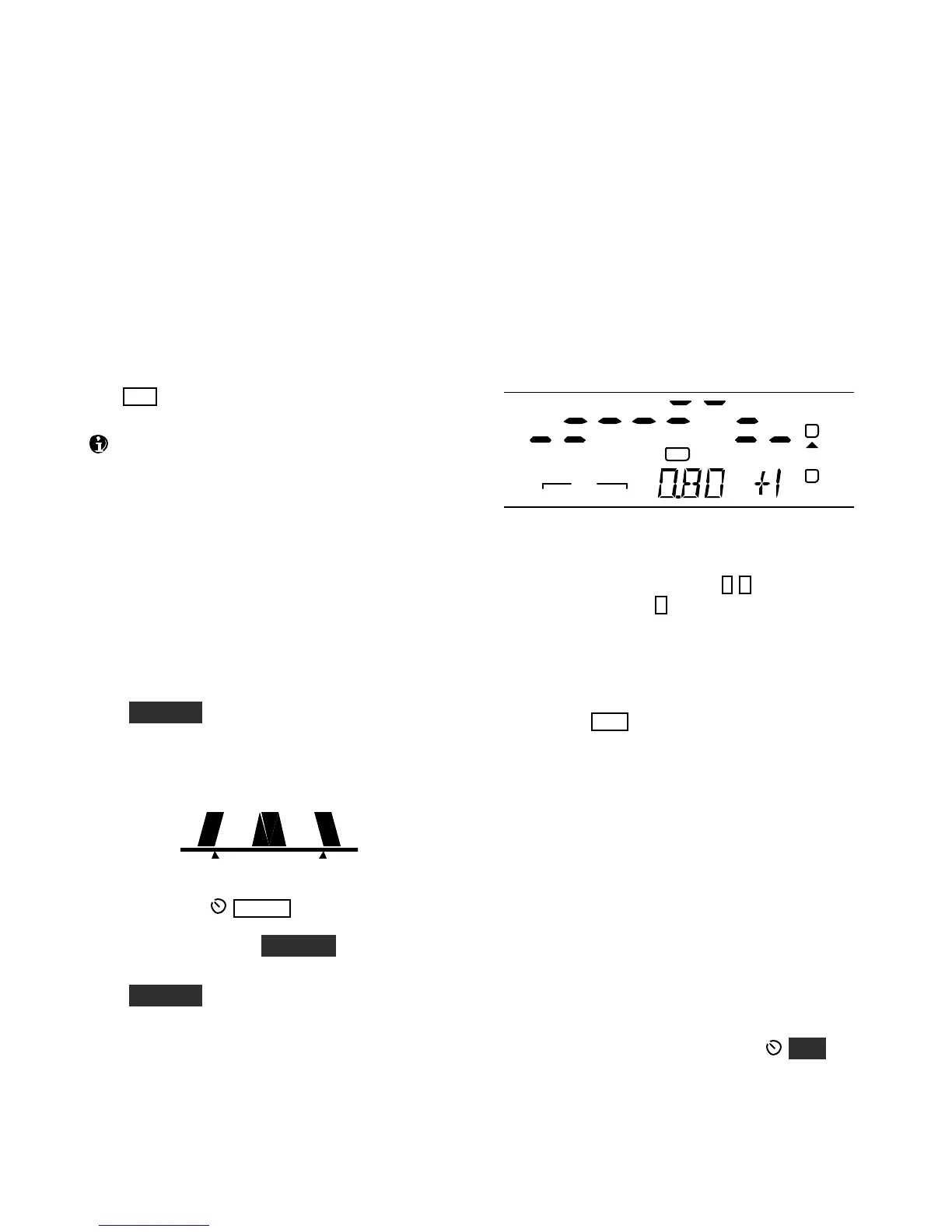
In the RX EQ menu entry,the VFO A display
shows 8 individual vertical bar graphs. The example
below shows various amounts of EQ applied to the
8 bands.
AGC-S
NB
FL2
XFIL
USB
VOX
PRE
ANT 2 RITATU TX
A
B
The center frequencies of the 8 audio EQ bands are
50, 100, 200, 400, 800, 1200, 2400, and 3200 Hz.
To select a band to change, tap 1-8 on the keypad.
For example, tapping 1 selectsthe 50-Hz band.
Next, rotate VFO A to specify an amount of boost
or cut (+/- 16 dB). The illustration above shows the
800 Hz EQ band (0.80 kHz) being set to +1 dB of
boost.
You can tap C LR to reset all of the RX EQ bands
to 0 dB (no cut or boost).
Transmit Audio Equalization (EQ)
Transmit audio equalization is provided to
compensate for variations in microphones andyour
voice. MAIN:TX EQ works exactly the same as
RX EQ, and can be used during transmit.
If you’re using ESSB (pg. 36), a separate set of
transmit EQ settings is provided. When ESSB is on,
the TX EQ menu entry name changesto TX*EQ as
are reminder of which TX EQ set you’re changing.
While adjusting TX EQ, you can listen tothe voice
monitor signal using headphones (use MON to
set the level), or listen to the K3’s transmitted signal
on another receiver.





 To Next Page