CONFIG Menu
Tech Mode Entries
Menu entries that include [T] are tech mode entries. These are only visible if CONFIG:TECH MD is set to ON.
They are normally left at their defaults. Entries further described as “Advanced” or “Troubleshooting” should
be changed with caution. The default values are strongly recommended forthese functions; tap DISP to see the
default value, which appears in parentheses at the start of the helptext.
Sub Receiver Settings
Menu entries marked
SUB
have two settings: one forthe main receiver, andone for the sub receiver. If a sub
receiver is installed, the menu entries will change to identify which receiver is being set up by showing RF
(main receiver) or SUB (sub receiver) at the left end ofthe parameter display. Also, in the SUB case, the
SUB
icon will flash.
Prior to adjusting sub receiver menu parameters, you should turn the sub receiver on by tapping SUB . This is
especially important if you’re adjusting crystal filter settings, because it will allow you to hear the changes as
filters are selected and modified. You should also turn SUB AF gain up and main AF gain down.
Even if the sub receiver isturned on, when you first enter the menu, RF will be in effect, andthe
SUB
icon will
be turnedoff.Tap SUB to switch to the sub receiver parameter as required.
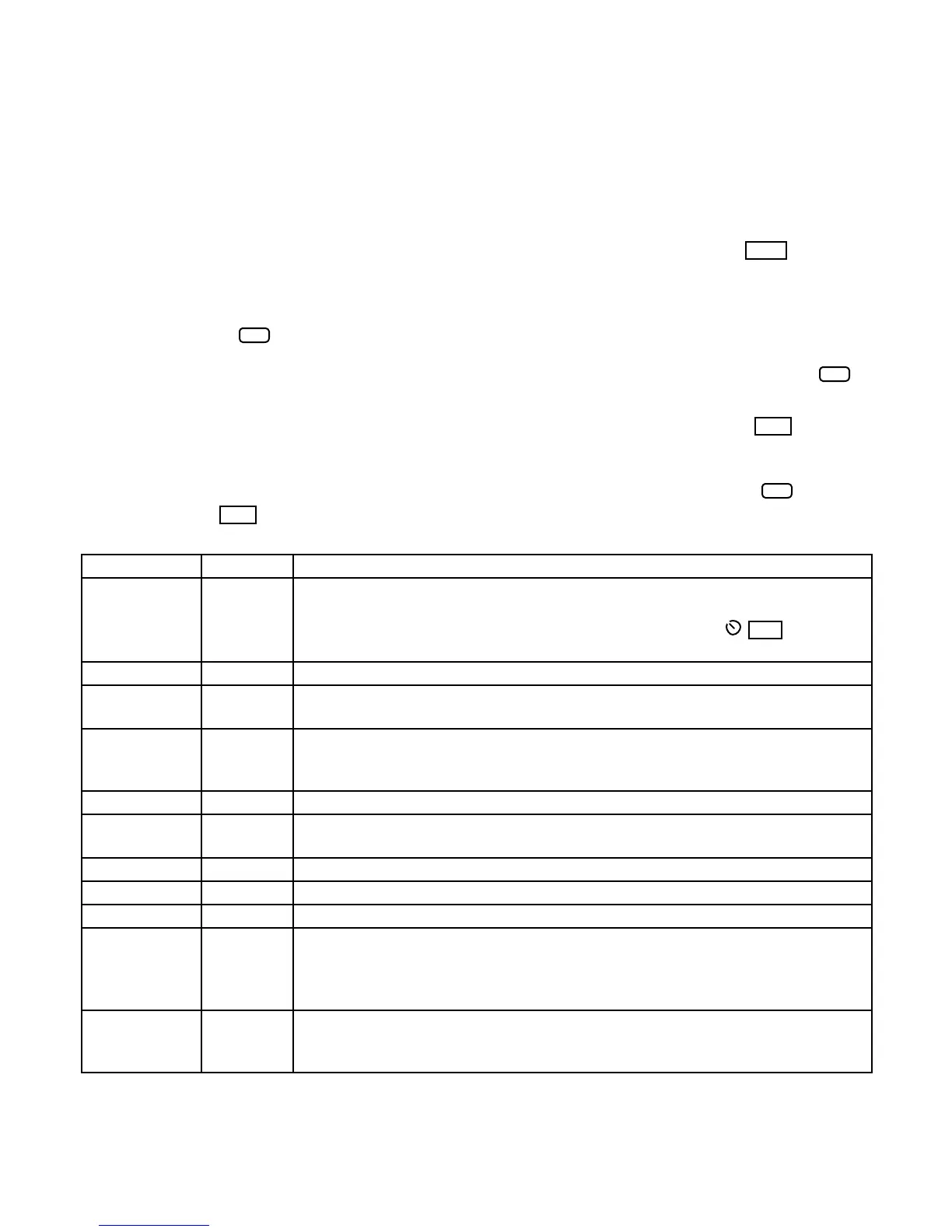
Entry Default Description
2 TONE [T] OFF (Troubleshooting.) Enables built-in 2-tone generator for SSB transmit tests. The
internal 2-tone generator only works if LSB or USB mode is selected. After
setting 2-tone ON, exit the menu and tap XMIT. You can use MIC to to adjust
the amplitude of one ofthe tones; the other’s amplitude is fixed.
AF GAIN HI Sets AF gain range. Available selections are HI or LO.
AFV TIM [T] 1000 (Advanced.) Integration time for AFV and dBV displays in ms. See VFO B
alternate display information (pg. 36).
AGC HLD [T] 0 (Advanced.) AGC “hold” time for voice modes. Specifies the number of
millisecondsthat the SLOW AGC value is held after the signal drops below the
level that set the AGC. This is often helpful for SSB voice operation.
AGC PLS [T] NOR (Advanced.) NOR enables AGC noise pulse rejection.
AGC SLP [T] 12 (Advanced.) Higher values result in ‘flatter’ AGC (making signals at all
amplitudes closer in AF output level).
AGC THR [T] 5 (Advanced.) Sets AGC onset point; a higher number movesthe onset up.
AGC-F [T] 120 (Advanced.) Sets fast AGC decay rate; a higher number means faster decay.
AGC-S [T] 20 (Advanced.) Sets slow AGC decay rate; a higher number means faster decay.
AUTOINF [T] NOR (Advanced.) If set to AUTO 1, the K3 will send band data on its RS232 port for
use with devices such as the SteppIR™ antenna on every band change. (Note:
This setting may not be compatible with PC software applicationsthat use the
“AI” remote controlcommand.)
BAT MIN 11.0 Low-battery warningthreshold; 11.0 recommended. If the voltage drops below
this level, the operator will be alerted with a BAT LOW message. The menu
parameter flashes if this occurs within the menu, so the level can be easily tested.




 To Next Page