Miscellaneous Setup
We suggest setting up at least the items below. You
may wish to review the other menu entries as well,
starting on pg. 55.
Mic Gain / Bias
MAIN:MIC SEL is used to select either the front-
or rear-panel mic, or LINE IN. If a mic is selected,
you can also tap 1 to select Lo or Hi mic gain
range, and tap 2 to toggle mic bias on/off. See pg.
13 for Elecraft mic bias recommendations. Tap 7 to
boost gain for very low-output front panel mics.
AF Gain Range
CONFIG:AF GAIN specifies LO or HI AF gain
range. The default is HI.
Time and Date
CONFIG:TIME sets the 24-hour real-time-clock
(RTC). Tap 1 / 2 / 3 to adjust HH/MM/SS using
VFO A. K3Utility can also be used to set the time.
CONFIG:DATE MD selects US (MM.DD.YY). or
EU (DD.MM.YY) date format using VFO A.
CONFIG:DATE is used to set the date. Tap 1 / 2 /
3 to adjust MM/DD/YY or DD/MM/YY.
Preamp 2
To use preamp 2 for weak-signal work on any of
12, 10, or 6 meters, select each band in turn, then
change the CONFIG:PREAMP2 setting to ON.
VFO Setup
Several CONFIG menu entries are provided to
control VFO behavior:
• VFO CRS sets up the COARSE tuning
increment in kHz (separate for each mode). Tap
1 to turn rounding on/off.
• VFO CTS specifies the number of counts per
knob turn (VFO A and B): 100, 200, or 400
• VFO FST selects the normal VFO fast tuning
rate (20 or 50 Hz)
• VFO IND, if set to YES, allows VFO B to be
set to a different band than VFO A.
Power-On Banner
You can have your call sign or other message
shown on power-up. Use K3 Utility (Configuration
tab) to edit the message.
K3/0-Mini Control
To use a K3/0-Mini panel to control a remotely
located K3 or K3S, you must put the –Mini into
“Terminal” mode. To do this, hold MENU for
about 3 seconds. (Hold for 5 seconds to exit.) For
further details, refer to the K3/0-Mini manual.
VFO A Knob Friction Adjustment
The VFO A knob’s spin rate can be adjusted by
moving the knob in or out slightly. The rubber
finger grip on the VFO A knob covers the knob’s
set screw, so it must be removed first.
In the following procedure, use only your
fingernails; a tool may scratch the knob.
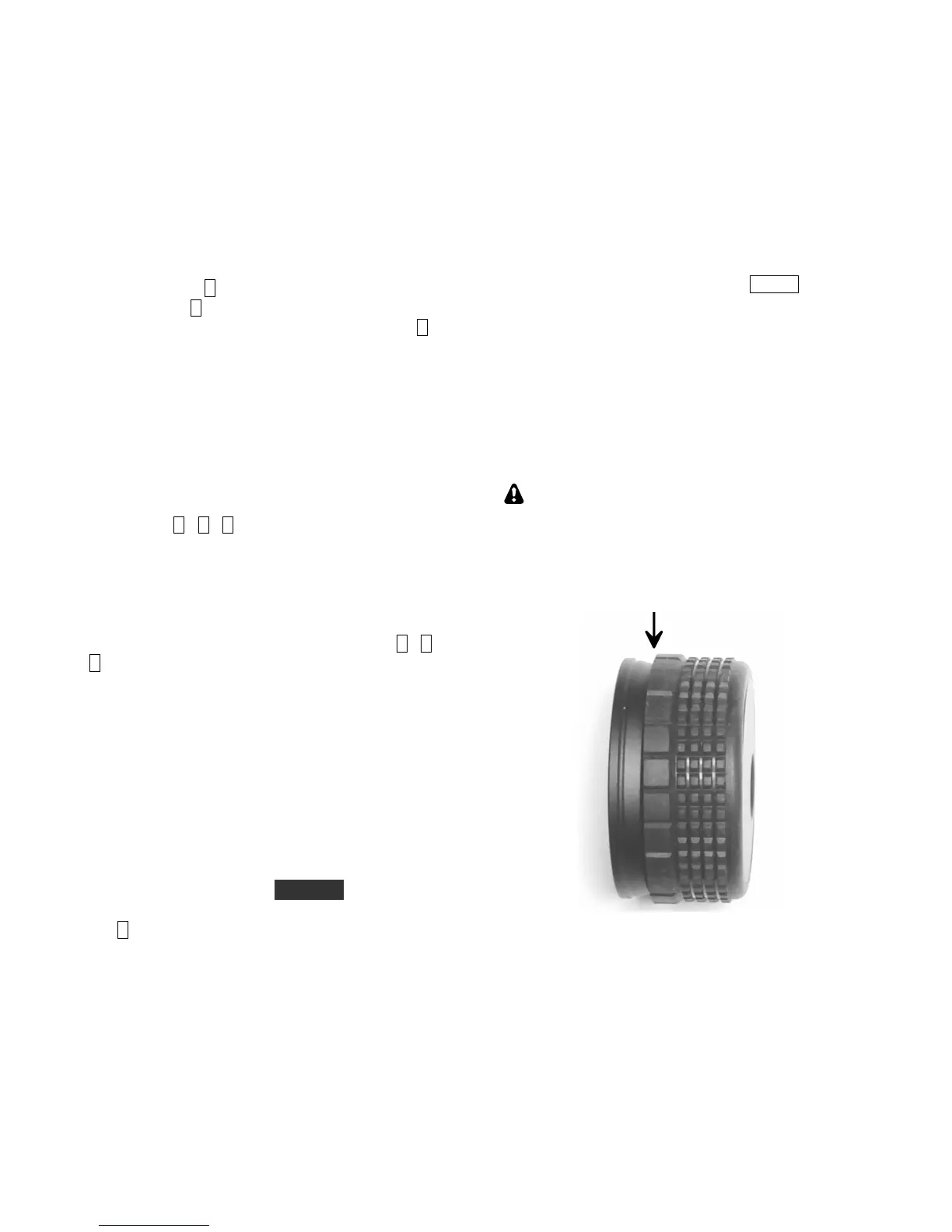
Using your fingernails at the point identified below,
pull the finger grip forward slightly. Rotate the
knob and repeat until the grip can be pulled off.
Use the supplied 5/64" (2 mm) Allen wrench to
loosen the set screw.
Between the knob and front panel are two felt
washers which, when compressed, reduce the spin
rate. Move the knob in or out in small increments
until the desired rate is obtained. (Re-tighten the set
screw each time so you can spin the knob.) Then
and replace the finger grip.




 To Next Page