Transmit
• BND END: Attempt to transmit out of the allowed ham band.
• TX LED on all the time: This could indicate that PTT is being held on by external equipment. (Verify that
CONFIG:PTT-KEY is set to OFF-OFF if not keying via the USB or RS232 ports. Try disconnecting
equipment connected to the ACC, USB, and RS232 jacks.) Also check VOX gain (unplug mic if necessary).
• HI CUR or HI SWR warning (K3S/100): Check load Z and supply voltage. If voltage is low and/or load
Z is under 50 ohms, current can go up for a given requested power level. Reduce power if necessary.
• HI TEMP warning (K3S/100): When operating QRO from a battery, low voltage may cause an erroneous
temperature reading (see CONFIG:PA TEMP for details). Otherwise, PA heat sink temperature has
exceeded 84C (PA drops into bypass mode). Check fans, power supply voltage and current, and load
impedance. Allow heat sink to cool. Reduce power if necessary. Make sure the CONFIG:PA TEMP menu
entry is calibrated (allow heat sink to cool to room temperature, then compare menu reading to actual).
• ALC OFF is displayed on VFO A during transmit: Set CONFIG:TX ALC to ON. ALC should only be
turned off during band-pass filter alignment (do not adjust filters without consulting Elecraft support).
• Can’t transmit in CW mode: (1) Make sure the key or keyer paddle is plugged into the correct jack.
(2) You must have VOX selected (VOX icon on) in order to use hit-the-key CW. (3) You may be in SPLIT
mode, with VFO B set for a voice or data mode. Tap A/B or use BSET to check VFO B’s mode.
• Can’t key external amplifier in CW mode: Some amplifiers require a longer delay from keyline activation
to first RF. See CONFIG:TX DLY. (Caution: Long TX DLY settings may affect keyer timing.)
• Key clicks in QSK CW mode with an external amplifier:. This may be due to a slow amplifier relay (use
CONFIG:TX DLY) or incorrect application of external ALC (see CONFIG:EXT ALC and pg. 29).
• Can’t use the mic in voice modes: You may be in SPLIT mode, with VFO B set for CW or data mode
rather than a voice mode. Tap A/B or use BSET to check VFO B’s mode.
• No power output: You may have routed RF through the KXV3’s XVTR IN/OUT jacks, either by switching
to a transverter band, or by setting CONFIG:KXV3B to TEST. Also try redoing TX GAIN cal (pg. 52).
• Relay heard switching during keying: If this happens only above a certain power level, transmit signal
leakage may be activating the carrier-operated-relay circuitry on either the KXV3B module (RF I/O) or the
KRX3A (sub receiver). You must improve isolation between transmit and receive antennas or decrease
output power. If a relay switches during keying even at very low power levels, it could be due to: (1) SPLIT
operation with different bands and/or modes, or the receive VFO tuned outside any ham band; or (2) VFO A
is tuned such that a relay switches during T/R due to incorrect VCO calibration (re-run VCO CAL).
Receive
• HI RFI warning: A high-power transmitter may be coupling into the antenna in receive mode. The
warning occurs when the ANT1 or 2 input signal exceeds about 1 to 2 W. Also see CONFIG:RFI DET.
• HI SIG warning: An extremely strong, sustained signal (e.g., a broadcast station’s carrier) may be causing
excessive post-mixer amplifier current when operating on the present band. The K3S will automatically turn
the preamp OFF, and in extreme cases will also turn the attenuator ON.
• HI CUR or SPKRS=1 warning: HI CUR may indicate a shorted left speaker channel; the K3S will
reduce AF gain. SPKRS=1 may indicate that CONFIG:SPKRS is set to 2, but a mono external speaker
plug is in use, shorting the right speaker channel to ground. The K3S automatically sets SPKRS to 1.
• No received signal: Check (1) receiver being squelched (if RF/SQL controls are assigned to squelch via
CONFIG:SQ MAIN or SQ SUB, rotate squelch controls fully counter-clockwise); (2) RF GAIN too low
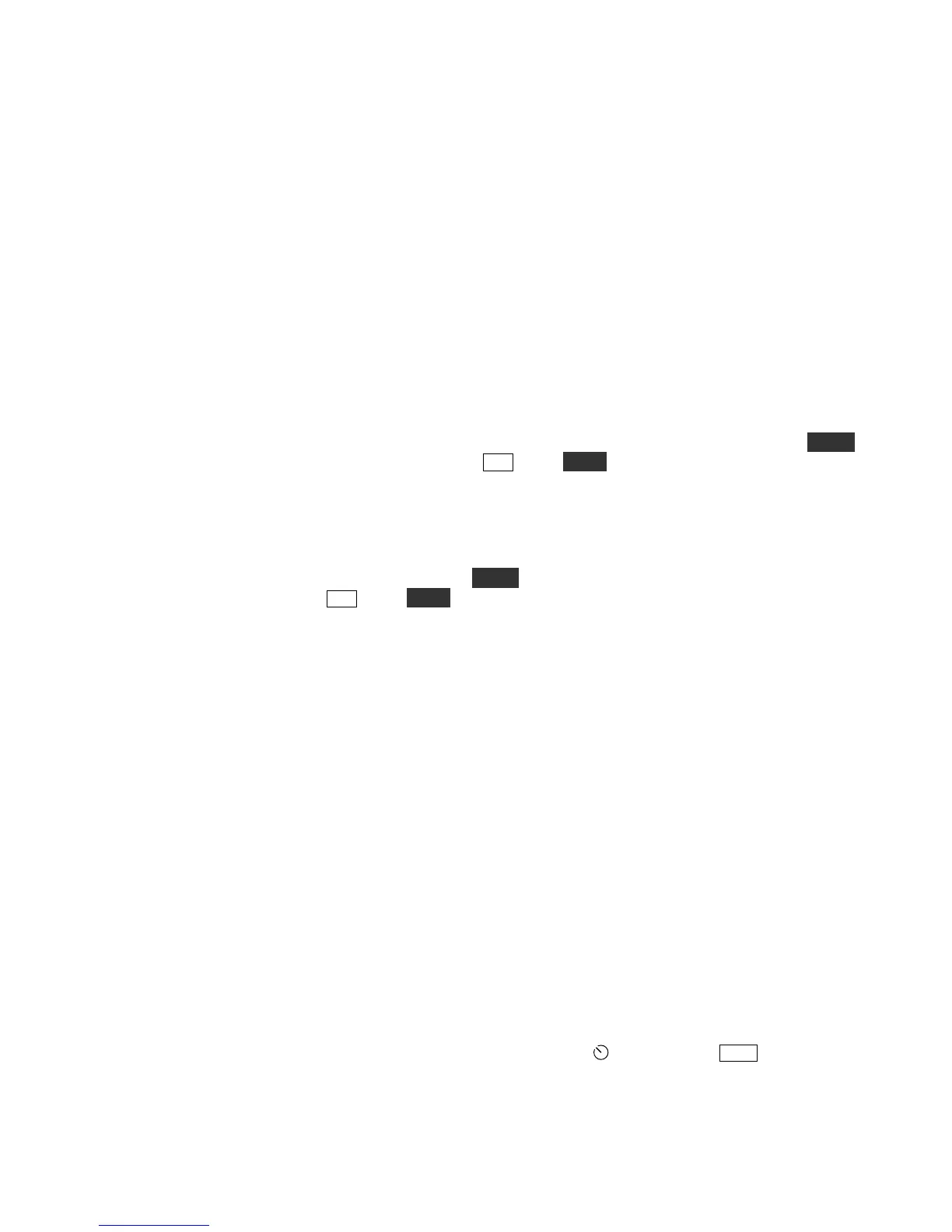
(set RF gain controls fully clockwise); (3) bandwidth too narrow (set
WIDTH or tap XFIL, and also
verify filter configuration settings); (4) switching to an open receive antenna on the KXV3B (RX ANT IN);
(5) switching the KAT3A to an open antenna jack; (6) CONFIG:REF CAL parameter not adjusted
properly; (7) CONFIG:KXV3B may be set to TEST, which routes all RF through the XVTR IN/OUT
jacks.





 To Next Page