28 Installation Manual
Mounting System / Inverter
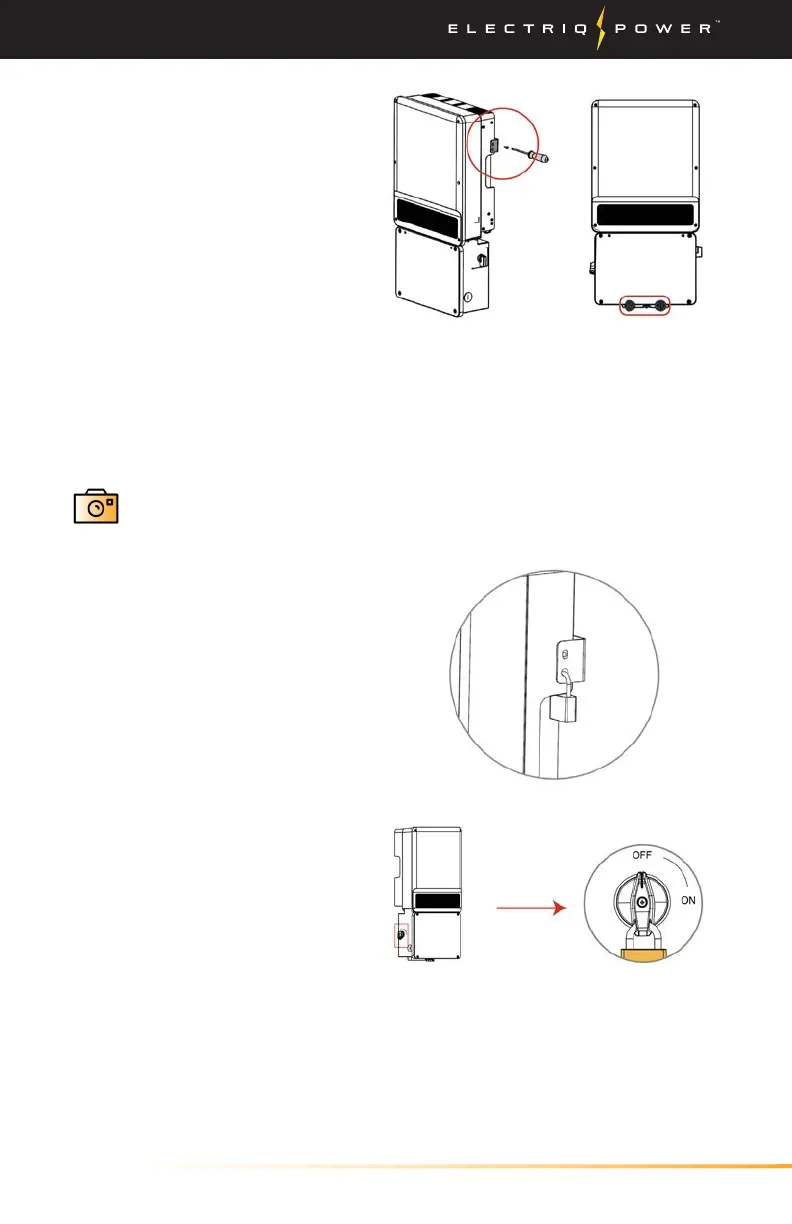
4. Fasten the inverter by fixed
screws.(3 positions)
6. Take a picture within the PowerTools app.
Security Feature
Inverter can be locked for
prevention of theft. Lock will
not be provided by inverter
manufacturer.
DC switch should be in "OFF"
position during installation
and maintenance. A lock can
be applied to prevent wrong
operation.
5. Check the inverter nameplate located on the side of the inverter to
determine which system you have.
DC-coupled is the A-ES inverter and the AC-Coupled is the A-BP inverter.


 To Next Page