49Installation Manual
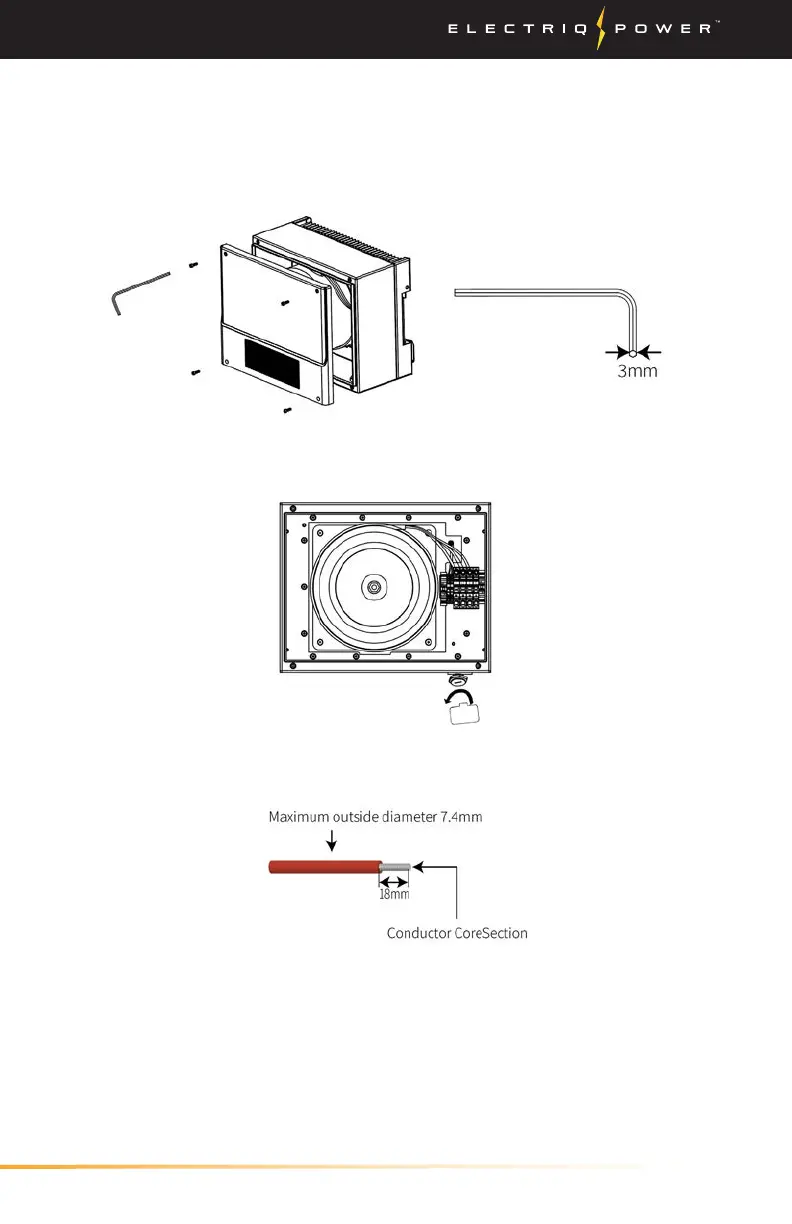
1. Remove the 4 screws by Allen Wrench of the auto-transformer and
remove the cover.
2. Remove the waterproof cover by a cap removal tool.
3.3.4. AUTO-TRANSFORMER
The maximum AC current is 40A. Use 90°C wire rated for 40 A copper.
Do not use aluminum cables.
Installing System / Auto-Transformer
3. For the NTC auto-transformer connection to the inverter use the
pre-made cable shipped with the inverter. One end is connected with
a 2-pin terminal for inside inverter connection, and the other end is
connected to the auto-transformer connectors marked 'NTC'.


 To Next Page