70 Installation Manual
Installing System / Finalize Commissioning
3.3.6.3. FINALIZE COMMISSIONING
Once the system has been properly assembled and wired, refer back to
the PowerTools app and follow the next steps.
1. At this point you should be on 'Step 4: System Startup' within the
PowerTools App. Click 'Next' and wait for the system to connect to
the network.
2. If the system is has been successfully commissioned, the
PowerTools app will show three green checkmarks along side the
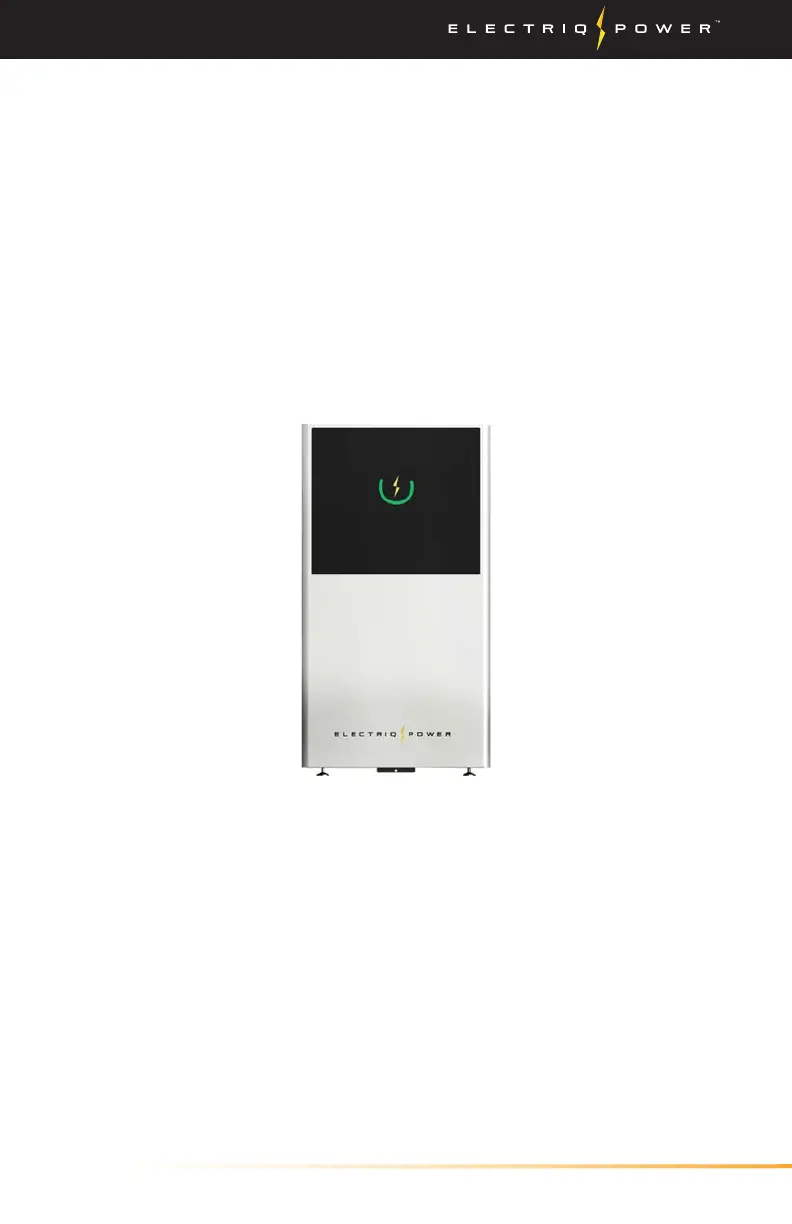
three tests ran on the system. The PowerPod 2 display will also
show a green circle with an illuminated yellow bolt. If there are
no lights or any other colors than what is stated above, follow
the instructions within the PowerTools app to troubleshoot your
specific issue.
3. Configure the system using the 'Inverter Grid Profile' and select the
'System Mode of Operation' on the following screen.
4. The final two steps will show an overview of the information
input within the customer profile and it will prompt you with the
customer's first name, last name, and email address.
5. Reinstall all front covers and ensure the set screws are fastened to
keep the integrity of the NEMA 3R rating.
For additional help, contact Electriq Power Support at 1-833-GO-
BATTERIES (462-2883) or support@electriqpower.com.
The system should now resemble the image above. If the display
shows any other color than green, follow the troubleshooting directions
on PowerTools app and see the display indicators on the next page.


 To Next Page