52 Installation Manual
Inverter / Connect Battery to Inverter
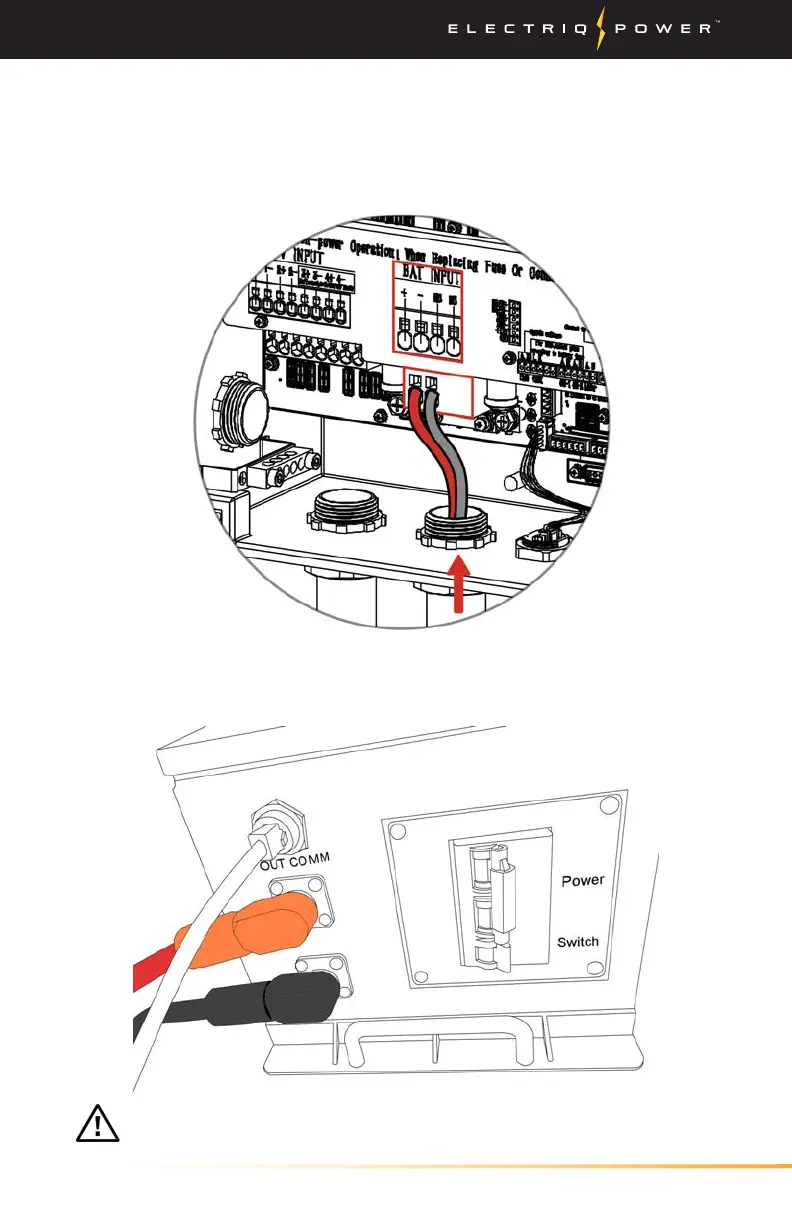
1. Connect long positive (red) and negative (black) ferrule ends of the
battery cable to the inverter + and - BAT INPUT as shown below.
3.3.5.1. CONNECT BATTERY TO INVERTER
2. Plug in the long positive (red) and negative (black) cables into the
same color BMS connectors as shown below
CAUTION: Do not turn on the switches at this time.


 To Next Page