67Installation Manual
Inverter / PowerHub
3.3.5.7. POWERHUB
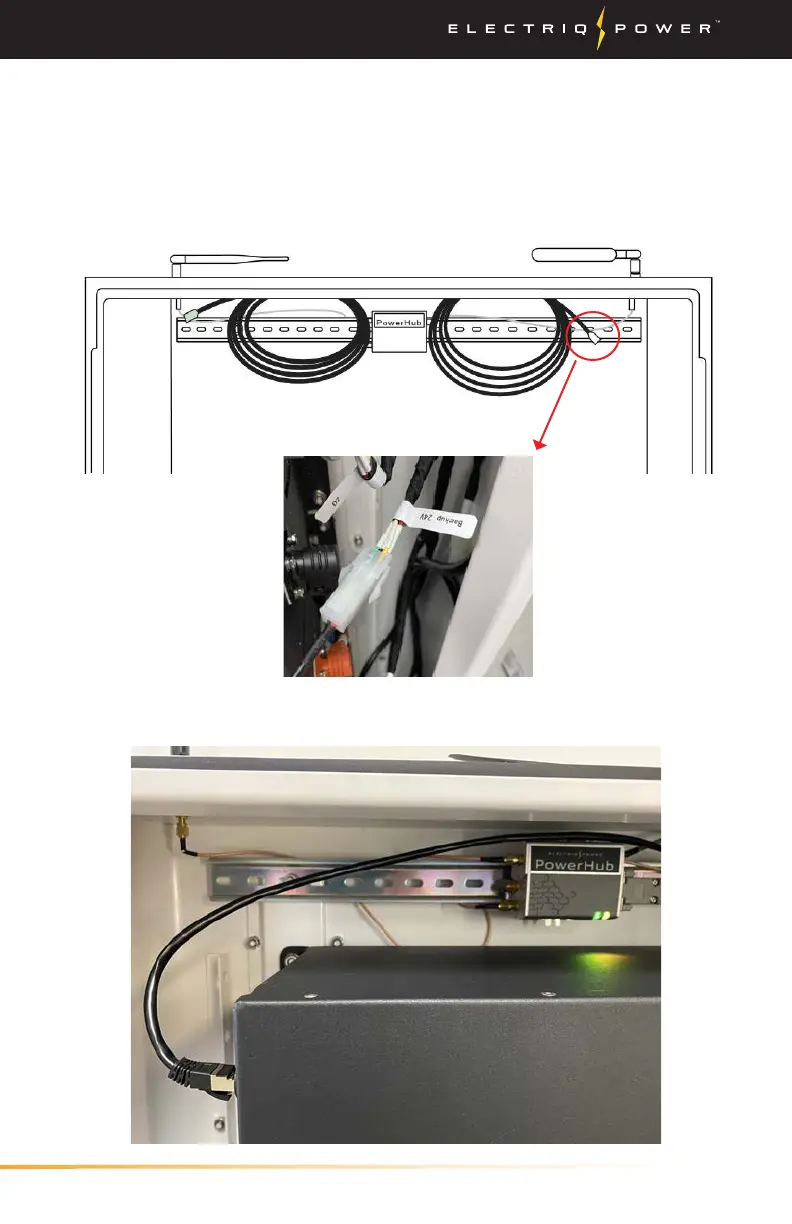
1. Locate the two cables coming from the right of the PowerHub
as seen here, and connect the larger white connection into the
communications cable labeled “backup 24v”. The other small black
cable will be eventually wired into the display panel on the front
cover of the enclosure.
2. Next, plug in the RJ485 connection from the PowerHub into the
OUT COMM port on the opposite side of the BMS (image below).


 To Next Page