50 Installation Manual
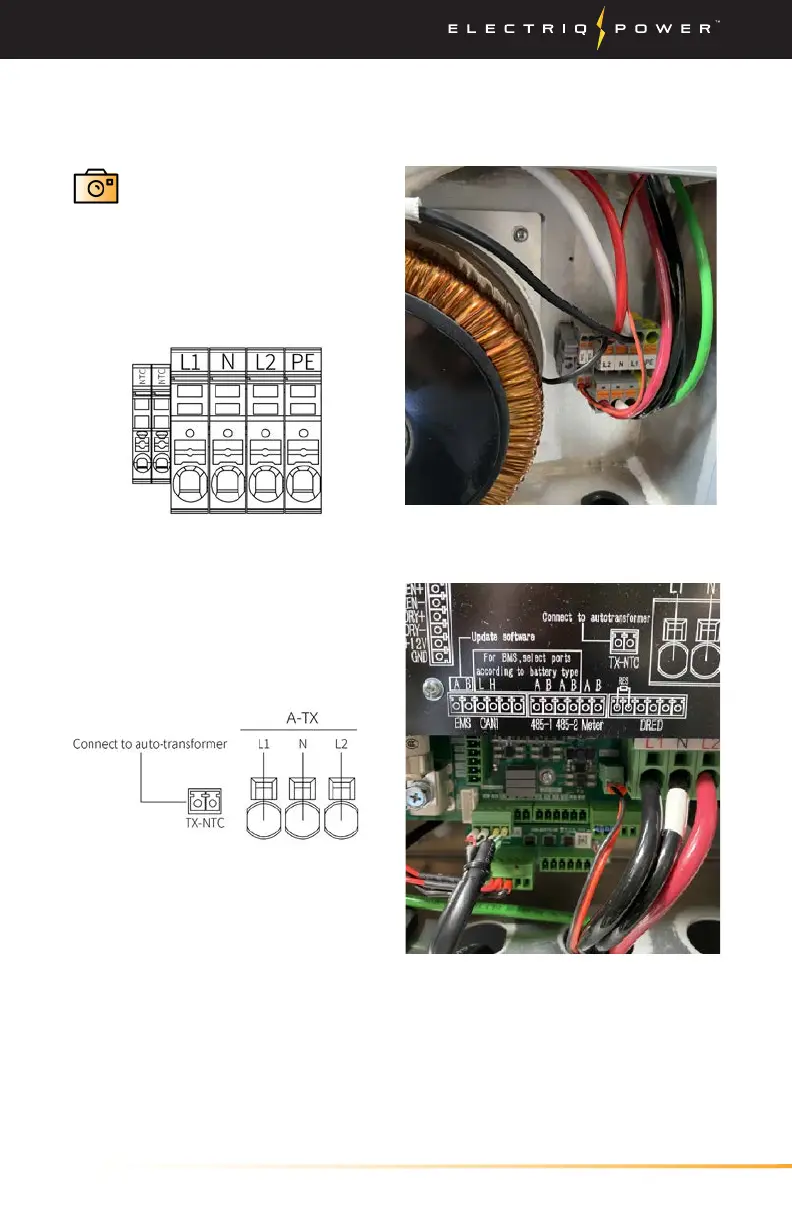
Inverter connections from auto-
transformer.
Auto-transformer connection from
inverter.
Installing System / Auto-Transformer
4. Once the Auto-
Transformer has been
wired, take a photo
within the PowerTools
app and press 'Next' to
move on to the next.
Route all the auto-transformer cables, L1, L2, N, PE and TX-NTC cables
between inverter and auto-transformer. Connect as shown by the two
diagrams below.
5. After auto-transformer to
inverter wiring is completed,
fasten the auto-transformer front
cover


 To Next Page