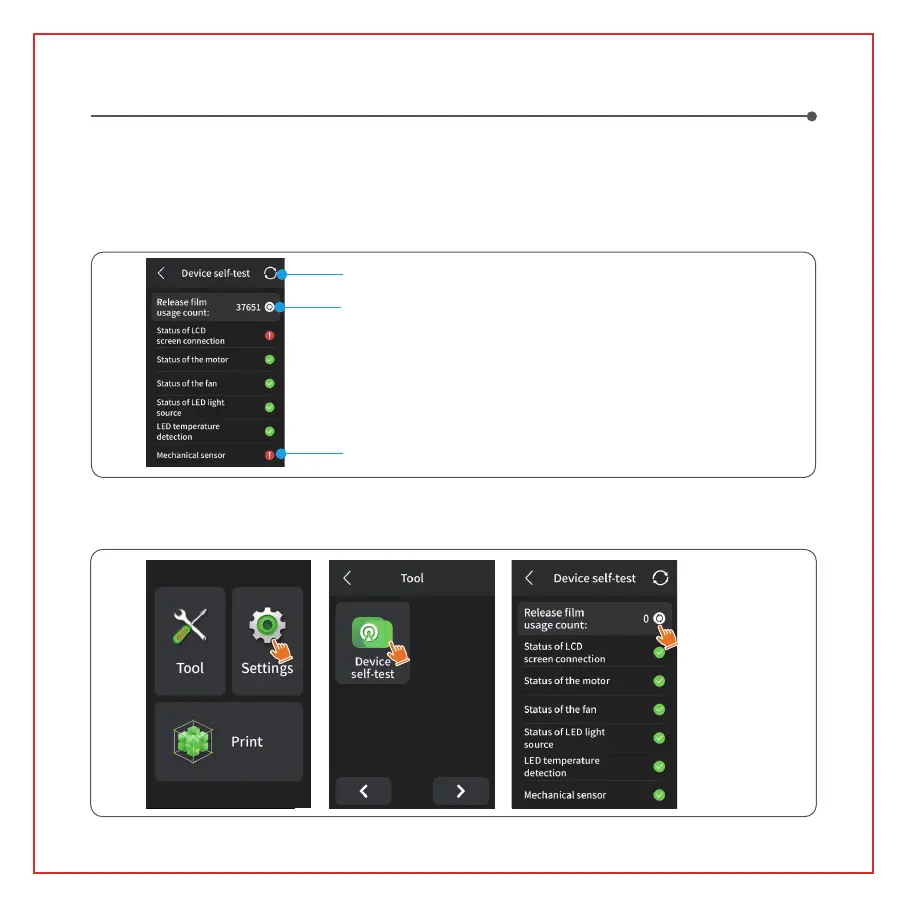
Note: Upon startup, the printer conducts a self-check on key hardware components to prevent any printing
failures due to hardware malfunctions. Please refer to the error prompts on the machine to troubleshoot the
printer. Do not touch the printer during the self-check process. (See Picture 1)
Device Self-Check
When the accumulated usage of the release film is approaching 60,000 times, the device will issue a reminder
to replace the release film promptly. Click the refresh button on the device self-check page to reset the counter
manually. (See Picture 2)
(Picture1)
(Picture2)
Accumulated release film usage
Re-detection
Check device prompts for printer status
09


 To Next Page