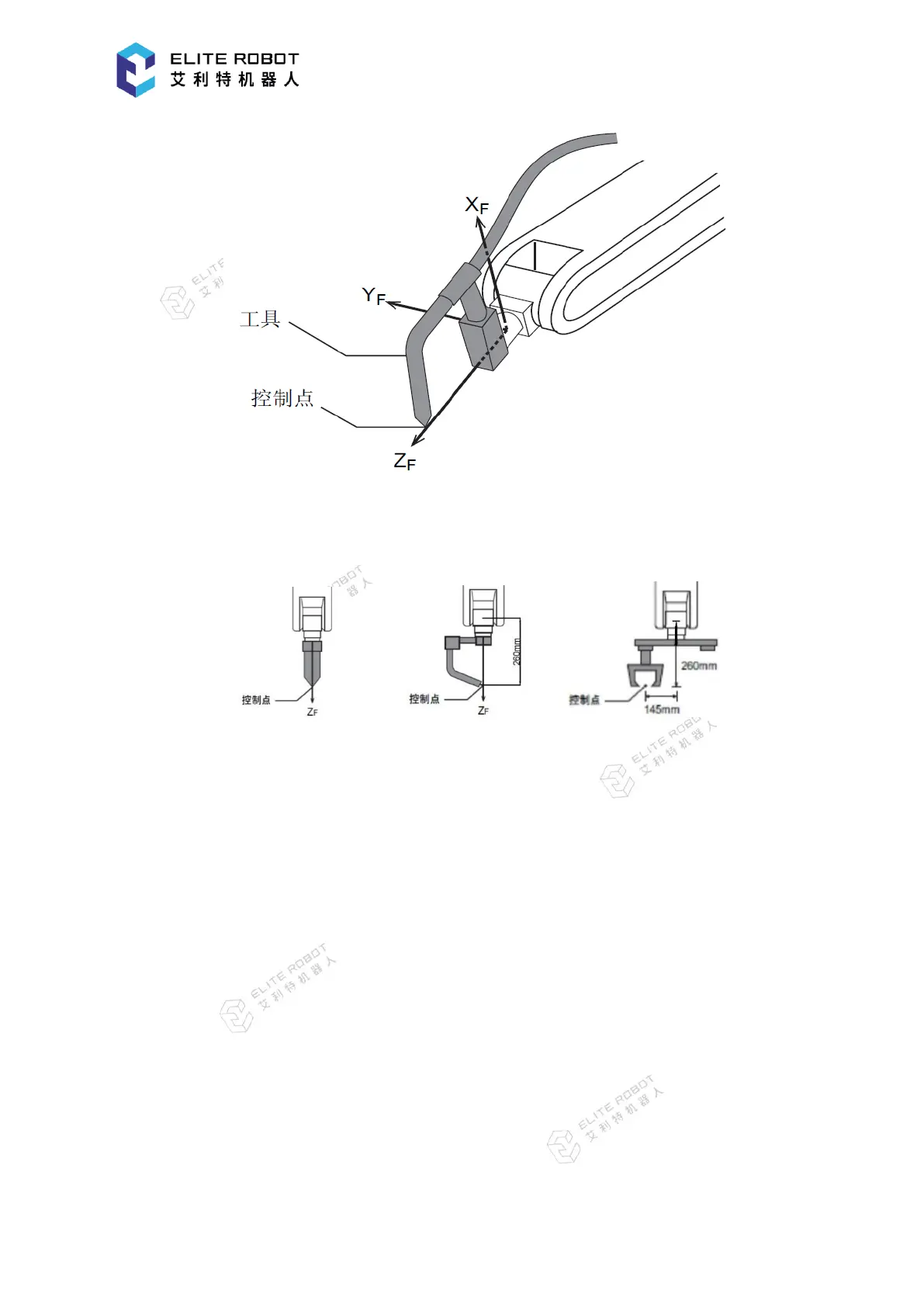
Three cases corresponding to the tool A, B and C are given as examples for registering the
coordinate data, as shown in the figures below.
tool A tool B tool C
Cases of Tool A, B:
X, Y, Rx, Ry, Rz are 0, and Z is 260.
Cases of Tool C:
X, Rx, Ry, Rz are 0, Y is 145, and Z is 260.
Enter the value into the coordinate input box, and press [SET] button in the submenu area.
Then the information prompt area will display the following message: “The tool coordinate is
successfully set!"


 To Next Page