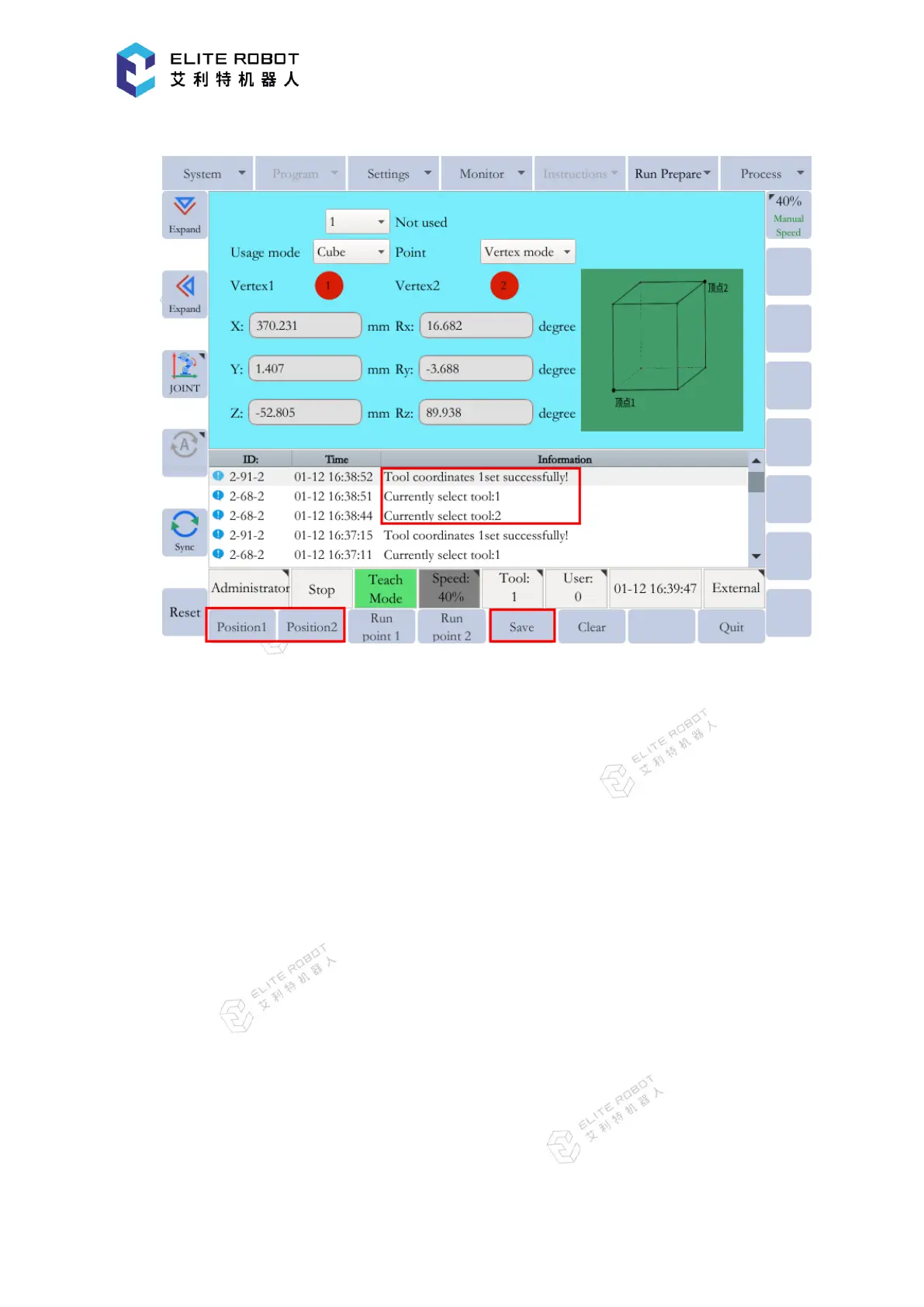
and the target cubic interference area will be set successfully.
(2) Number Input of the Side of Cube and Teaching Center
Move the manipulator to the center point of the cube using the axis keys and record it. Then
enter the length, width, and height of the cube, and press [SAVE] button in the submenu area.


 To Next Page