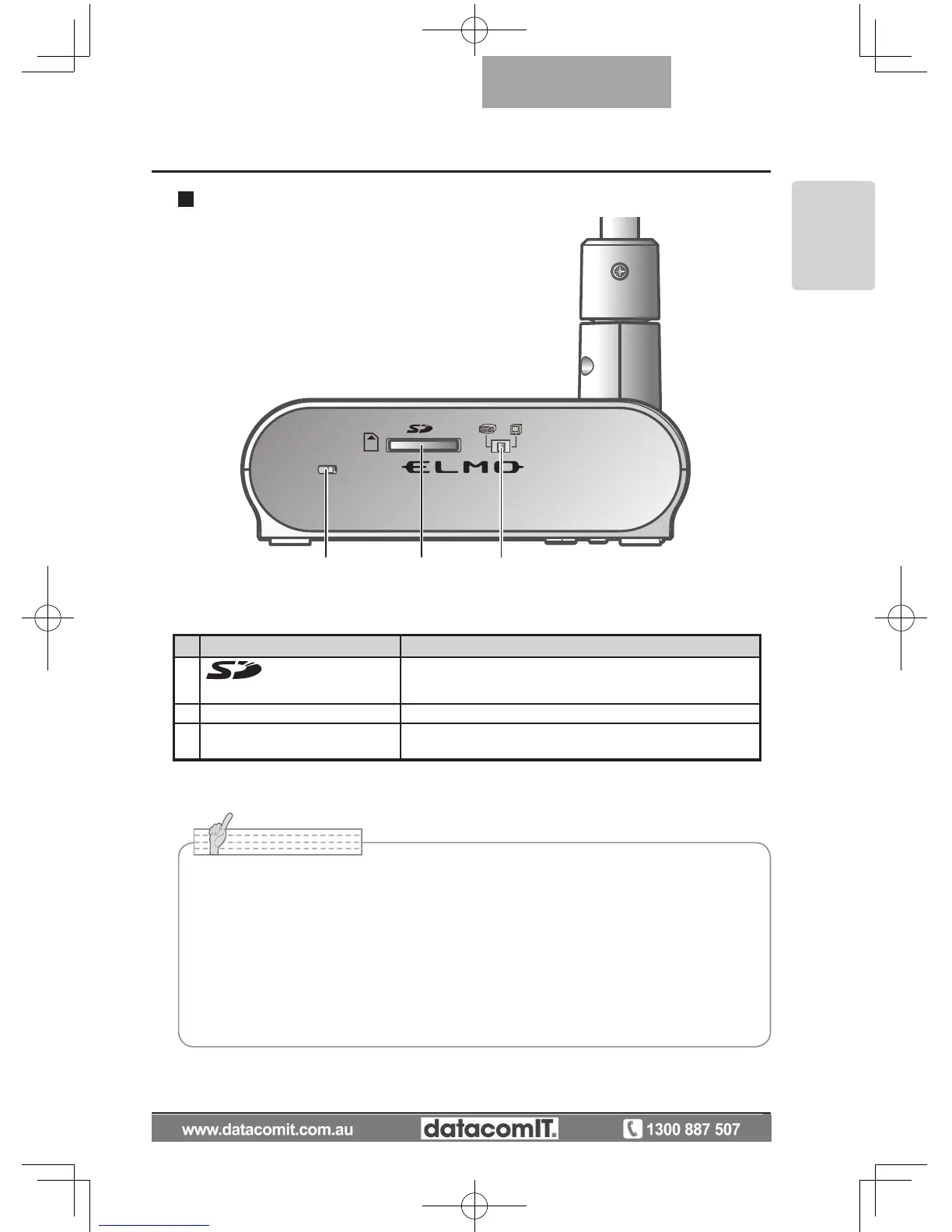
Name Function
(1)
(SD Card Slot)
To insert an SD card into the SD card slot.
Push the card again to remove the SD card.
(2) Security slot
(3) RGB/VIDEO Switch To change the output image to RGB or VIDEO.
• Factory setting: RGB
Side panel
• Only one image can be output at a time; either [RGB OUT] or [VIDEO OUT]. ([RGB
OUT] and [VIDEO OUT] cannot be output simultaneously.
•
When the RGB/VIDEO switch is set to [VIDEO], the image input to [RGB IN] is not
output from [RGB OUT].
(Unable to operate the [PC] button on the main unit.
(Unable to r
ecord or playback from the optional desktop recorder.
• Enters [CAMERA] mode when the output is [RGB OUT] and [VIDEO] is set for [PC]
mode.



 To Next Page