40
OPERATION
PROCEDURE
English
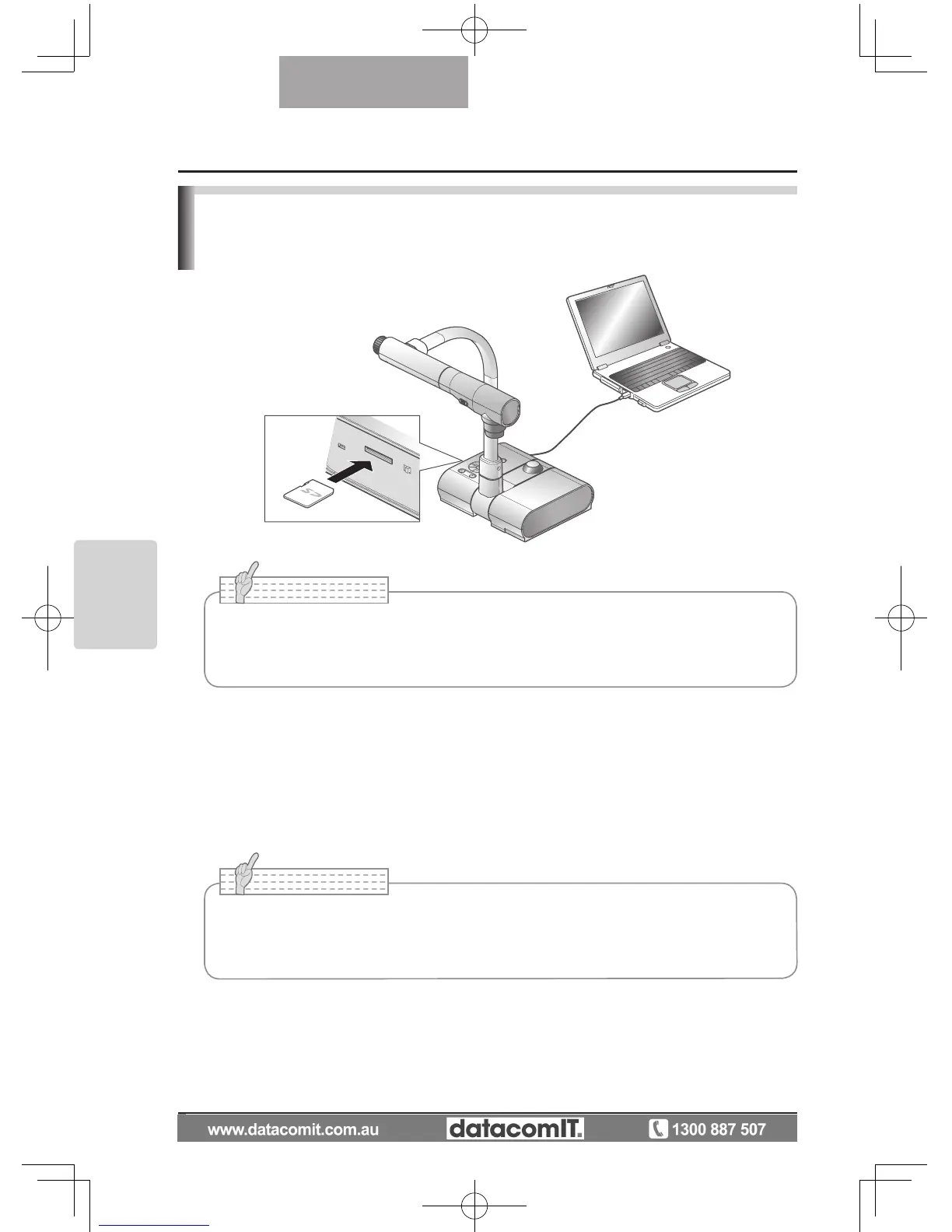
Transferring images from the SD card to a USB-
connected PC
When this product is connected to a PC via USB, image data on the SD card can be
transferred to the PC.
The Operating System (OS) for the connected PC should be Microsoft Windows 2000 (SP4 or
later) / XP (SP2 or later) / Vista.
(1)
Turn on the power supply to this product and to the PC.
(2) Connect this product to the PC with the supplied USB cable.
• Set [USB Mode] to [Mass Storage] on the OSD Camera settings menu.
• I
nsert the SD card with the label facing up. Forcing it into the slot in the wrong
orientation may cause a malfunction.
• When this product is connected to the PC for the first time, the required drivers are
installed automatically using the plug-and-play function of Windows. From the second
time and thereafter, the drivers are no longer installed.



 To Next Page