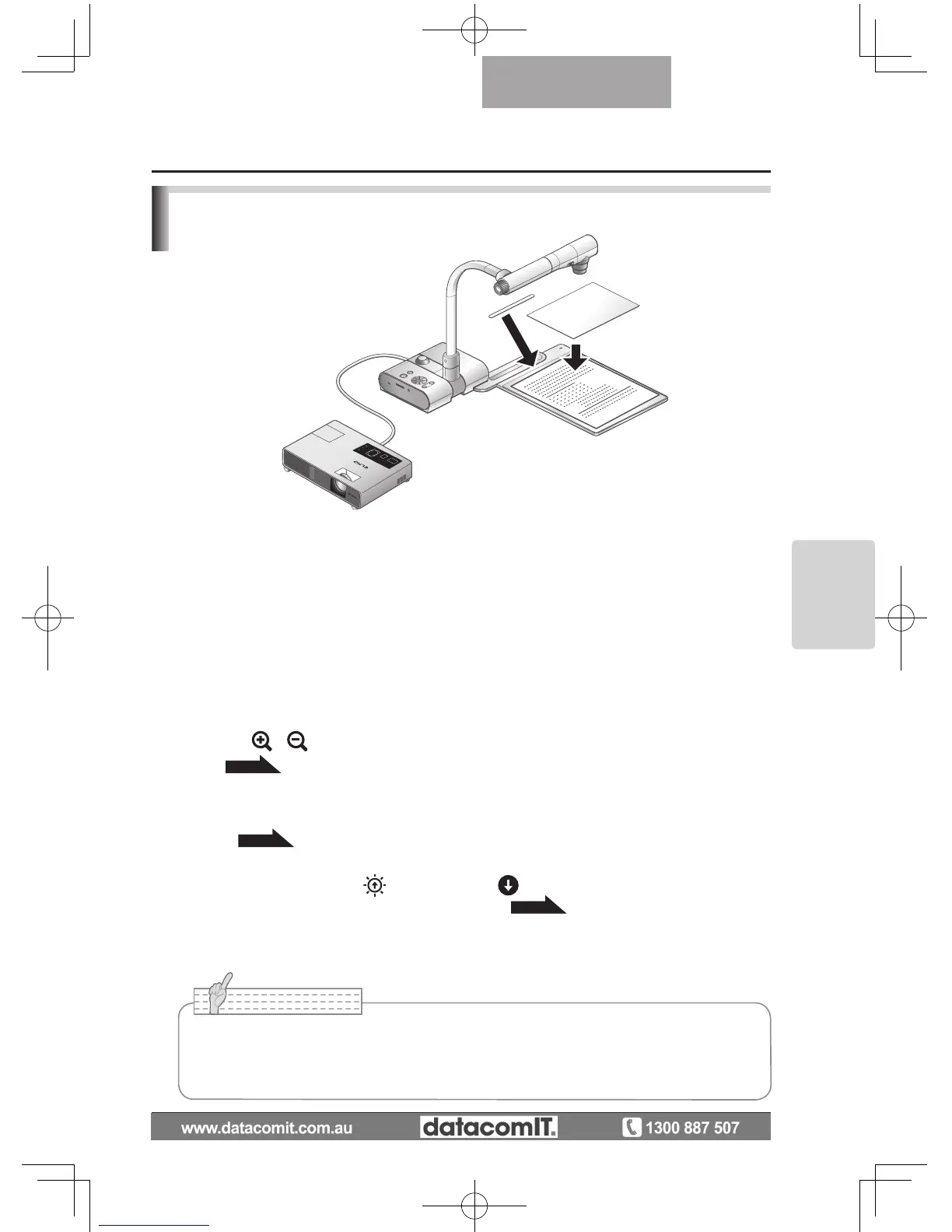
Presentation using printed materials, etc.
(Using the stage)
You can give an effective presentation by using the supplied stage, magnetic sheet, and anti-
glare sheet.
n
Setting the main unit
Attach the stage to the main unit in the specified position as shown in the figure above.
Then connect the main unit to a projector or a PC monitor, and turn on the power for the
main unit.
•
To prevent the printed materials, etc. from moving, use the supplied magnetic sheet to
properly fix the printed materials, etc. on the stage.
n
Adjusting the size
Place an object on the stage, and then adjust the zoom dial on the main unit or the zoom
buttons [
/
] on the remote control so that the part you want to shoot fits the screen
size.
P.49
n
Adjusting the focus
Press the [AF] button on the main unit or on the remote control to focus the camera on the
object.
P.50
n
Adjusting the brightness
Press the [BRIGHTNESS
]/[BRIGHTNESS ] buttons on the operating panel or on
the remote control to adjust the image brightness.
P.53
n
Turning the illumination lamp ON/OFF
Move the illumination lamp switch on the main unit to the left/right to turn it ON/OFF.
• When shooting glossy documents etc., the images may be hard to see due to glare
etc. In this case, place the supplied Anti-glare sheet on the reflecting section to
reduce the amount of reflection and make the image easy to see.



 To Next Page