EasyManua.ls Logo

Elmo ST-600D - Sound Options; Extension Speakers; Reproducing Sound through a Stereo Amplifier; Using an Earphone or Headset

Elmo ST-600D
48 pages
Print Icon
To Next Page IconTo Next Page
To Previous Page IconTo Previous Page
Loading...
Sound Options
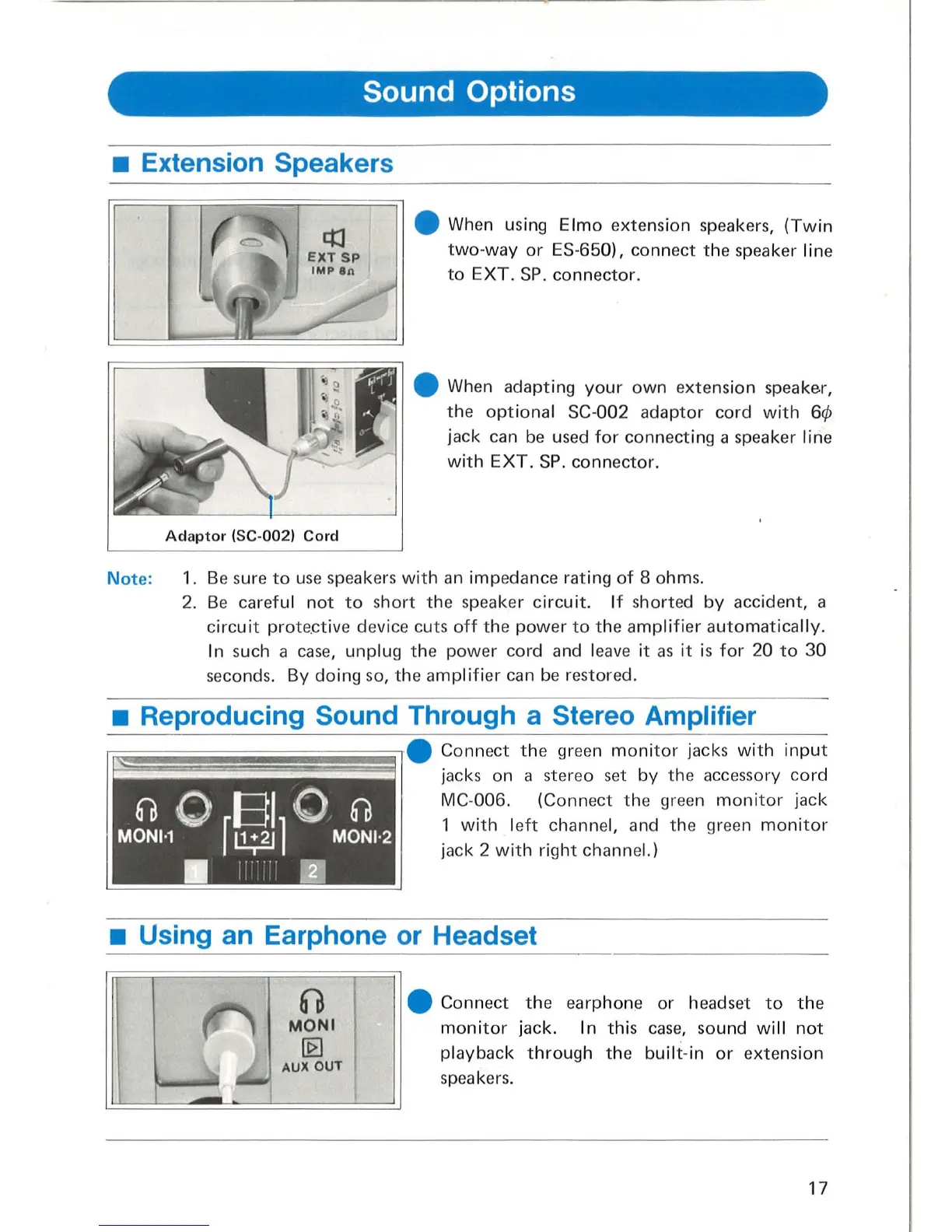
Extension Speakers
Adaptor
(SC-
00
2)
Cord
When using E
lmo
exte
nsion
speakers,
(Twin
two-wa
y
or
ES-650),
conn
ect
the
speaker
line
to
E
XT
. SP.
connector
.
When
adapting
your
own
extension
speaker,
the
optiona
l SC-
002
adaptor
cord
with
jack
can
be used
for
connecting
a
speaker
line
with
EXT.
SP.
connector.
Note:
1. Be sure
to
use
speakers
with
an
imp
eda
nce
rating
of
8
ohms.
2.
Be
careful
not
to
s
hort
the
speaker
circuit.
If
shorted
by
accident,
a
circuit
prote
.ctive device
cuts
off
t he
power
to
th
e amplifier a
utom
at
ically.
I
n s
uch
a case,
unplug
the
p
owe
r
cord
and leave it as it
is
for
20
to
30
seco
nds. By
doing
so
,
the
amplifier
can
be r
estored
.
Reproducing Sound Through a Stereo Amplifier
~===~~~~====~~
.
Connect
t he
green
monitor
jacks
with
input
I
f.
jacks on a
ste
r
eo
set
by
the
accessory
co
rd
0 0
BI
0 . 0
MONI'1
r
l!.;1J
1 MONI·2
i"
m
MC
-
006
.
(Conn
ect
the
green
monitor
j
ack
1
with
l
ef
t
channe
l, and
the
gree
n
monitor
j
ack
2
with
ri
ght
channel.)
Using an Earphone
or
Headset
60
MONI
~
AUX OUT
Connect
the
earp
h
on~
or
headset
to
the
monitor
jack
. In
this
case,
sound
will
not
pla
yback
through
th
e
built
-in
or
extens
i
on
s
peaker
s.
17

Related product manuals