EasyManua.ls Logo

Elmo ST-600D - Recording on Elmo ST-600 D; How to Record on Two Tracks

Elmo ST-600D
48 pages
Print Icon
To Next Page IconTo Next Page
To Previous Page IconTo Previous Page
Loading...
RECORDING
How
to
Record
on
Two Tracks
o
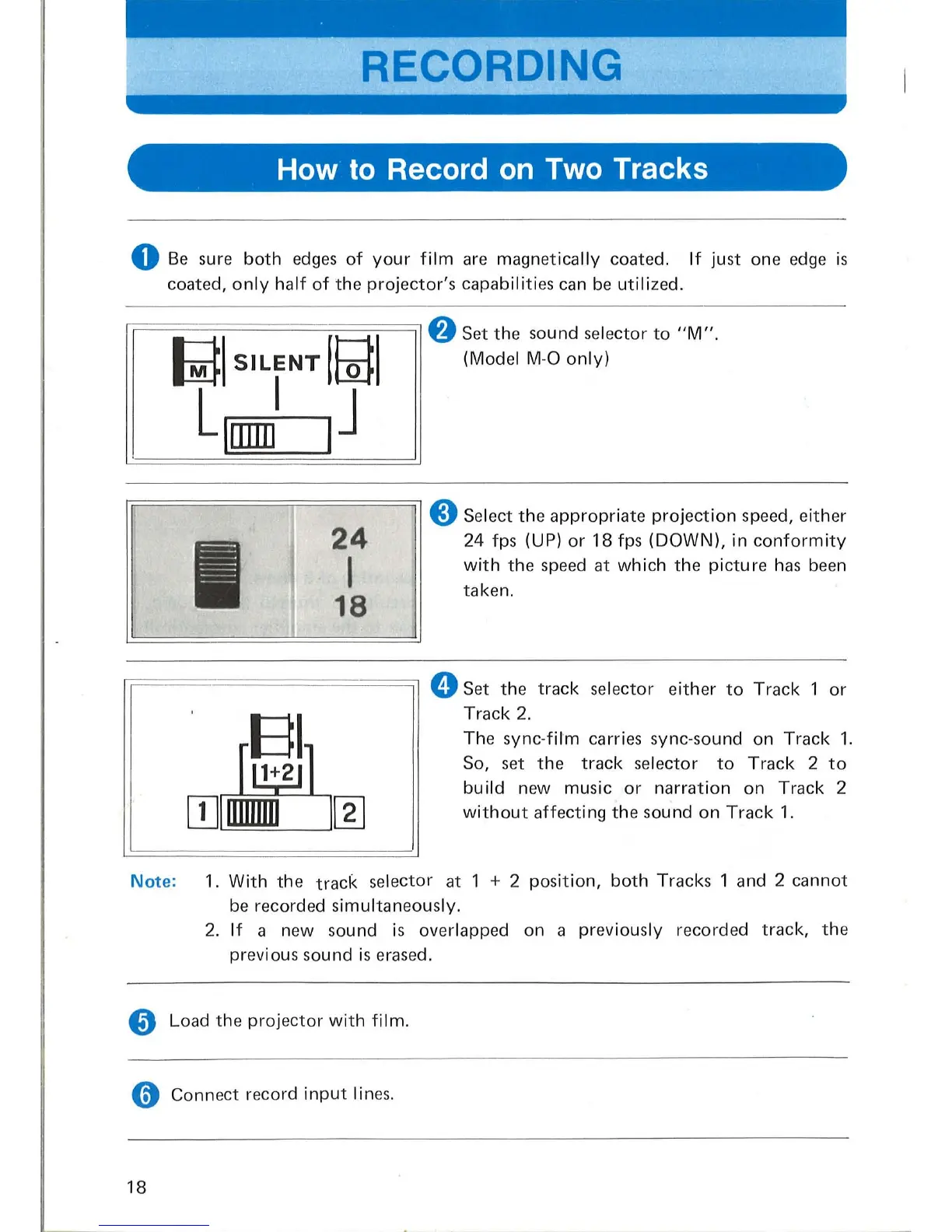
Be
sure
both
edges
of
your
film
are
magnetically coated.
If
just one edge
is
coated,
only
half
of
the
projector's
capabilities can
be
utilized.
rr=
========
=:=
/
:=
j
=
:=:
~I
:==
==;-
1
8
Set
the
sound selector
to
"M".
lid
I
SILENT
0 (Model M-O
only)
Llrnml
IJ
24
I
18
8 Select
the
appropriate
projection
speed, either
24 fps (UP)
or
18
fps
(DOWN),
in
conformity
with
th
e speed at
which
the
picture
has
been
taken.
rr=
============
:;l
0 Set the
track
selector
either
to
Track
1
or
,
BI
r~n
[IJITIiIDiLJ~
Track
2.
The
sync-film
carries sync-sound on Track
1.
So, set
the
track
selector
to
Track
2
to
build
new music
or
narration
on
Track 2
without
affecting
the
sound
on
Track
1.
Note:
1.
With
the
track
selector at 1 + 2
position,
both
Tracks 1 and 2 cannot
be
record
ed
simultaneously.
2.
If
a new sound
is
overlapped on a
pr
eviously recorded
track,
th
e
previous
so
und is erased.
8 Load
the
projector
with
film.
o Connect record
input
lin
es
.
18
~~~----~-
.-
-------------

Related product manuals