EasyManua.ls Logo

Elmo ST-600D - Input Jacks

Elmo ST-600D
48 pages
Print Icon
To Next Page IconTo Next Page
To Previous Page IconTo Previous Page
Loading...
Input Jacks
20
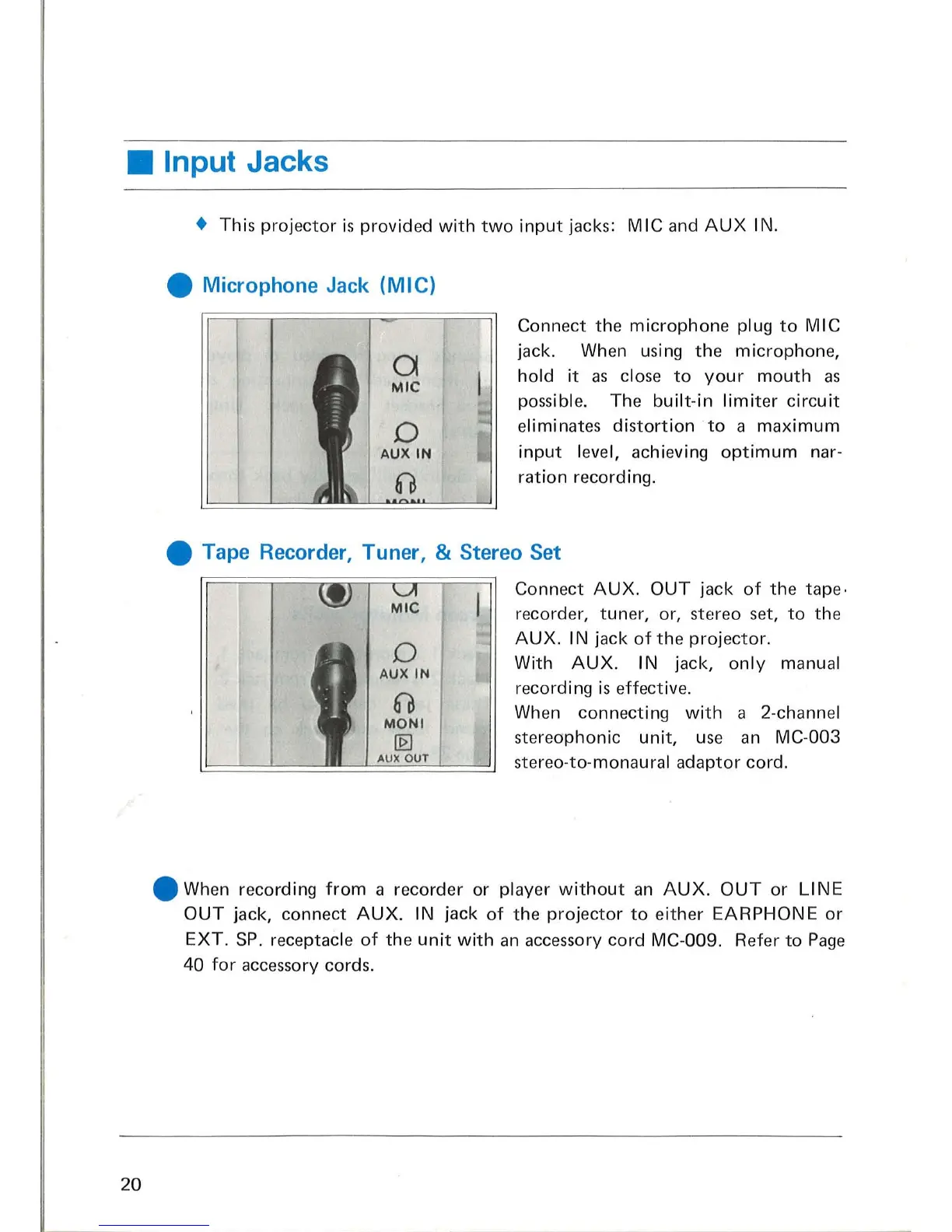
This
projector
is
provided
with
two
input
jacks:
MIC
and
AUX
IN .
Microphone
Jack
(MIC)
a
MIC
o
AUXIN
61
Connect the
microphone
plug
to
MIC
jack. When using
the
microphone,
hold
it
as
close
to
your
mouth
as
possible. The
built-in
limiter
circuit
eliminates
distortion
to
a
maximum
input
level, achieving
optimum
nar-
ration
recording.
Tape Recorder, Tuner, & Stereo Set
o
AUXIN
61
MONI
lliJ
AUX OUT
Connect
AUX.
OUT
jack
of
the
tape·
recorder, tuner, or, stereo set,
to
the
AUX.
I N jack
of
the
projector.
With
AUX
. IN jack,
only
manual
recording
is
effective.
When connecting
with
a 2-channel
stereophonic
unit,
use
an
MC-003
stereo-to-monaural
adaptor
cord .
When recording
from
a recorder or player
without
an
AUX.
OUT
or
LINE
OUT
jack, connect
AUX.
IN jack
of
the
projector
to
either
EARPHONE
or
EXT
.
SP.
receptacle
of
the
unit
with
an
accessory cord MC-009. Refer
to
Page
40
for
accessory cords.

Related product manuals