EasyManua.ls Logo

Elmo ST-600D - Adjusting the Input Level

Elmo ST-600D
48 pages
Print Icon
To Next Page IconTo Next Page
To Previous Page IconTo Previous Page
Loading...
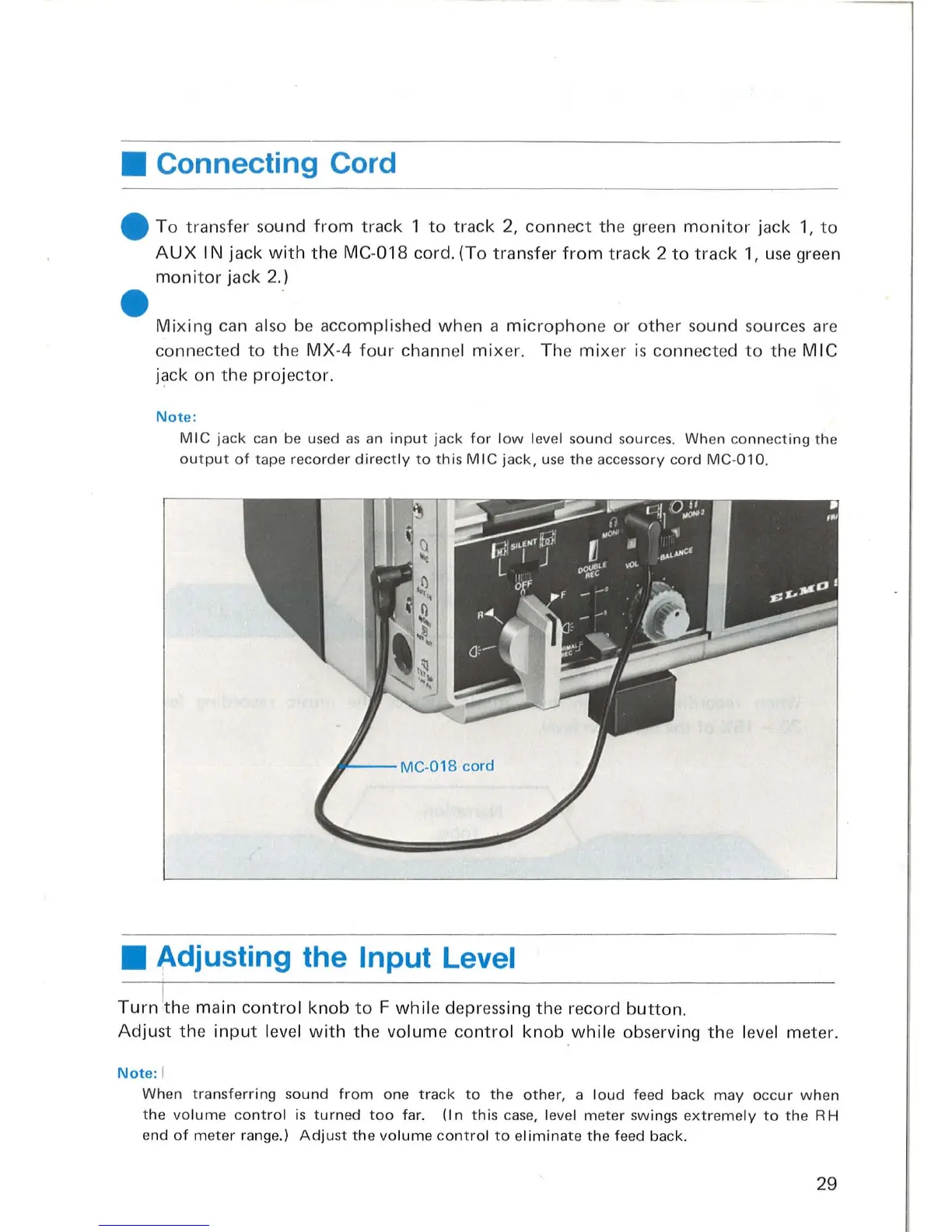
Connecting Cord
To
transfer
sou
nd
from
track
1
to
track
2,
connect
the green
monitor
jack
1,
to
AUX
I N jack
with
the
MC-
018
cord. (To transfer
from
track
2
to
track
1,
use
green
monitor
jack 2.)
Mixing
can al
so
be
accomplished when a
microphone
or
other
sound sources are
connected
to
the
MX
-4
four
channel
mix
e
r.
The
mix
er is connected
to
the
MIC
j~ck
on the
projector.
Not
e:
MIC
jack
can be u
sed
as
an
input
jack
for
l
ow
level so
und
so
urces. When c
onnecting
the
output
of
tape
recorder
direct
ly
to
this
MIC
jack,
use
the
accessory
cord
MC
-
Ol0.
Adjusting the Input Level
Turn
i
the
main
control
knob
to
F
whil
e depressing
the
record
button.
Adjust
the
input
level
with
the
volume
control
knob
while
observing the l
eve
l meter.
Note
: I
When
transferring
sound
from
one
track
to
the
other,
a
loud
feed
back
may
occur
w hen
the
vo
lum
e
contro
l
is
turn
ed
too
far.
(In
this
case, level
meter
sw
ings
extreme
ly
to
the
RH
end
of
meter
range.)
Adjust
the
volume
contro
l
to
e
limin
ate
the
feed back.
29

Related product manuals