108 Chapter 3
Replacing the LCD Module
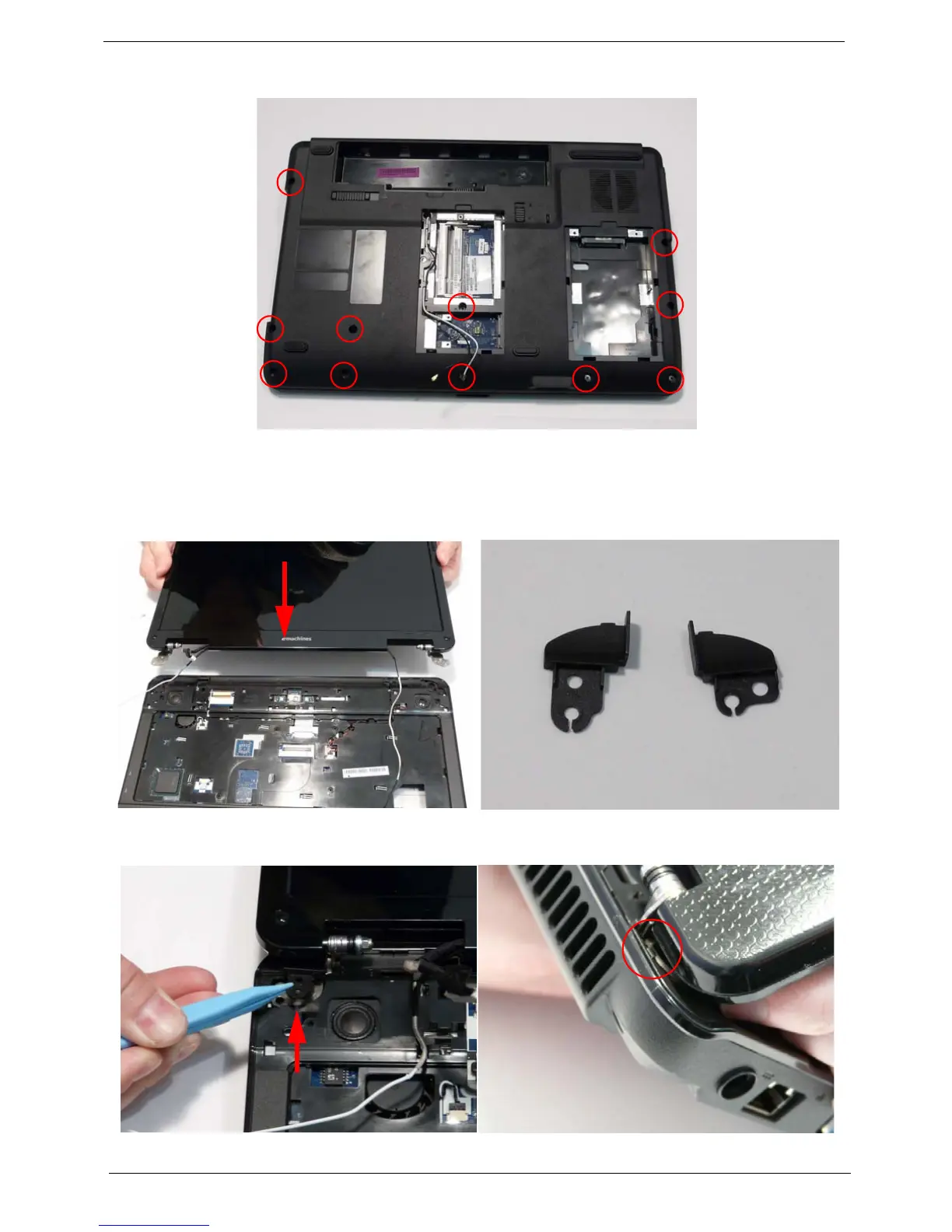
10. Turn the computer over and replace the eleven screws as shown.
1. Align the screw holes on the LCD Module and
Upper Cover and replace the LCD Module.
2. The left and right screw covers are shaped
differently. Ensure that the correct cover is used.
3. Replace the left screw cover as shown. Ensure that the securing tab on the rear of the cover is seated
correctly in the Upper Cover.
Left Screw
Cover
Right Screw
Cover












 To Next Page