Chapter 3 47
Removing the Optical Drive Module
1. See “Removing the Battery Pack” on page 44.
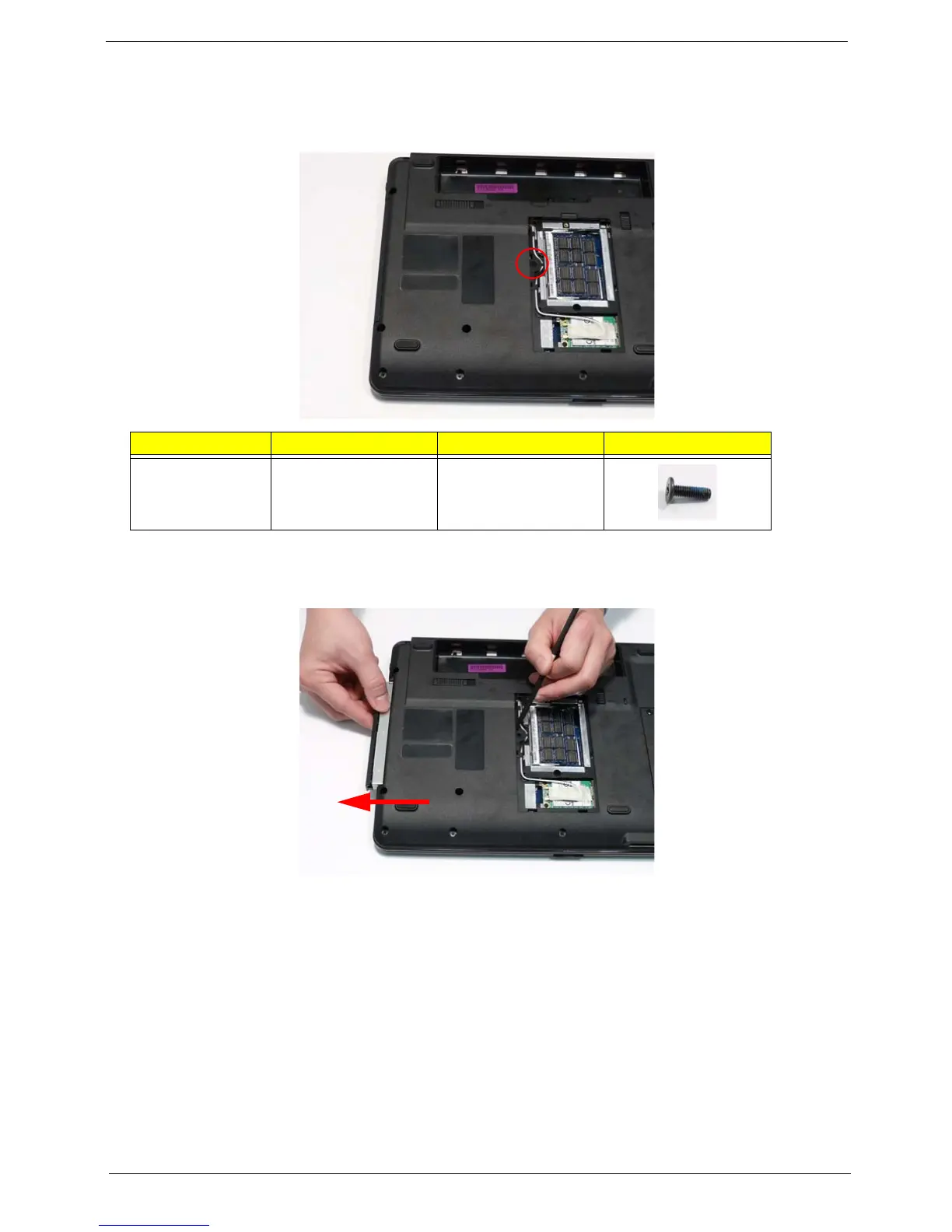
2. Remove the screw securing the ODD module.
3. Insert a suitable tool into the access slot in the battery bay as shown. Gently lever the ODD module out of the
chassis.
4. Pull the optical drive module out from the chassis.
Step Size Quantity Screw Type
ODD Module M2.5*8 1












 To Next Page