Chapter 3 117
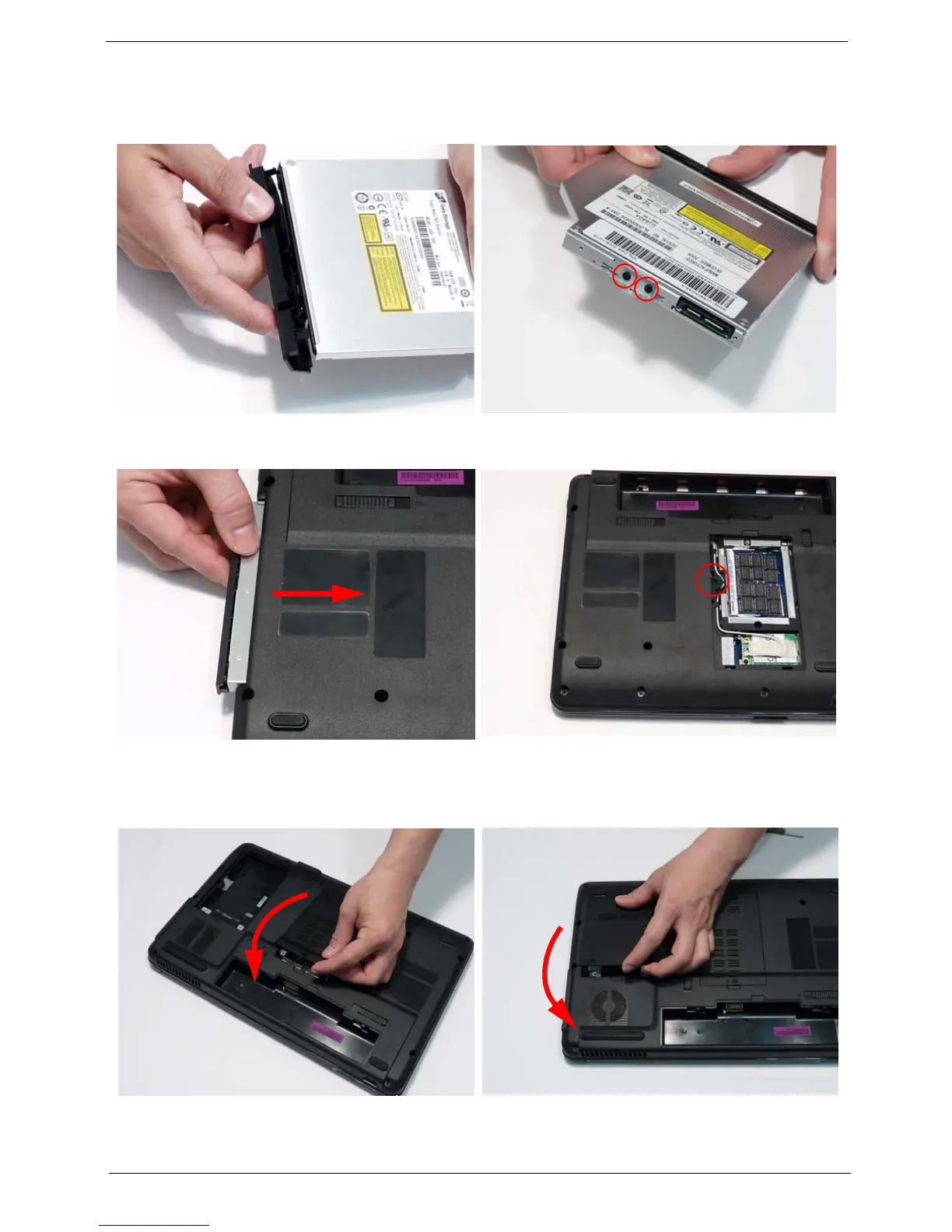
Replacing the ODD Module
Replacing the Lower Covers
1. Press the bezel into the tray, bottom edge first, to
secure it to the ODD Module.
2. Secure the ODD bracket with the two screws.
3. Push the ODD Module into the ODD bay until it is
flush with the casing.
4. Replace the single screw to secure the Module.
1. Replace the Memory Cover as shown. 2. Replace the HDD Cover as shown.
IMPORTANT: Press down around the perimeter of the covers to ensure that the all the securing tabs are
correctly located in the casing.












 To Next Page