46 Chapter 3
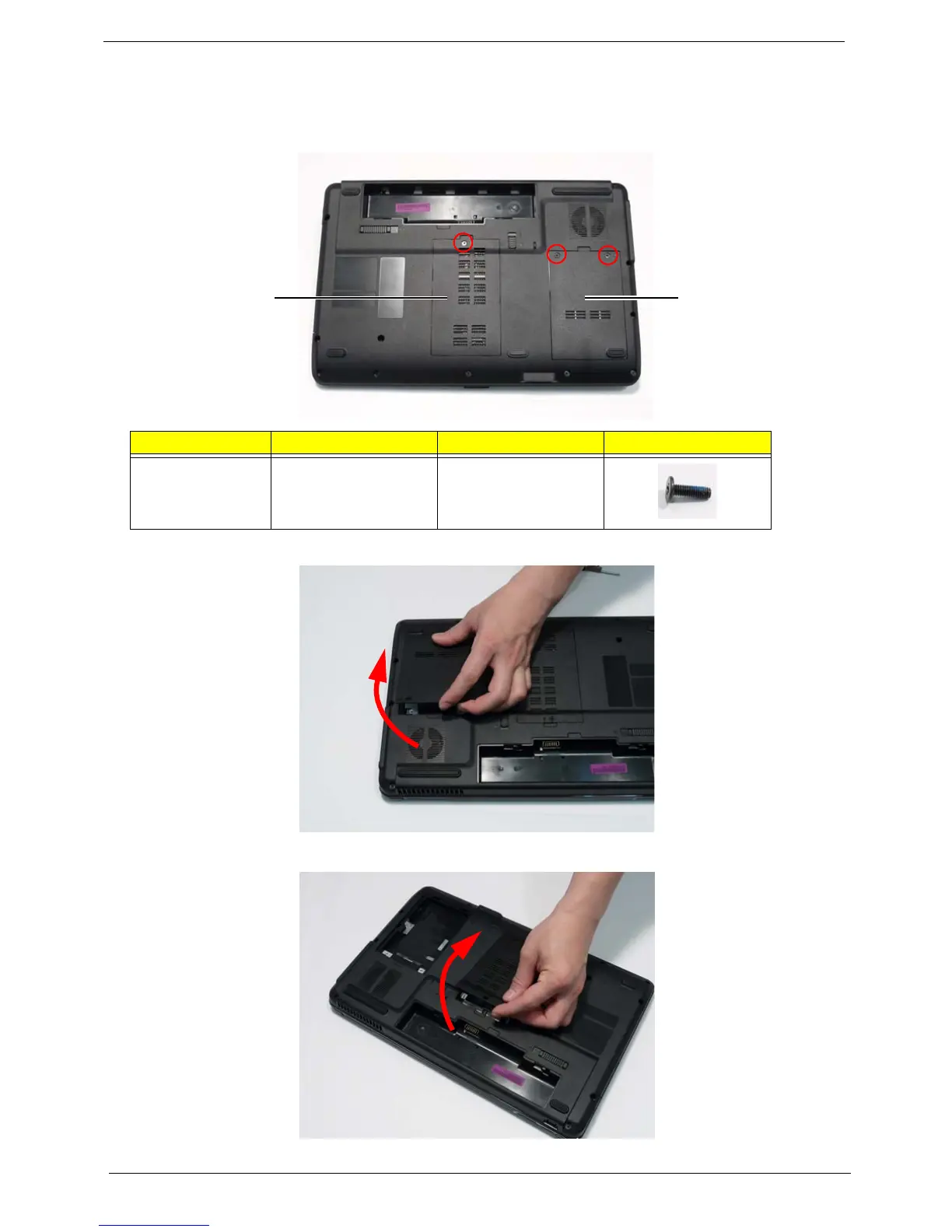
Removing the Lower Covers
1. See “Removing the Battery Pack” on page 44.
2. Remove the three screws securing the Memory and HDD Covers.
3. Remove the HDD cover as shown.
4. Carefully open the Memory Cover.
Step Size Quantity Screw Type
Lower Covers M2.5*8 3
Memory
Cover
HDD
Cover












 To Next Page