116 Chapter 3
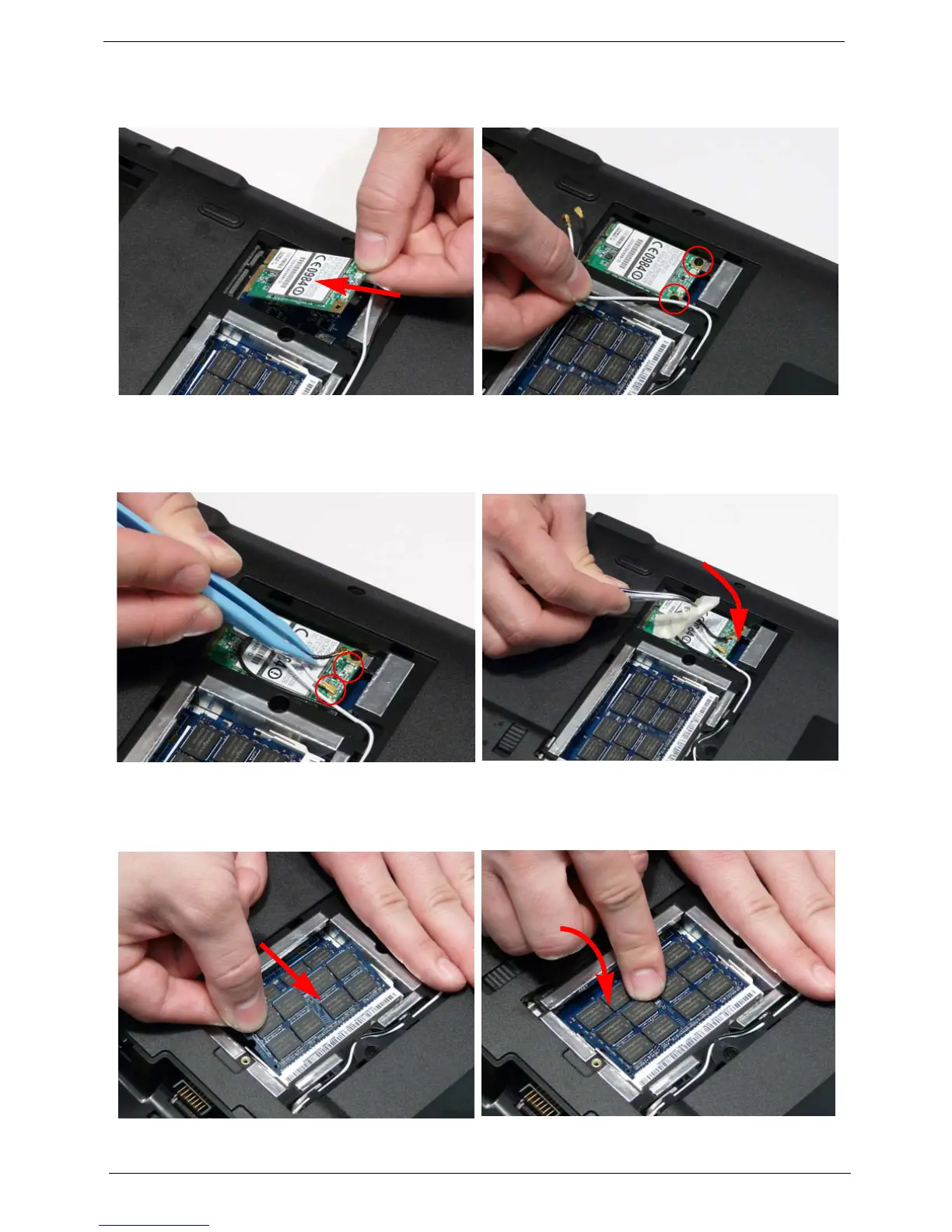
Replacing the WLAN Module
Replacing the DIMM Modules
1. Insert the WLAN Module into the WLAN socket. 2. Replace the two screws to secure the module.
3. Connect the two Antenna cables to the module.
NOTE: The black cable connects to the upper
terminal (MAIN) and the white cable to the
lower terminal (MAIN).
4. After connecting the cables to the terminals,
secure the cables in place with adhesive tape to
avoid trapping.
1. Insert the DIMM Module in place. 2. Press down to lock the DIMM module in place.
3. Repeat steps for the second DIMM module if present.












 To Next Page