110 Chapter 3
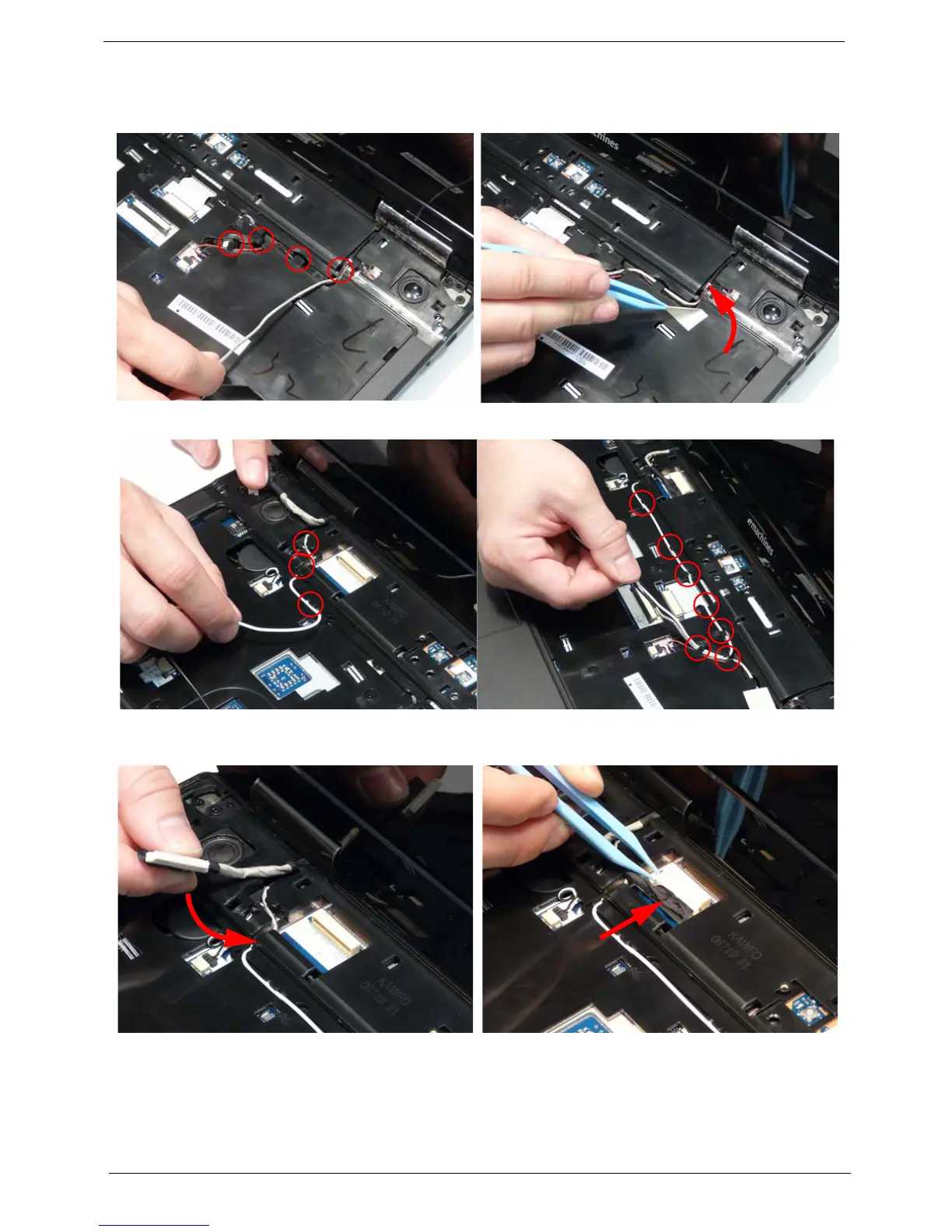
9. Run the black Antenna cable along the cable
channel as shown using all available retaining
clips.
10. Replace the adhesive strip to secure the cable in
place.
11. Run the white Antenna cable along the cable channel as shown using all available retaining clips.
12. Run the LCD cable along the cable channel using
all available cable clips.
13. Connect the LCD cable to the Mainboard as
shown.












 To Next Page