21
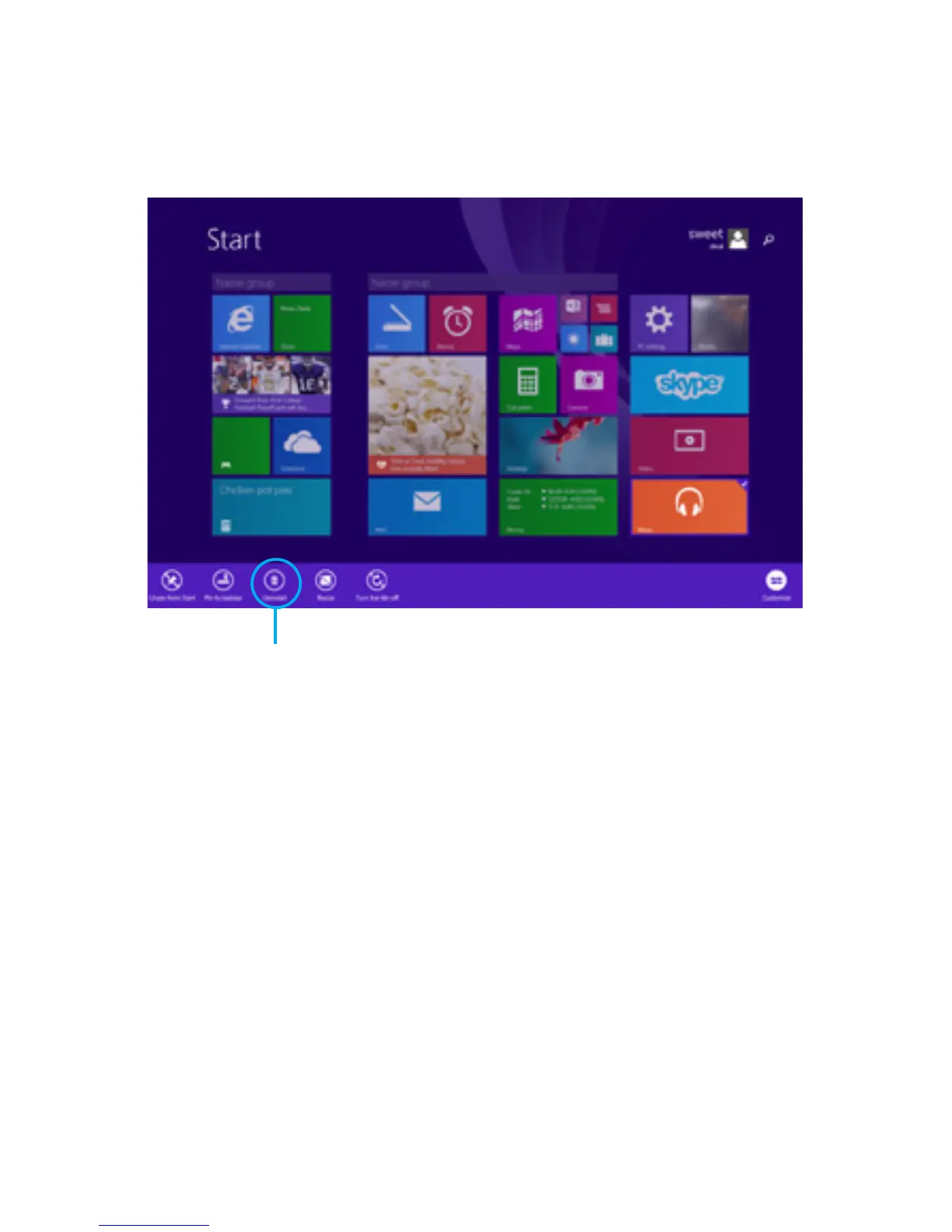
Uninstall Apps
App Help & Settings
Press and hold an app until the app is highlighted,
and app commands appear at the bottom of the
screen. Tap on Uninstall.
OpenSettingsCharmandndHelp.Ifthereisnohelp,
check the company’s website for information.
Open Settings Charm inside an app.
For App Help:
For App Settings:
Uninstall



 To Next Page