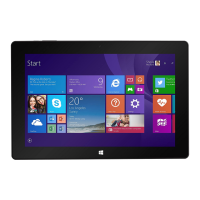
Section 1: Tablet Overview
Tablet Overview
Touch Screen Basics
Charms
Take a Screenshot
Section 2: Initial Setup
Turn on or Wake
Charging
Battery Status
Getting Started
Section 3: Personalize Your Tablet
Personalize Your Start Screen
Create Tiles
Customize Your Tiles
Background & Color
Personalize Your Lock Screen
Notications
Personalize Your Desktop
Section 4: Networks
Turn On/Off Wi-Fi
Forget a Wi-Fi Network
Connect/Disconnect to a VPN
Join a Homegroup or Workplace
Section 5: Connect to Devices
Pair with a Bluetooth Devices
Printing
Scan
Connect to TV, Monitor, or Projector
Section 6: Keyboard Settings
On-screen Keyboard
Other On-Screen Keyboard Options
Access On-screen Keyboard Settings
On-screen Keyboard Tips
Section 7: Apps
Finding Apps
Switch Between Apps
Dual Screen Apps
Close Apps
App Commands
Uninstall Apps
4
4
5
6
7
7
7
8
8
9
10
10
10
11
11
12
12
12
13
13
14
14
14
15
15
15
16
16
17
17
17
18
18
19
19
19
20
20
20
21



 To Next Page