Reference Manual
00809-0100-4716, Rev JA
May 2008
Rosemount 3095 MultiVariable
3-46
HART
Saving the Flow Configuration
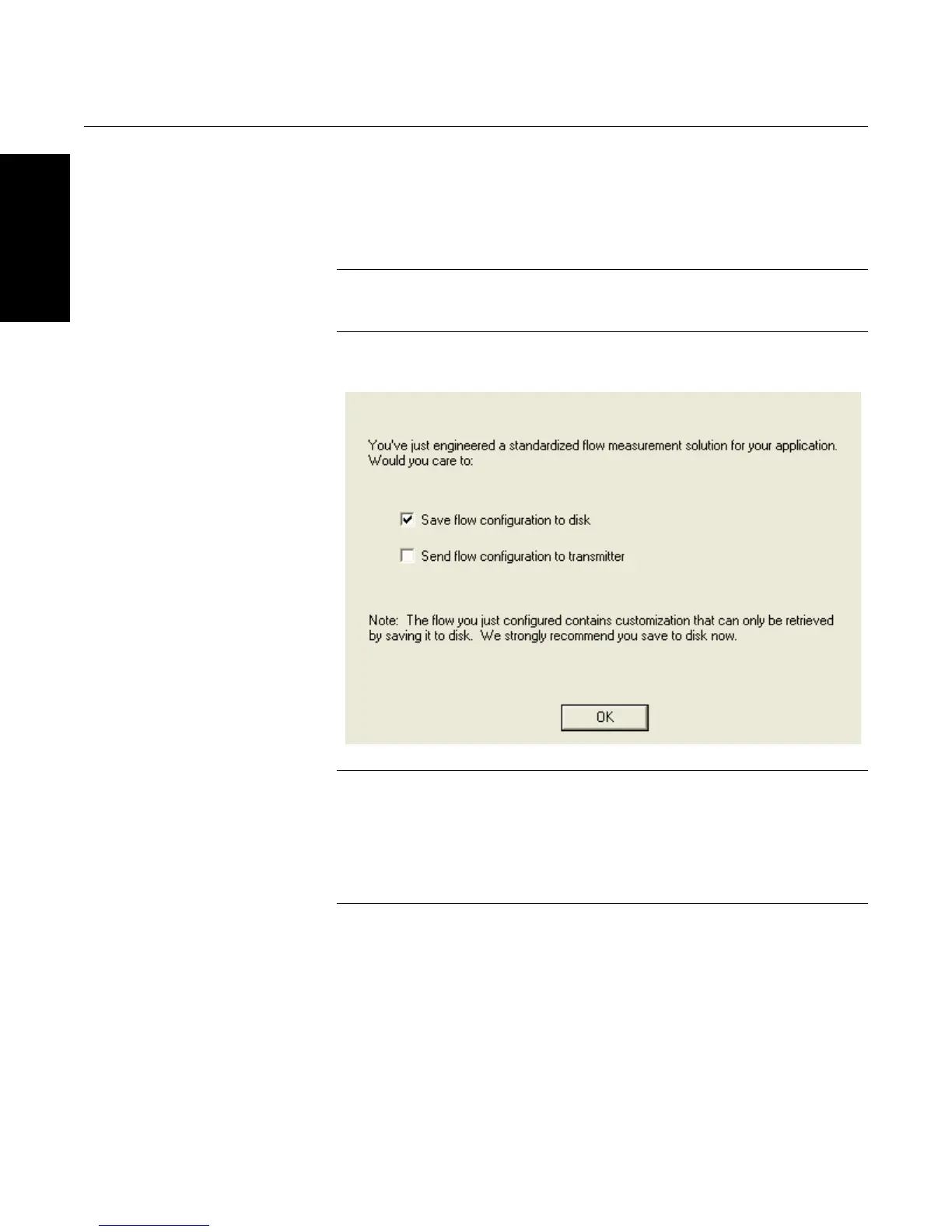
Once the flow configuration wizard is complete, you will be prompted to save
the new flow configuration. You can save it on the computer’s hard disk, the
3095’s flash memory, or both. Select the box next to the option you wish to
perform, and click “OK.”
NOTE
It is recommended to save the flow configuration to the computer for later use
or installation.
Figure 3-37. Saving Options
CAUTION
If you selected a custom fluid, or made density or viscosity changes to a
database fluid, be sure to save the information to a configuration file so that
you can modify the flow configuration information at a later date. Although you
can read a flow configuration from a transmitter, it is NOT possible to retrieve
custom density, custom viscosity, or custom primary element information.
Therefore, be sure to save custom fluid configurations to a unique file.









 To Next Page