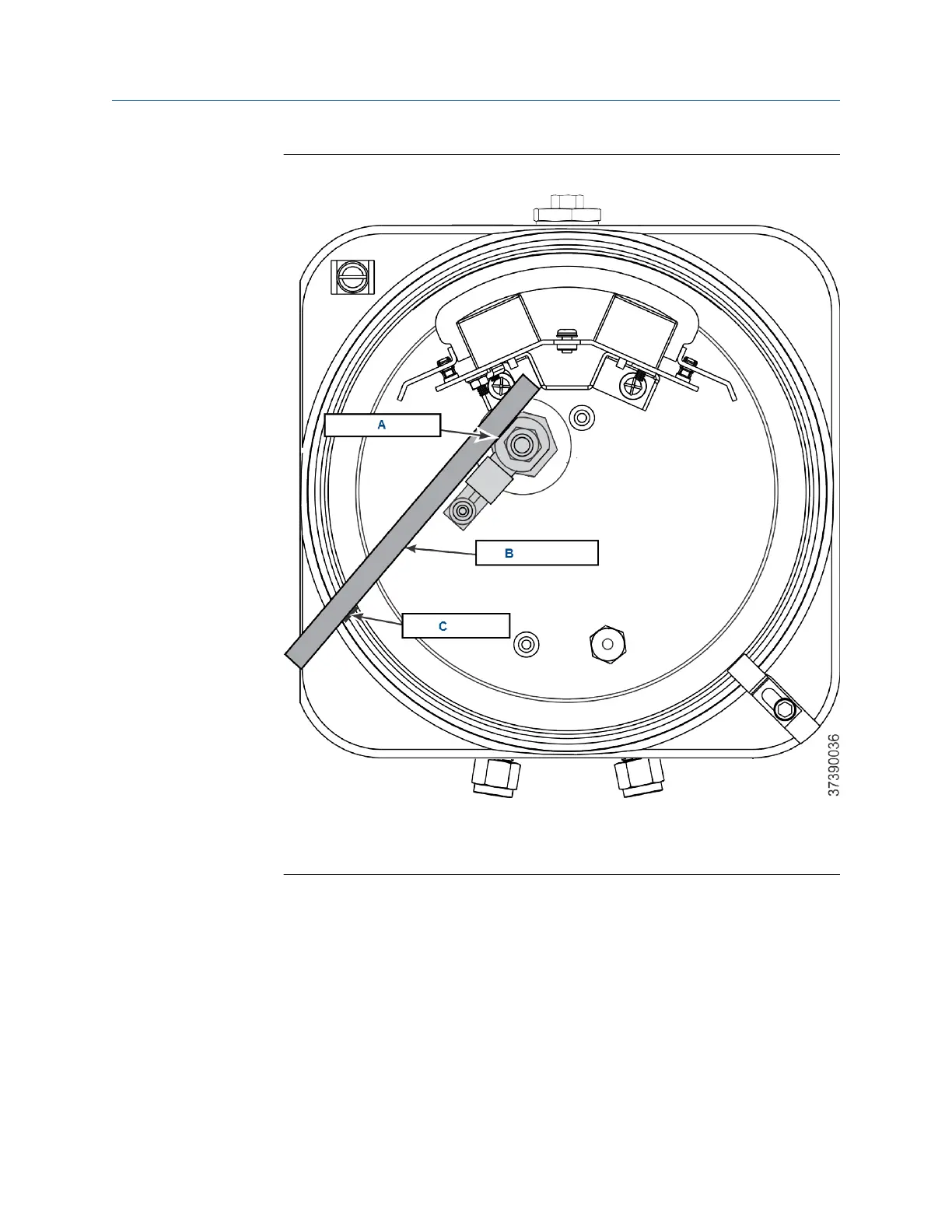
Figure 10-12: Eductor Alignment Matchmarks
A. Eductor flat
B. Straight edge
C. Matchmark
2. Unscrew the terminal block mounting ( Figure 10-10). Move the terminal
block mounting away from the eductor.
3. Unscrew the eductor holder with eductor and fittings from the sensor
housing.
4. Clamp the flats of the eductor in the jaws of the bench vise.
Maintenance and service Manual
December 2022 00809-0500-4880
258 Emerson.com/Rosemount














 To Next Page