S o n o m a U s e r M a n u a l
98
C H A P T E R T E N
99
S o n o m a U s e r M a n u a l
O P T I O N S
ZDA (Time and Date)
The ZDA sentence identies the time associated with the current 1PPS pulse. Each sentence is
transmitted within 500 milliseconds after the 1PPS pulse is output and tells the time of the pulse that
just occurred. If the Sonoma is unsynchronized then this sentence will be composed of null elds.
Examples are below:
$GPZDA,,,,,,*48<CR><LF>
$GPZDA,175658.00,20,05,2008,07,00*69<CR><LF>
Msg ID $GPZDA
Field 1 175658.00 UTC time at 1PPS (hhmmss.ss)
Field 2 20 Day (01 to 31)
Field 3 05 Month (01 to 12)
Field 4 2008 Year (1980 to 2079)
Field 5 07 Local time zone hour, offset from UTC (- for east longitude)
Field 6 00 Local time zone minutes, offset from UTC
Checksum *69
Msg End <CR><LF>
Power Supply Options
Your Sonoma can be congured with several optional power supply inputs which are listed in Appen-
dix H - Specifications. Dual-redundant power supplies are also available.
DC Power Input
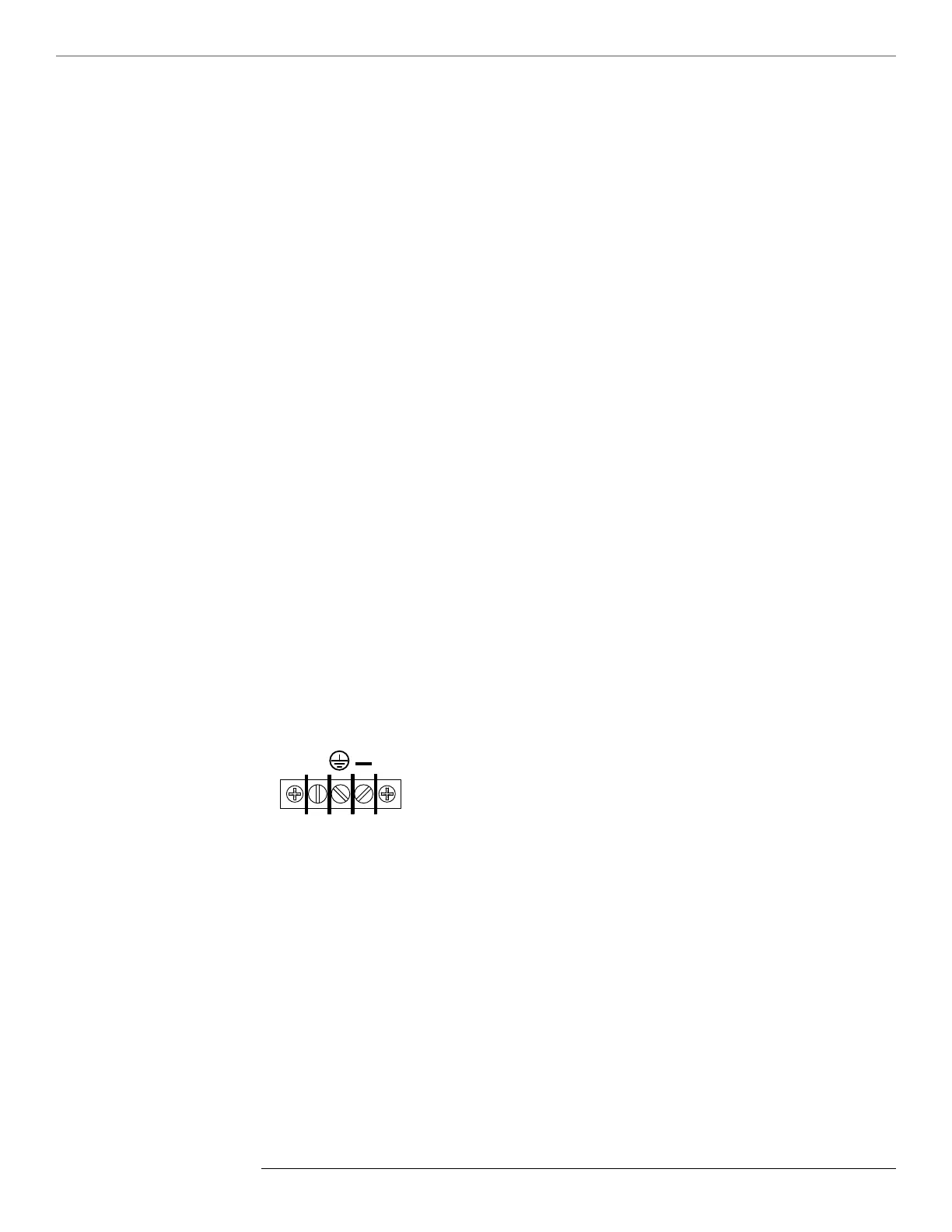
The DC power input uses a a 3-position terminal block and replaces the standard AC power input
jack.
Connecting the DC Power
Connect the safety ground terminal to earth ground. Connect the “+” terminal to the positive output
of the DC power source. Connect the “-” terminal to the negative output of the DC power source.
Note that the Sonoma has a “oating” internal power supply, therefore either the positive or negative
output of the DC power source can be referenced to earth ground. This unit will not operate if the +/-
connections are reversed; however it will not be damaged by a reverse connection.



 To Next Page