11g Wireless Client Bridge/AP Version 1.36
24
Extreme
Great N/A N/A N/A
Preamble Type: For best performance, all devices on the wireless network should
use the same preamble type. However, the wireless network will still function even
though the wrong preamble type is used.
Transparent Bridge: check Enable to activate the Transparent Bridging Function.
Turbo Mode: Select “Enable” to activate the Turbo mode for better performance.
The Default is disabled.
Click on the Apply Changes button to confirm the changes. This device will
automatically restart once these changes have been applied.
4.4.3 Security
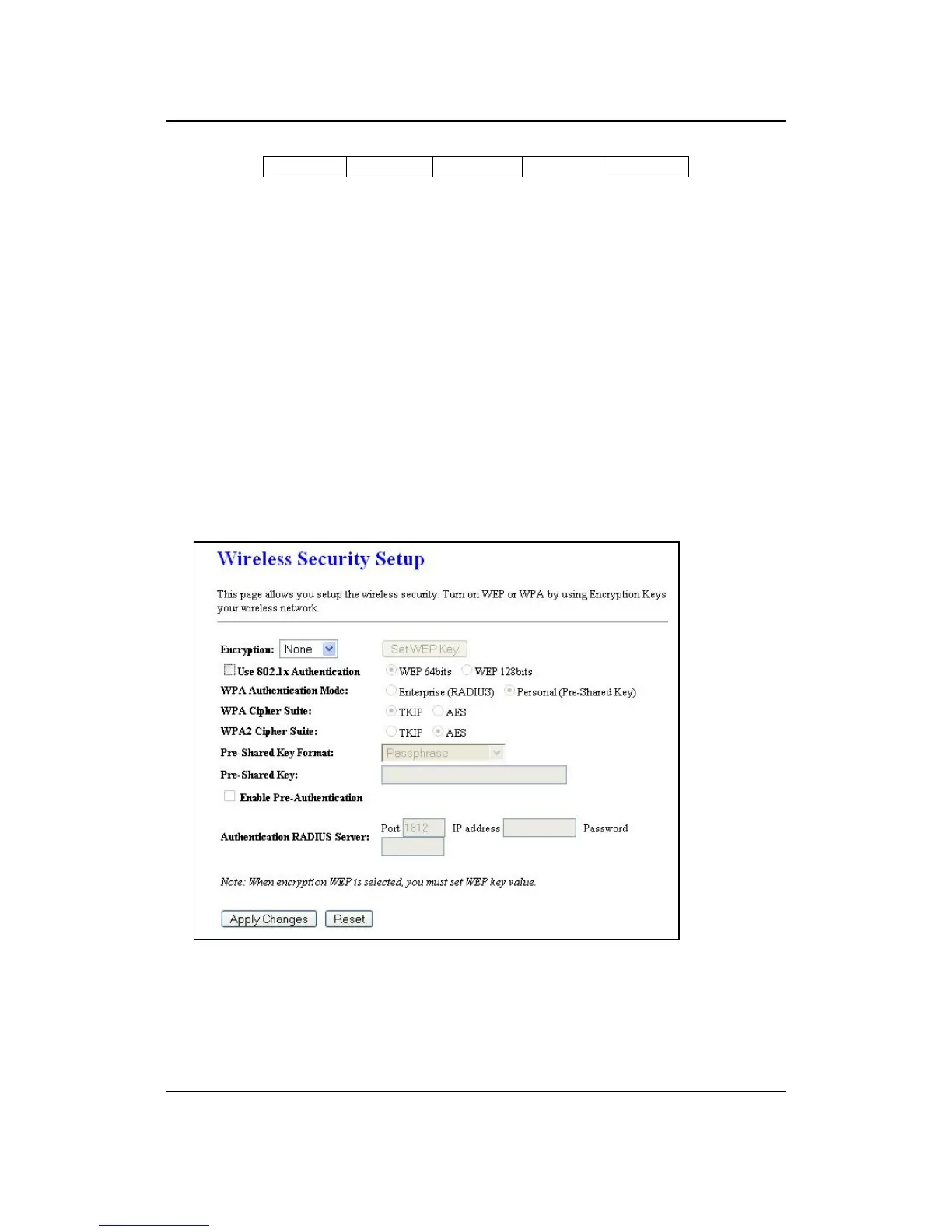
Click on the Security link under the Wireless menu. On this page you can configure
the authentication and encryption settings such as WEP, WPA, and 80.1x.
4.4.3.1 Encryption Disabled
Encryption: Select None from the drop-down list if your wireless network does not
use any type of encryption.
Click on the Apply Changes button to confirm the changes. This device will
automatically restart once these changes have been applied.



 To Next Page