11g Wireless Client Bridge/AP Version 1.36
31
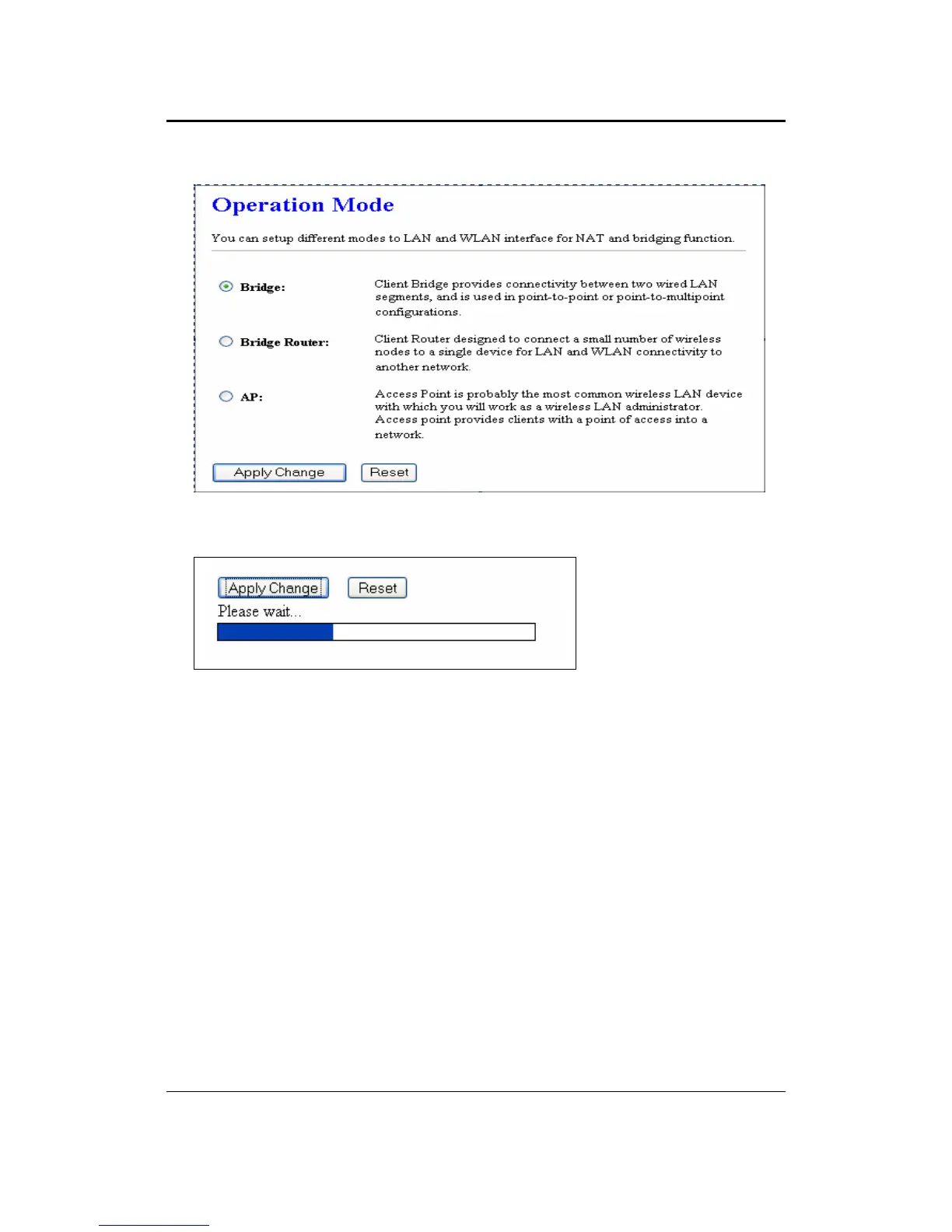
Select the AP, Bridge or Bridge Router and then click on the Apply Change button.
Wait for about a minute until you see the Pop-Up message.
Click on the OK button and then enter the specified IP address into the web-browser.
**Switch to other mode, the configuration settings will continue using.**
Switch to other mode, the setting
Refer to Chapter 4 to learn how to configure this device in Bridge/Router mode.
5.2.2 Status
Click on the Status link under the Management menu. The Status page is the first
page that is displayed once you have logged in. This includes details about the
system, wireless, and TCP/IP configuration.



 To Next Page