10
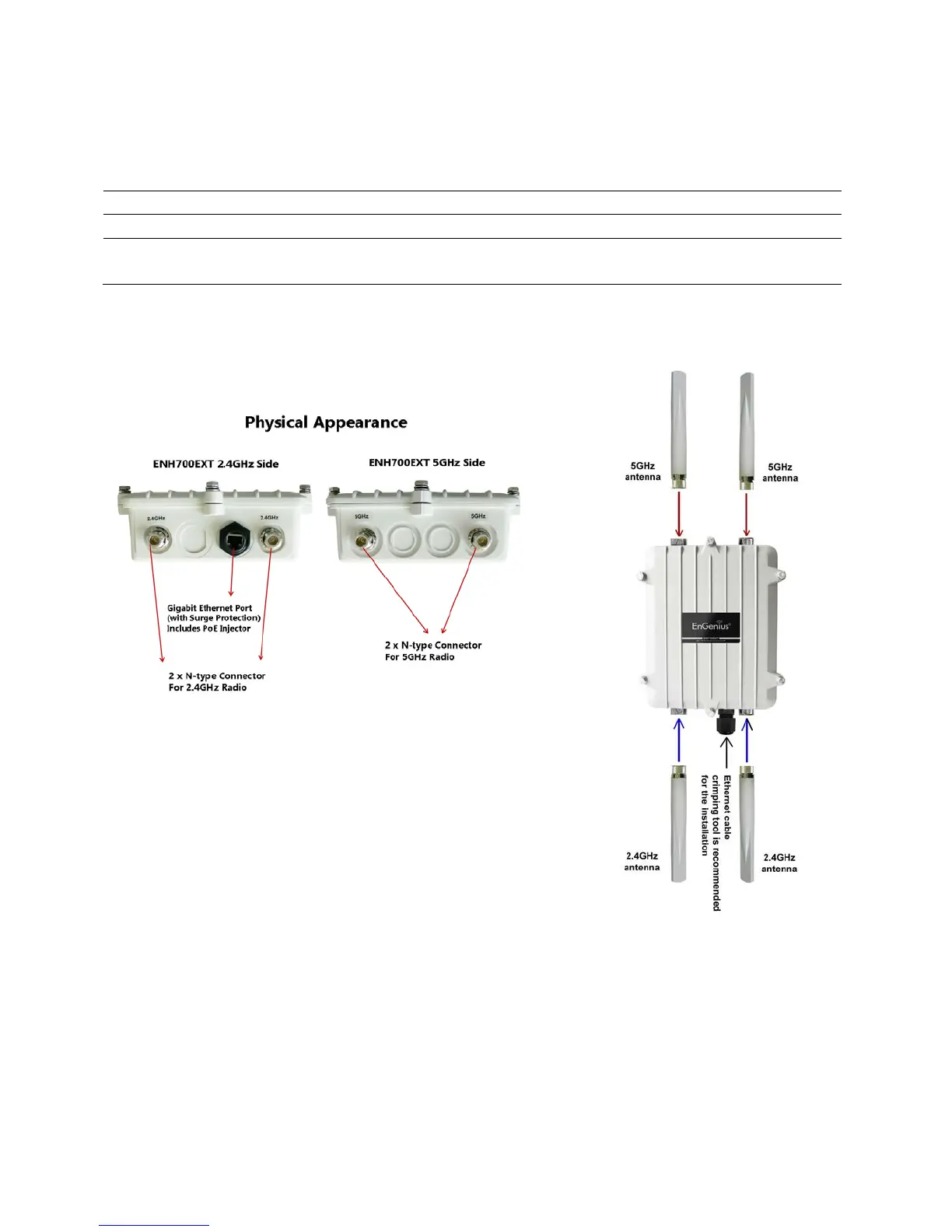
1.4 Hardware Overview
10/100/1000 LAN Port with (48v Proprietary) PoE Support
Maximum Wireless Data Rate
Antennas 2.4 GHz – 5dBi Omni directional antenna x2
5 GHz – 5dBi Omni directional antenna x2
1.5 System Requirements for Installation
The minimum requirements for settings up the ENH700EXT are:
• A computer with an Ethernet interface and a Windows
(XP, Vista, 7), Mac OSX, or Linux based Operating
System.
• An Internet browser the supports HTTP and JavaScript.
2 Installation and Setup
This chapter will describe how to assemble and set up the ENH700EXT. It will also cover where
to place the ENH700EXT to allow for maximum range and signal.



 To Next Page