34
7.2 Client Bridge
When Client Bridge is the selected mode of operation for either the 2.4GHz or 5GHz bands, two
options will be available to configure. The two options that can be configured are Wireless
Network and Wireless Advanced Settings.
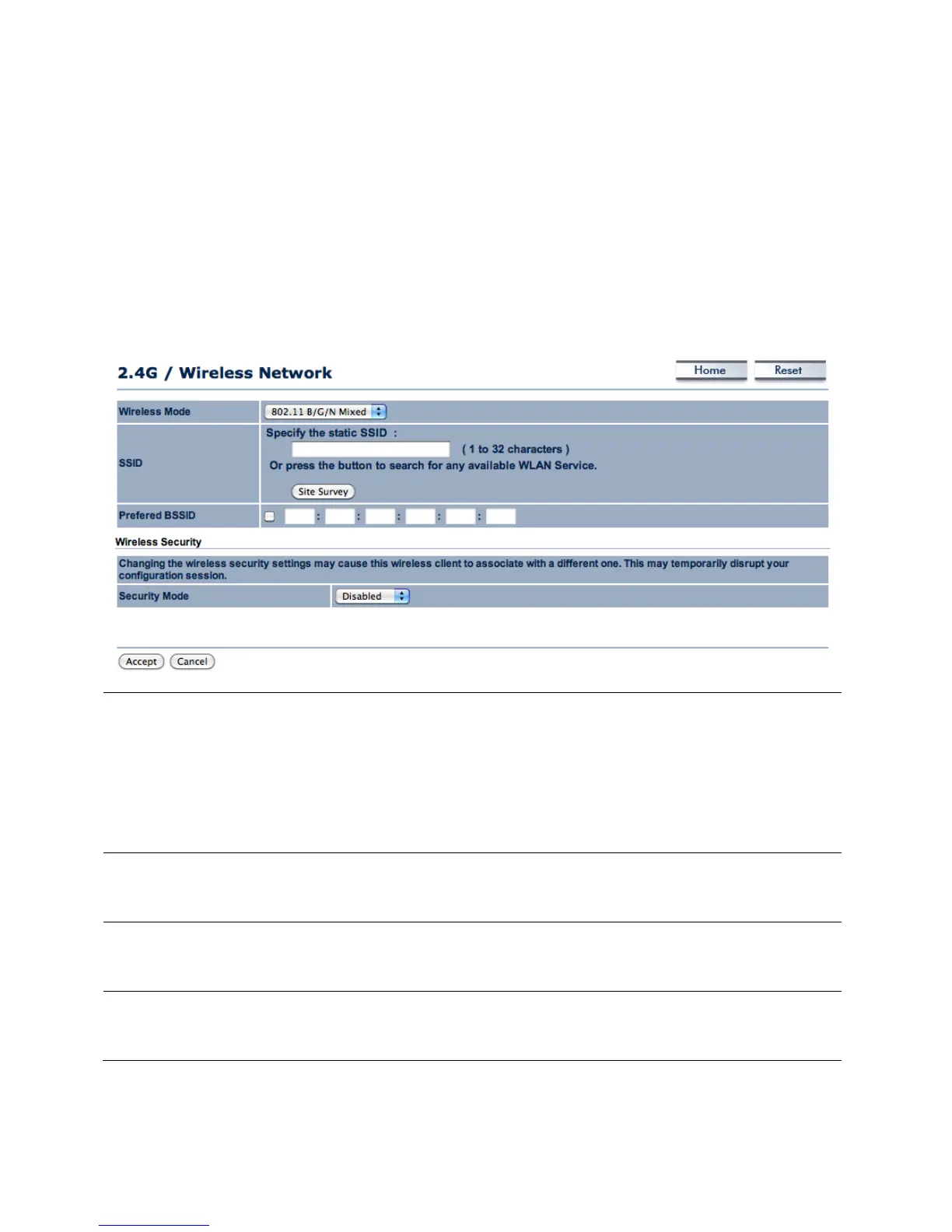
7.2.1 Wireless Network
Wireless Mode Select the wireless mode that the current band of operation
will use. The options are:
1) 802.11 b/g/n Mixed
2) 802.11 b
3) 802.11 b/g Mixed
4) 802.11 g
5) 802.11 n only
SSID In Specify the static SSID, enter the name of the Access Point
the client will connect to. This area is automatically filled out
if an access point in Site Survey is selected.
Specify the MAC address of the Access Point the client will
connect to. This section will be filled if an access point in Site
Security Mode Set the security options for the client bridge. For more
information on Wireless Security, refer to Chapter 8 (Page
23).



 To Next Page