33
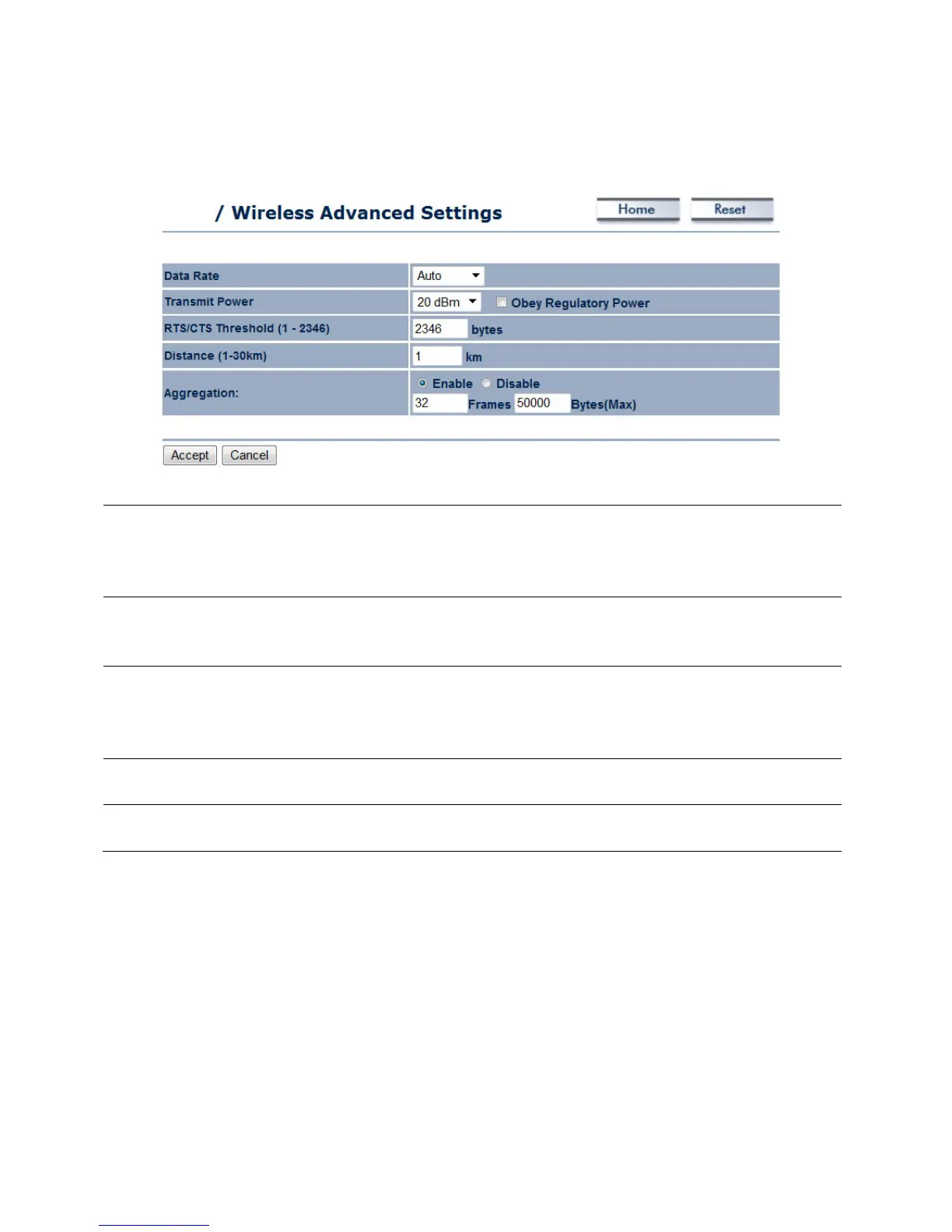
7.1.4 Wireless Advanced Settings
The Data Rate of the ENH700EXT affects the throughput of
data transfer. A higher data rate selected will have a faster
throughput. Lower will increase the distance in which the
The transmit power will allow the ENH700EXT to extend the
area of coverage. However, when increasing it too much, the
wireless connection may be unstable.
RTS / CTS Threshold (1-2346) The number on the list associated with the client MAC
address. This option affects the size of the packets that will
be passed along to transmit data. Smaller thresholds will
result in more transmissions of data.
Distance (1-30km) Specify the distance between the access points and clients.
Further distances will result in lower connection speeds.
Aggregation Aggregation allows packets to be sent together to lower the



 To Next Page