45
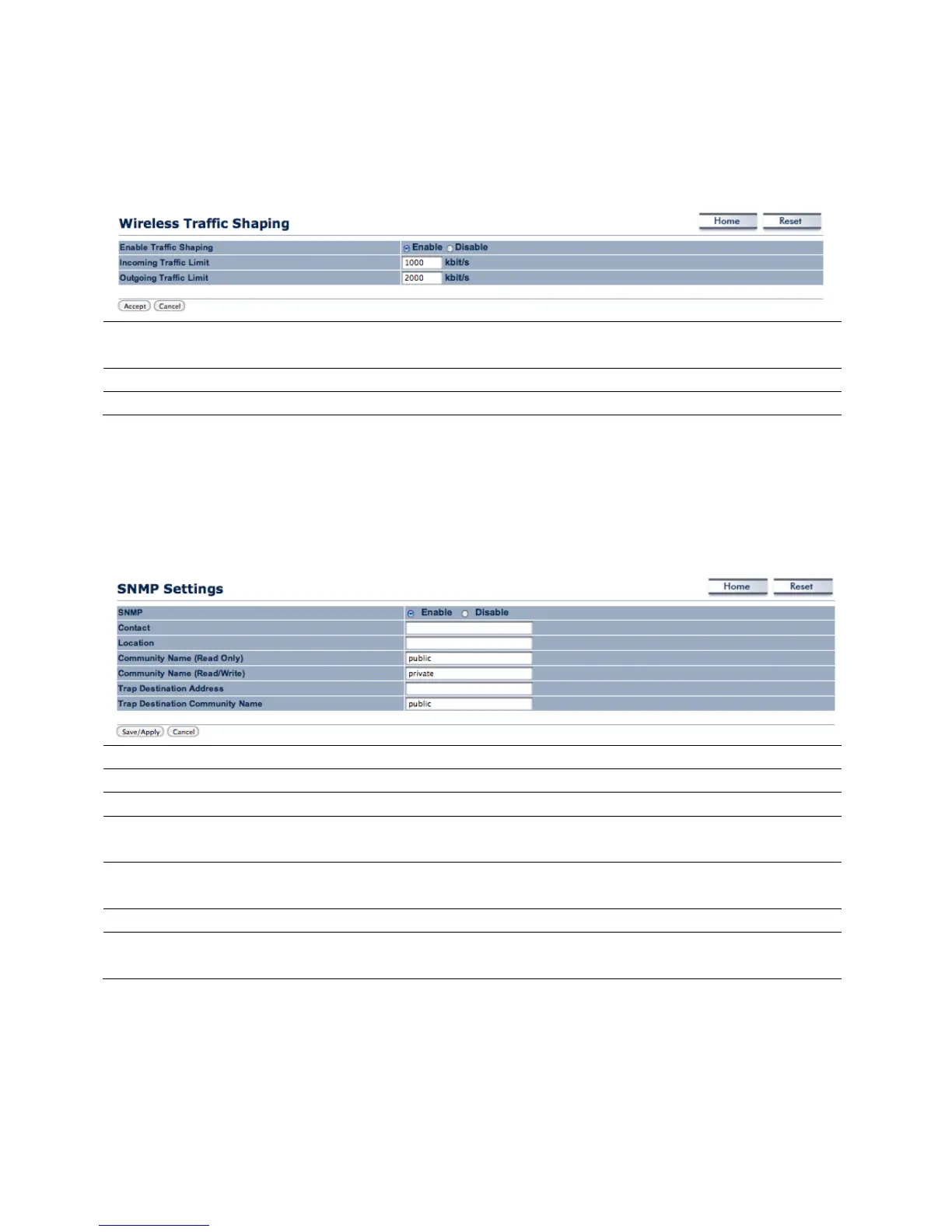
9.3 Wireless Traffic Shaping
The user can select whether or traffic shaping is enabled or
not.
Incoming Traffic Limit Specify the maximum rate of incoming traffic speed.
Specify the maximum rate of outgoing traffic speed.
9.4 SNMP Settings
The SNMP Settings controls the how data is sent to the SNMP-compatible clients.
SNMP The user can select whether SNMP is enabled or not.
Contact Specify the contact details of the device.
Location Specify the location of the device.
Community Name (Read Only) Specify the password for access by the SNMP community for
read only access.
Community Name
Specify the password for access by the SNMP community for
Trap Destination Address Specify the IP address that receives the SNMP trap.
Trap Destination Community
Specify the password of the SNMP trap community.



 To Next Page