43
9 Management
The Management portion of the ENH700EXT allows the user to change some generic system
settings.
No changes made in the Management section of the ENH700EXT be in effect
until Save & Apply is selected in the Save/Reload option of the Status section.
Selecting Accept or Save in the Management section will not reconfigure the
device.
9.1 Administration
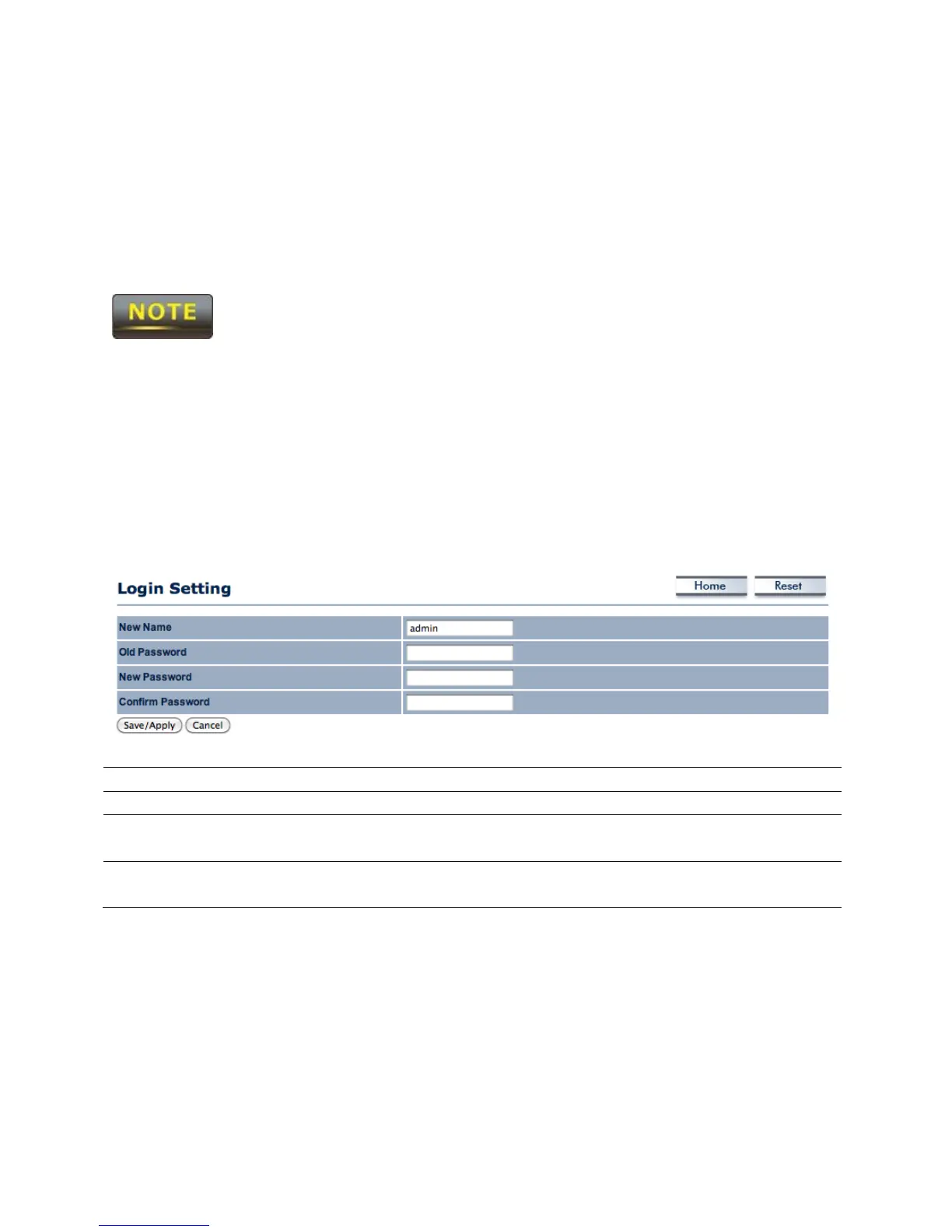
In the Administration option of the Management section of the user interface, users change
the username and password of the ENH700EXT. The default username is admin and the default
password is admin.
New Name Enter the username used to login to the ENH700EXT.
Old Password Enter the current password of the ENH700EXT.
New Password Enter the password that will become the new password for
the ENH700EXT.
Confirm Password Reenter the password that will become the new password
for the ENH700EXT.



 To Next Page